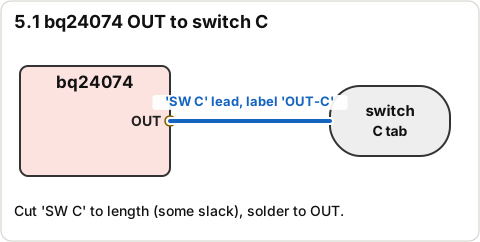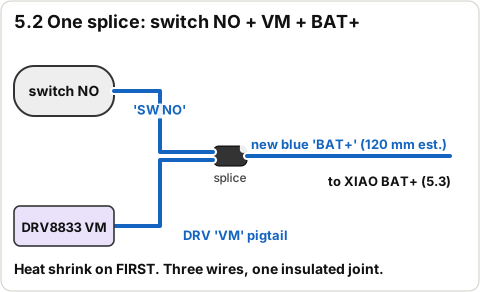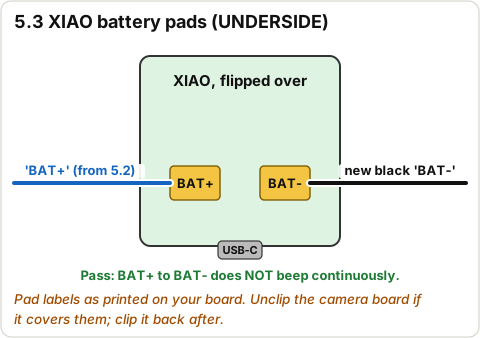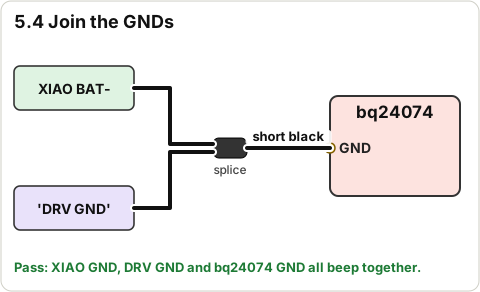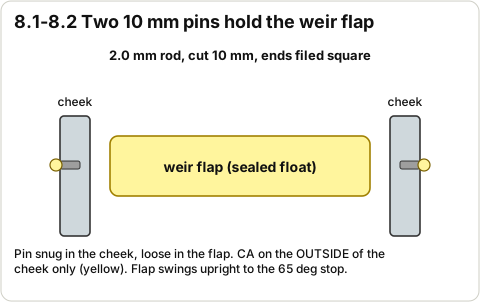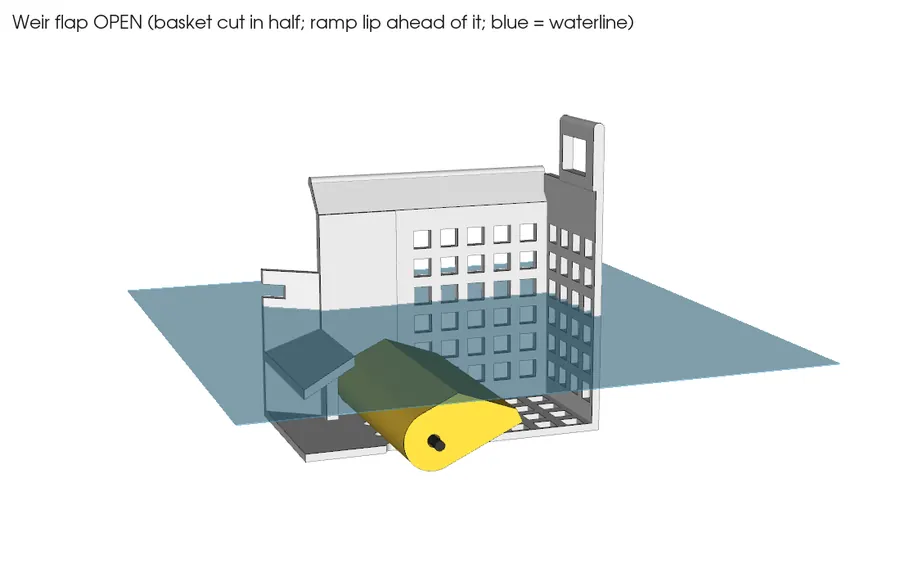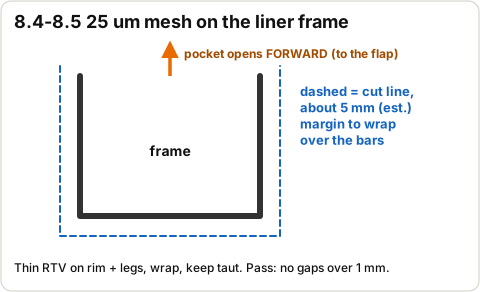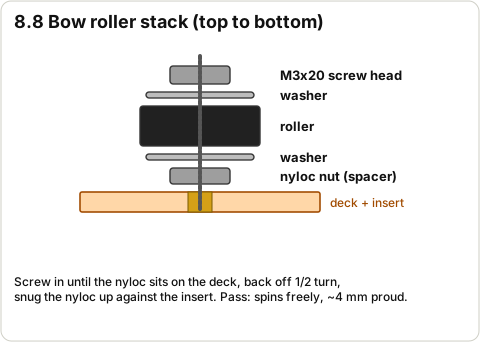
Skimmer build guide v3 · 3D · 2026-10-29

Progress is saved on this phone.

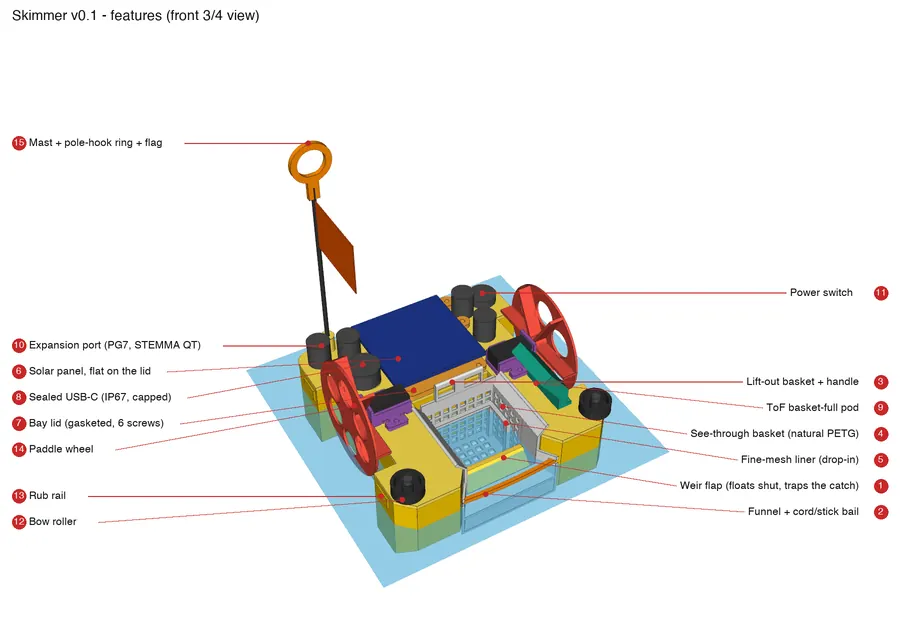
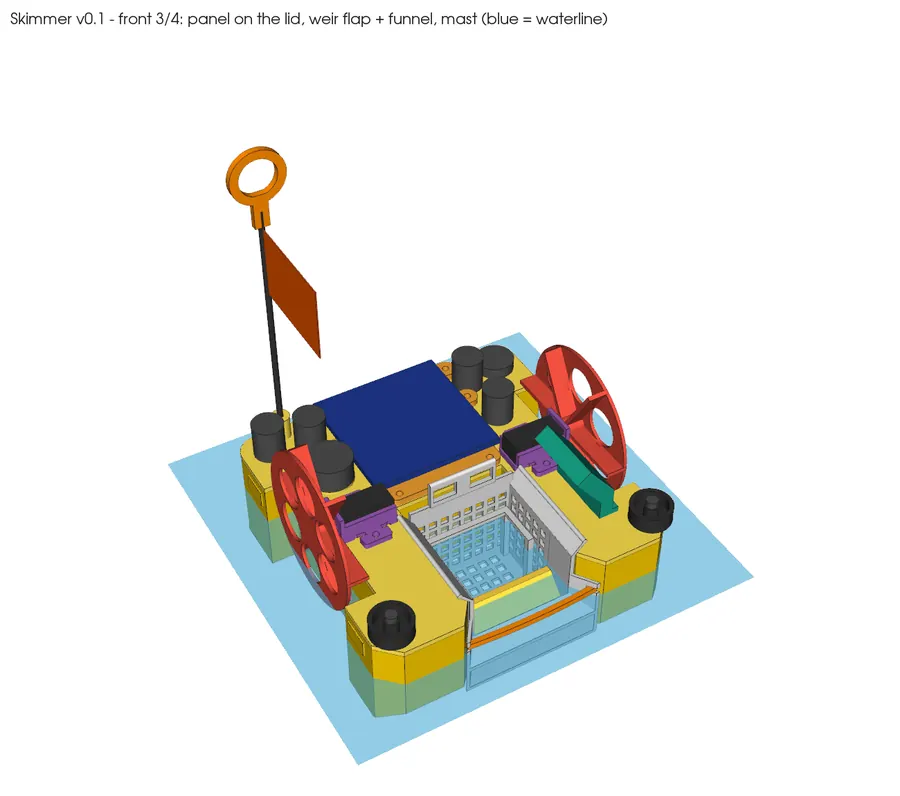
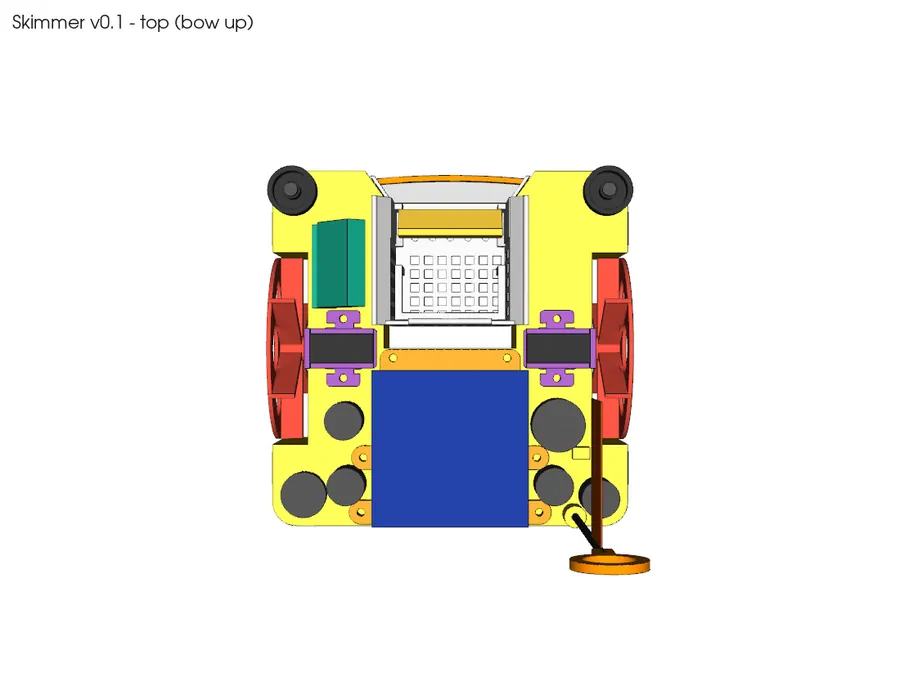
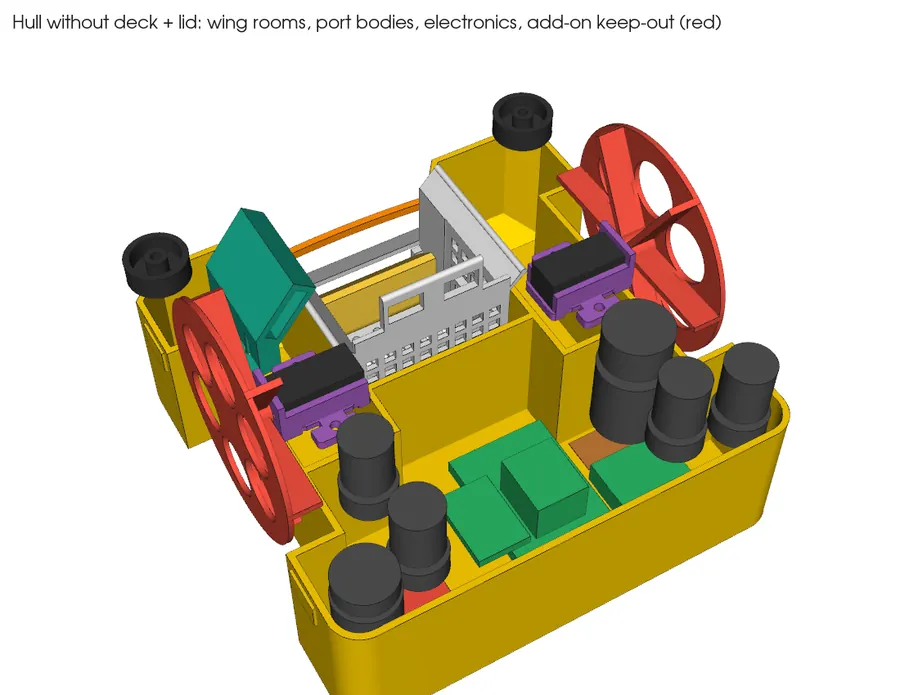
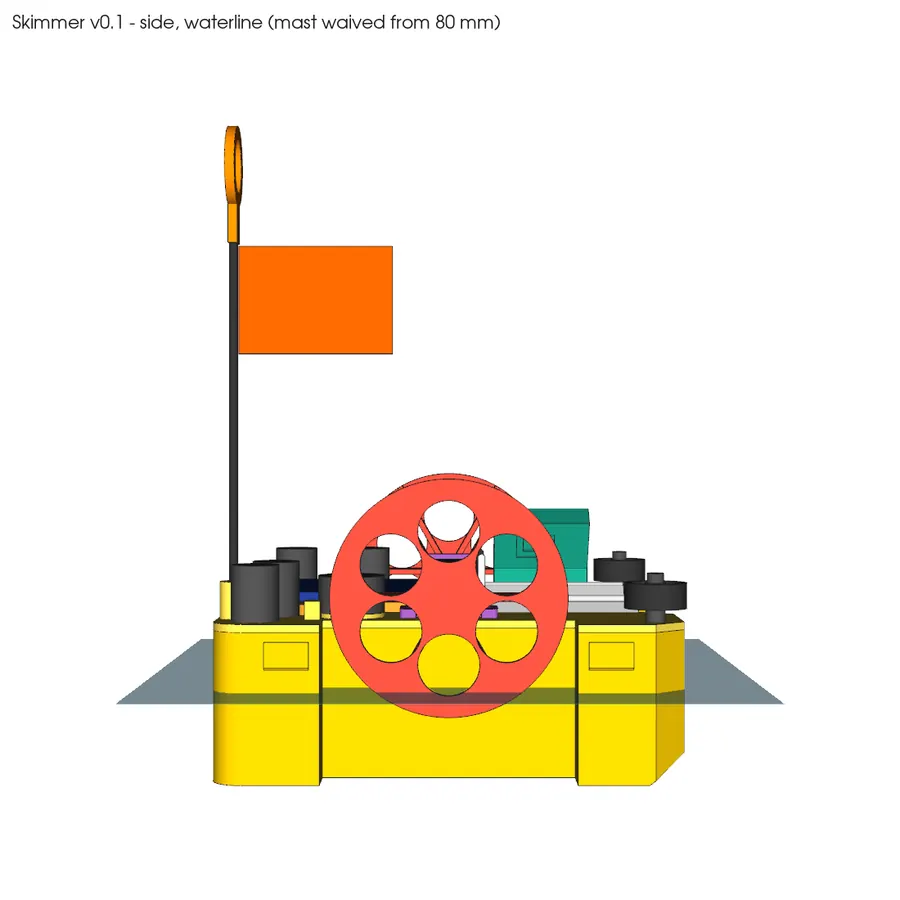
CAD render: callouts
CAD render · callouts (what it should look like)

11 stages, 174 steps and 68 parts to find, in strict order. Each stage unlocks only when every check in the stage before it is ticked. (est.) = estimate. Tap any picture to enlarge it.

Not sure a part is the right one? Every part and tool has a Check my part button: take a photo, compare it with the reference picture, then send it to Orrin in your Grok Bot chat. Photos never leave your phone unless you share them.
What actually shipped from Amazon (Anthony's order screenshots, Oct 26): dielectric grease, silica gel packs, M3 stainless (304) screw kit, red silicone O-ring cord (the seal), conformal coating, PTFE vent membrane discs, black cable glands (spares only; the Adafruit glands are used). The Adafruit, Pololu and DigiKey parts and the Craftcloud-printed body are in hand.
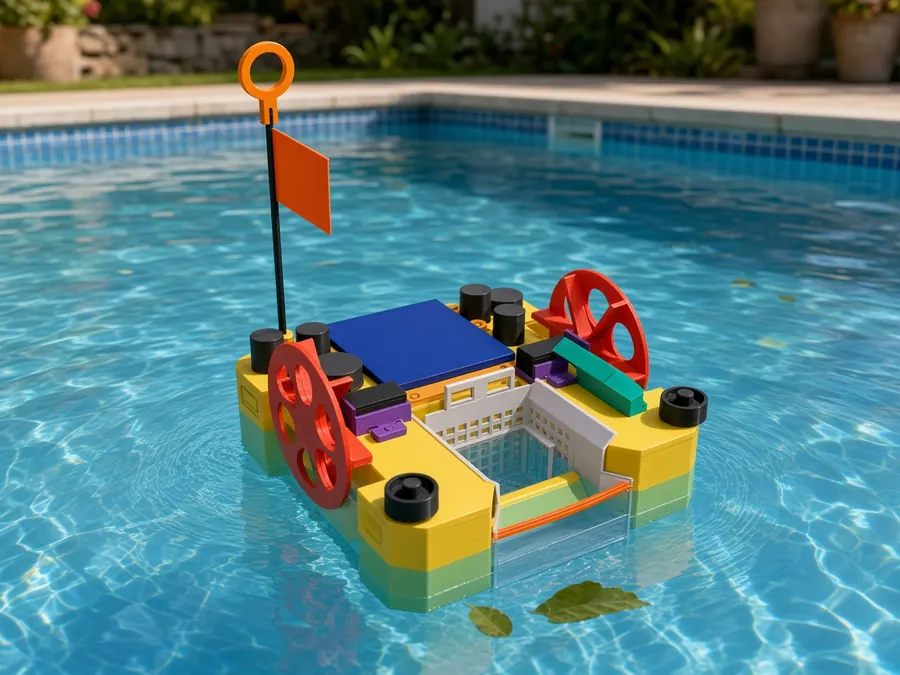
Mockup (AI image from the CAD render; not CAD-accurate: hull rides higher, colours idealised)
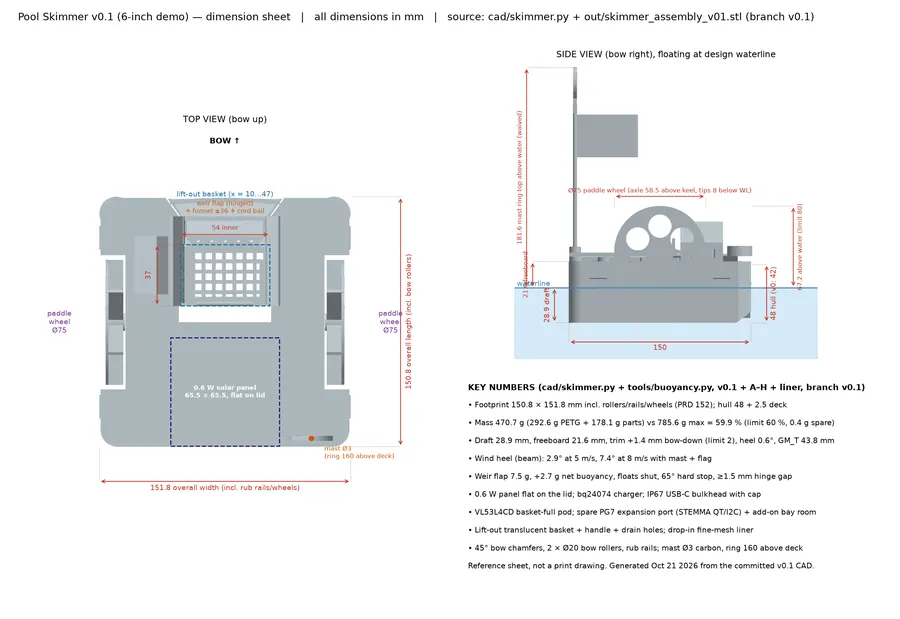
Dimension sheet (from tools/make_drawing_v01.py)
  • Work through the stages in order. Each stage ends with a STOP checkpoint: a list of pass tests. Don't start the next stage until every test passes. In assembly.html the next stage stays greyed out and locked until you tick the STOP box (and the STOP box only unlocks when every step in that stage is ticked).
  • Every step is one action: the parts, the tools, a time and (where it matters) a Pass reading and a Don't do yet warning. You can read locked stages ahead of time; you just can't tick them.
  • (est.) means estimate: a number that is not written in the repo files (times, temperatures, cure times, voltage ranges, torques). Follow the label on the product if it disagrees.
  • Ticks are saved on this device only (browser storage). On an iPhone, AirDrop the file, then open it in Safari or Chrome (Files app: Share > open in browser). The Quick Look preview shows the text but may not save ticks.
  • Stuck? Every stage has a troubleshooting table. If it isn't there, stop and ask Claude before improvising.
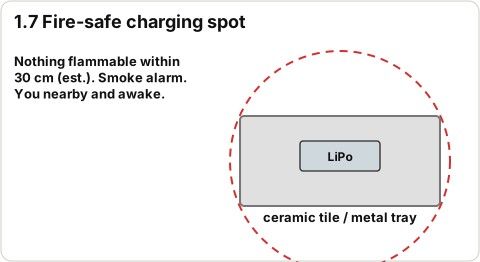
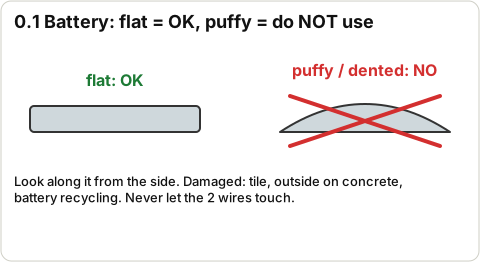
  • LiPo battery: charge only while you are home and awake, on a fire-safe surface (ceramic tile or metal tray, nothing flammable within 30 cm (est.)). Never use a cell that is puffy, dented, punctured, hot or smells sweet. Never let its two wires (or the pads they go to) touch each other or a metal tool. Never cut both battery wires at once (you never need to cut them in this build). Keep it between 3.0 V and 4.2 V. A damaged cell goes outside on concrete, away from things, then to battery recycling.
  • Nothing on the boat ever connects to wall (mains) power. The only things you plug into the wall are your normal tools: soldering iron, computer, a USB phone charger. Never cut or modify a mains cable. Charging is always through a 5 V USB source (a USB power bank is ideal).
  • Soldering: iron always in its stand, safety glasses on, a small fan pulling the smoke away from your face, wash hands after (solder and flux). The tip is about 330 C (est.): never touch it, never leave it on unattended, unplug when you're done.
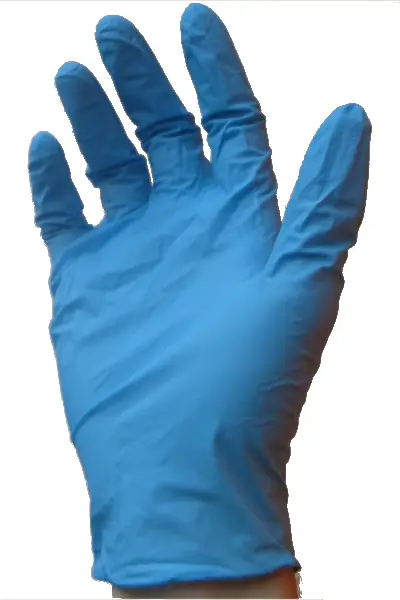
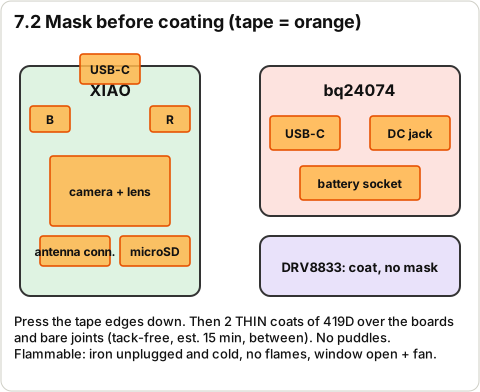
  • Conformal coat (419D) and glues: the coat is a flammable solvent. Outdoors or a window open plus a fan, nitrile gloves, glasses. No flames, no soldering iron switched on, no smoking while coating or while it dries. Battery unplugged. Same ventilation and gloves for epoxy, PlasticBonder and RTV silicone.
  • Cutting: hobby knife and saw always cut away from your hand, glasses on. Carbon rod dust is an irritant: cut it outdoors, wear a dust mask, wipe up with a damp towel.
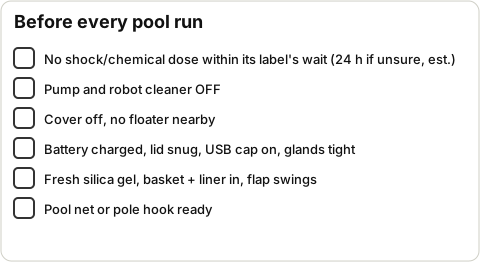
  • Pool chemicals: never run the skimmer within the wait time on your chlorine/shock label (24 h if unsure (est.)), never let it touch chlorine tablets or a floater, rinse it in fresh water after every pool run, wash your hands, never mix pool chemicals.
  • Moving wheels: the paddle wheels start by themselves 5 s after the switch goes ON. Keep fingers, hair and loose cords away. Switch OFF before you pick it up.
  • Glands (v2 update, Oct 26): the v1 text below says the IP68 (Anyinn, black) glands are used and the Adafruit #762 are spares. Per Anthony's Oct 26 note it is the other way round: the Adafruit #762 glands are used and the black Amazon glands are spares. Same PG7 thread and 12.6 mm hole, so the gland steps are the same, but the #762 only grips a round cable 3.0-4.3 mm (bom.csv row 6), not 3-6.5 mm: the sleeve in step 4.15 must end up 3.0-4.3 mm across. (Ask Claude/Orrin if you'd rather use the IP68 ones.)
  • Gasket (v2 update, Oct 26): the seal is the red silicone O-ring cord (the Mr O-Ring 2 mm silicone cord, Amazon B00QVB0Z70, from the Oct 22 order), not the black MECCANIXITY rubber cord (bom.csv row 48). Silicone is the better choice for chlorine. Row 48 may or may not have arrived: tick it Missing if it didn't; nothing is lost.
  • Photos: vendor 'reference photos' show the product listing (often the whole pack, e.g. the 10-pack of glands or the screw kit). Your part is one item from it. Drawings marked '(check against text)' or '(est.)' are approximate: the step text wins.
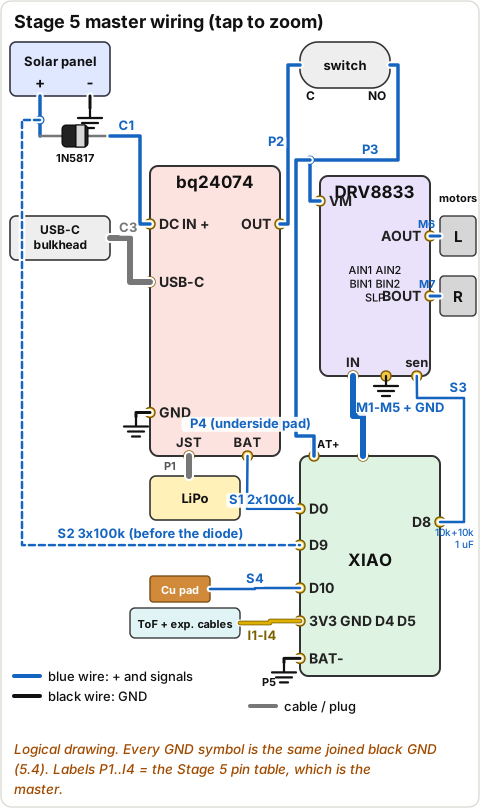
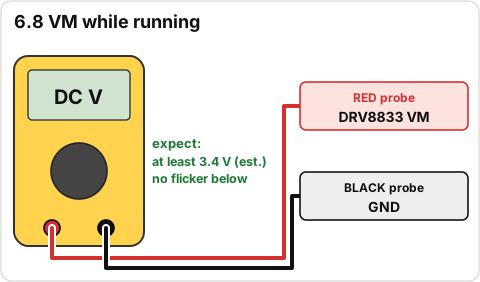
  • Motor driver: this build uses the DRV8833 (Adafruit #3297, 2.7-10.8 V), not a DRV8871. The DRV8871 needs 6.5 V+ on VM; this boat has a 1-cell LiPo, so VM = cell voltage (3.0-4.2 V, a little more while charging, (est.) up to about 4.4 V). Path: cell > bq24074 > OUT > switch > DRV8833 VM. ORDER_PLAN confirms the DRV8833 was kept.
  • TEquipment and OringsAndMore: bom.csv says both of those orders were not bought (rows 41 and 47, qty 0). The coat used is MG 419D (Amazon, row 42) and the gasket is the MECCANIXITY 2 mm cord (row 48). If those boxes did arrive, treat them as spares.
  • Gasket cord material: the task says EPDM; bom.csv row 48 says MECCANIXITY 'solid rubber' (material not stated). The Oct 22 Amazon order also had Mr O-Ring 2 mm silicone cord (B00QVB0Z70), which is not a bom.csv row. Use silicone or EPDM (chlorine attacks NBR). Measure: 2.0 mm.
  • Vendors: several bom.csv vendor columns are not where the part was bought (ORDER_PLAN_2026-10-22.md is the record): XIAO, 1N5817 and 1 uF caps came from DigiKey; inserts, screws, rod, carbon rod, epoxy, RTV, VHB, zip ties and heat shrink came from Amazon. Screws are an HVAZI 304 stainless kit, not Bolt Depot 316: rinse after pool use.
  • Glands: both the 4 Adafruit #762 glands and the 10-pack of IP68 Anyinn glands arrived. bom.csv row 43 says the IP68 ones replace the #762s. This guide uses the IP68 ones; keep the #762s as spares.
  • Print vendor: bom.csv row 15 says Slant 3D; the print came from Craftcloud (order 521379933180, orange), so the basket is probably not see-through.
  • Liner: the 250 um strainer bag (row 40) is in no recorded order. The 25 um sheet (row 50) goes on the one printed basket_liner frame. Row 50 asks for a 2nd frame, but only one was printed.
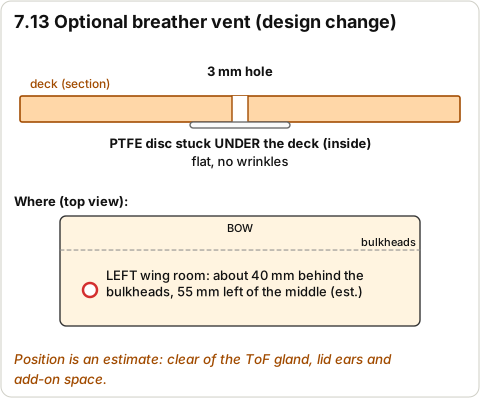
  • Vent hole: bom.csv row 44 says the CAD has a 3 mm vent hole in the lid. It doesn't (cad/skimmer.py has none), and the panel covers the whole lid inside the gasket. Stage 7 has an optional deck hole instead (a design change, position (est.)).
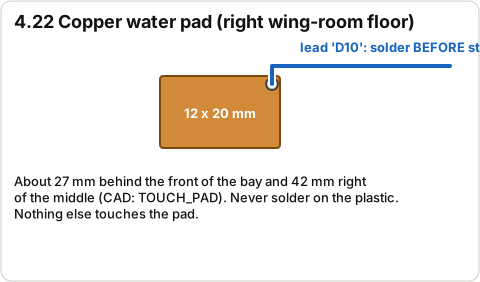
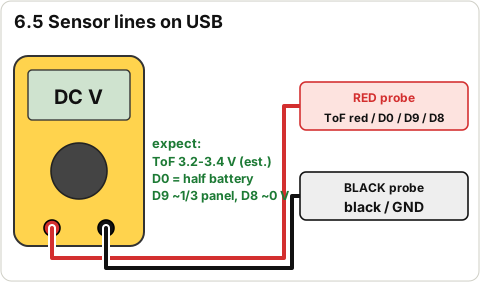
  • Firmware is still v0 (drive pattern, battery cutoff, serial log). It does not read the ToF sensor, current sense (D8), panel volts (D9) or the water pad (D10) yet (firmware/PLAN.md is the plan). Those are wired and checked with the multimeter only. The old ASSEMBLY.md asked for ToF and pad readings in the bucket test, which the current firmware can't give.
  • Firmware won't run without the battery divider: at boot it reads the cell on D0 and goes to deep sleep below 3.65 V. So the bench test needs the divider and a charged cell, even on USB.
  • No JST connectors are in bom.csv (the old guide mentioned them for the switch and motors). This guide uses soldered joints + heat shrink. The battery plug and STEMMA plugs are the removable connectors.
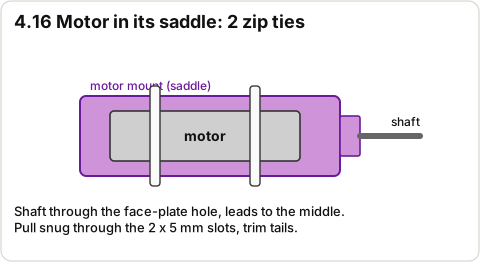
  • M1.6 gearbox screws are not in bom.csv: two zip ties per motor hold it (bom.csv row 2 says this is fine).
  • Epoxy seal coat: the old guide recommended coating the whole hull inside. With about 0.4 g of mass margin, this guide only spot-seals where the leak tests find a problem.
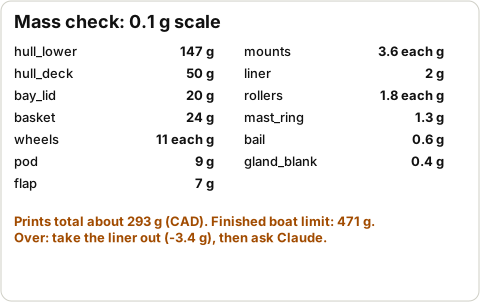
  • Mass: silica gel (+1.1 g) and the IP68 glands (+0.5 to 2.8 g) together are more than the 0.4 g margin. Weigh the finished boat (Stage 8). Over 471 g: leave the liner out first.
  • tools/make_bom.py does not contain the new v0.1-wx / pollen rows. Running it would overwrite the new bom.csv. Don't run it until it is updated.
WhatValueSource
Battery (1 cell LiPo)3.0 V empty (protection) / 3.7 V nominal / 4.2 V fullbom.csv row 4
Firmware refuses to start below3.65 V (deep sleep)skimmer_logic.h resume_mv
Firmware 'low' warning (fast LED blink)3.55 Vlow_mv
Firmware cutoff (motors off, sleep)3.30 V for 4 scutoff_mv, debounce_ms
Drive pattern5 s wait, 20 s forward at 80 %, 2.5 s pivot turn at 70 %, turns alternate L/RDriveConfig
Solar panel, open circuit in sunabout 6-7 Vbom.csv row 16, PLAN.md sec. 1
DRV8833 motor supply (VM)2.7-10.8 V allowed; here = cell voltagebom.csv row 3
Finished boat mass limit471 g (60 % of 785.6 g)DEVLOG / buoyancy.py
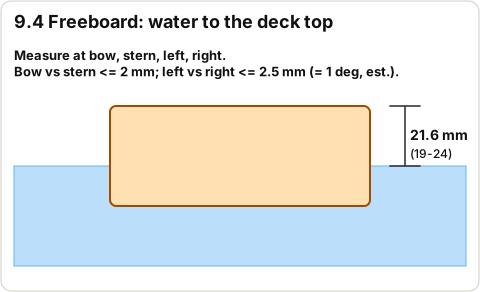
Waterline / freeboard28.9 mm up the hull side / 21.6 mm to the deck top (+-2.5 mm)DESIGN_WL, DEVLOG
Trim / heel limitsbow vs stern within 2 mm / under 1 degCLAUDE.md
Leak test passgains no more than 1 g after 30 minold ASSEMBLY.md
  • + / GND: + is the positive supply; GND (ground, -) is the common return. Every board's GND is joined together.
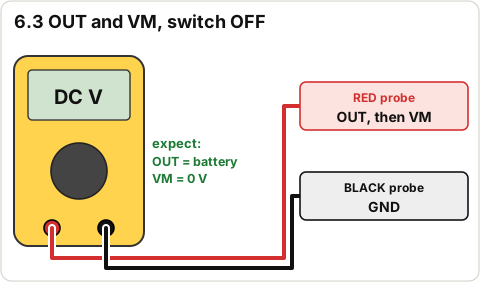
  • VM: the motor supply pin on the DRV8833. OUT: the bq24074's power output to the boat.
  • Pad / pin: a metal spot on a board you solder a wire to. Pigtail: a short wire soldered to a pad, joined to something later.
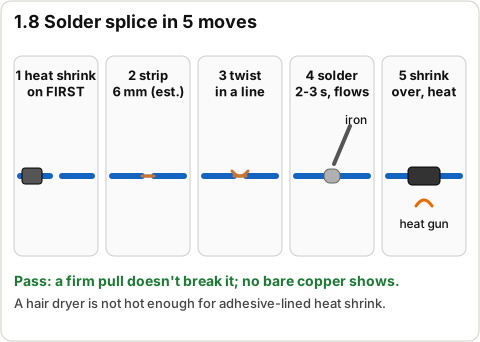
  • Splice: joining two wire ends: slide heat shrink on first, twist, solder, slide the shrink over, heat it.
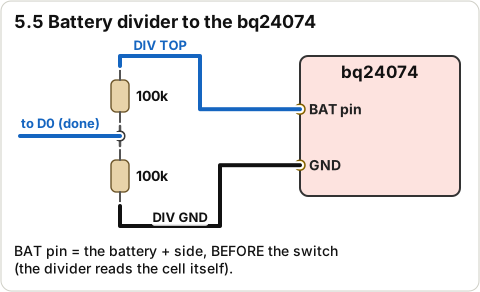
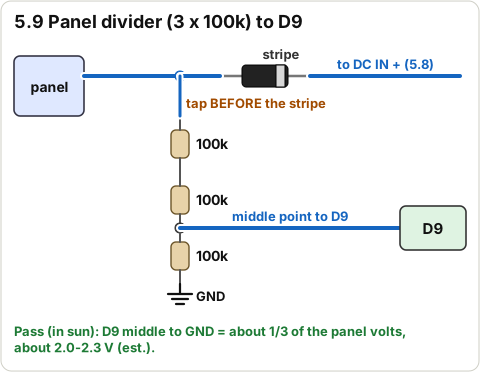
  • Divider: two resistors in a row; the middle point gives a fraction of the voltage (two 100k = half) so the XIAO can read it.
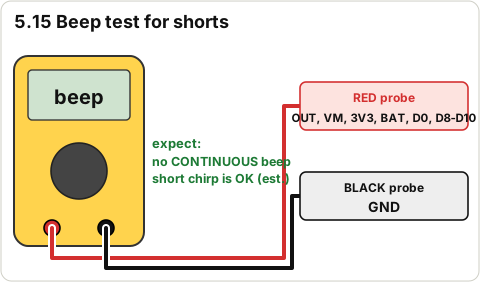
  • Continuity / beep test: multimeter on the beep setting; it beeps if two points are connected.
  • Serial monitor: a text window on the computer that shows what the XIAO prints.

Goal: Find every part, check nothing is damaged, and write down anything missing. No tools, no glue.

3D view Stage 0 overview

Drag to turn · pinch to zoom · two fingers to pan · tap a part for its name.

Clear a table. Open one box at a time and put each vendor's parts in its own tray or bag, labelled with the vendor.

Tick Found when you have the part (the full quantity), or Missing if you can't find it. Rows with qty 0 were not bought: tick Found to mean 'noted, nothing to find'.

Note: The 'needed in' column says which stage first needs the part, so you know how urgent a missing part is. Per ORDER_PLAN: never reorder. If something is missing or damaged, open a return/replacement on the existing order.

Parts from bom.csv (every row)

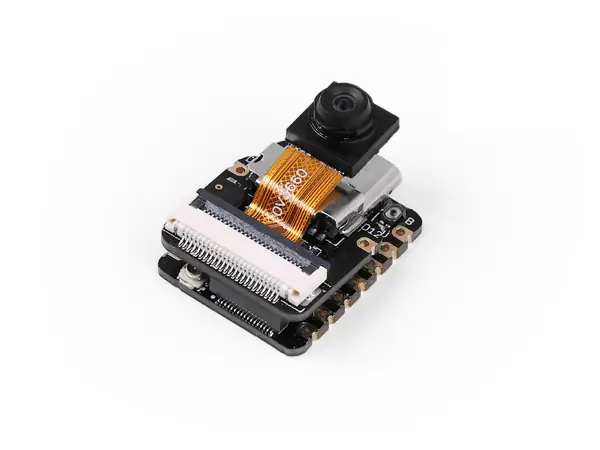
Row 1 · ESP32-S3 camera board qty 1

Thumb-sized board (21 x 17.8 mm) with a USB-C socket, plus a small clip-on camera board and a stick-on antenna in the bag.
Box: DigiKey (bom.csv says Seeed; it was ordered from DigiKey) · Needed in stage: 3 · Part no. 113991115

FoundMissing

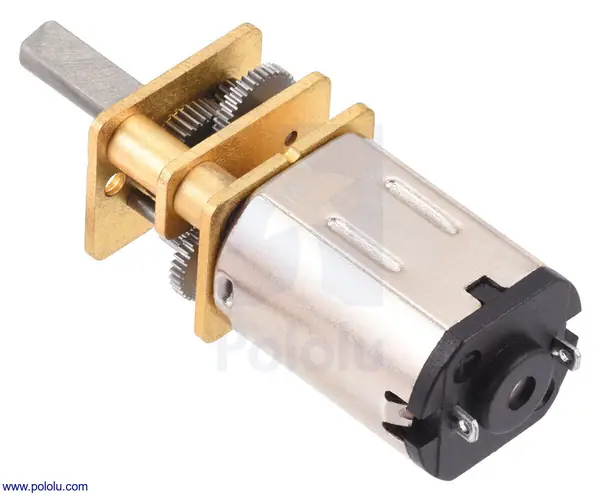
Row 2 · Gear motor, N20 size qty 2

Two small metal gearmotors, about 10 x 12 x 25 mm, a 3 mm D-shaped shaft at one end and two bare metal tabs at the other (no wires).
Box: Pololu · Needed in stage: 3 · Part no. 2366

FoundMissing

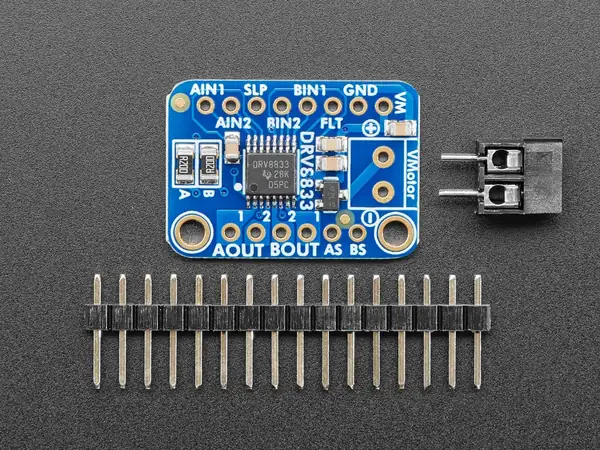
Row 3 · Motor driver qty 1

Small board about 26 x 18 mm printed DRV8833, with a loose header strip.
Box: Adafruit · Needed in stage: 3 · Part no. 3297

FoundMissing

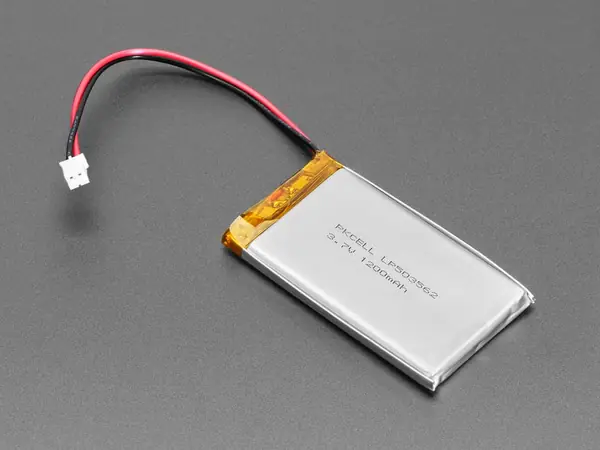
Row 4 · 1S LiPo battery qty 1

Flat silver pouch 34 x 62 x 5 mm, red + black wires, white 2-pin JST plug. MUST be flat: puffy, dented or punctured = do not use.
Box: Adafruit · Needed in stage: 3 · Part no. 258

FoundMissing

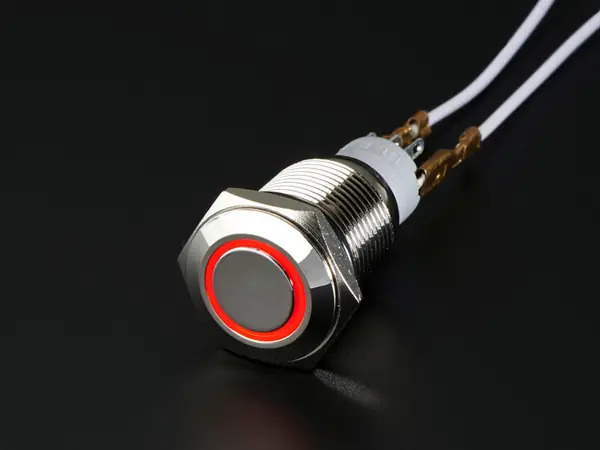
Row 5 · Power switch (lid mounted) qty 1

Heavy metal push button, 16 mm thread, red LED ring, nut + rubber washer, solder tabs on the back. (bom.csv says 'lid mounted'; in v0.1 it goes in the deck.)
Box: Adafruit · Needed in stage: 3 · Part no. 916

FoundMissing

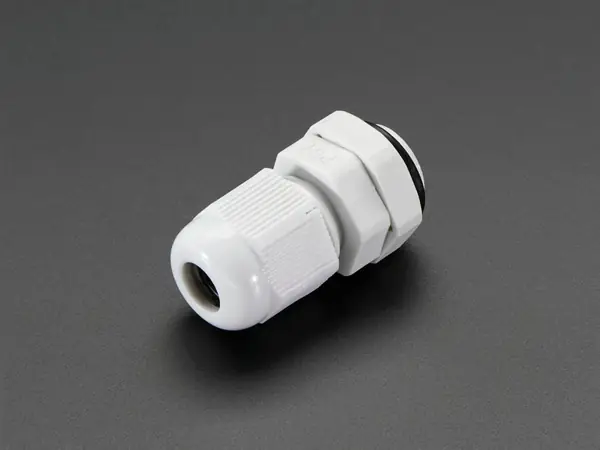
Row 6 · Cable gland PG7 qty 2

Black/grey plastic gland: body with thread, dome nut, lock nut. These are the Adafruit #762 (4 came in the Adafruit order).

Box: Adafruit (4 pcs for rows 6 + 25) · Needed in stage: spare · Part no. 762

Oct 26: these Adafruit glands are the ones USED (not spares).
FoundMissing

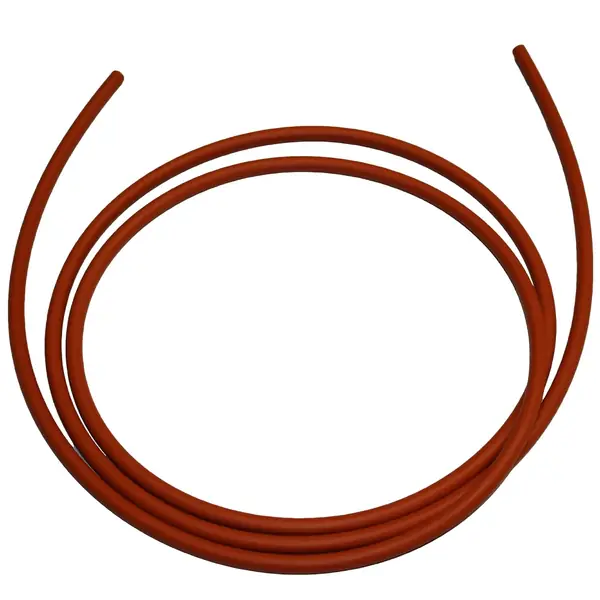
Row 7 · Lid gasket cord, 2 mm qty 1

Not bought as listed (RS PRO NBR). The Oct 22 Amazon order had Mr O-Ring 2 mm silicone cord, 25 ft (B00QVB0Z70) instead: a coil of 2 mm round cord.

Box: Amazon (Oct 22 order) · Needed in stage: 7 · Part no. 138-1600

Oct 26: the red silicone O-ring cord shipped from Amazon. This is the seal.

FoundMissing

Row 8 · M3 heat-set inserts qty 1

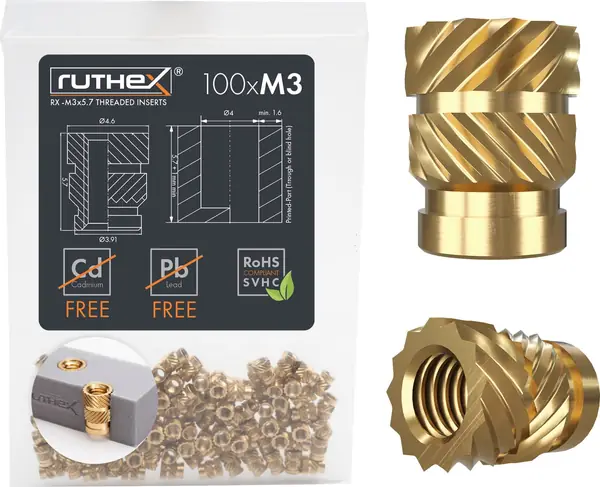
Bag of 100 small knurled brass sleeves, M3 thread inside, 5.7 mm long.

Box: Amazon (ruthex B08BCRZZS3; bom.csv says 3DJake) · Needed in stage: 4 · Part no. RUT-GE-M3x57-001

FoundMissing

Row 9 · M3x10 socket screw, 316 SS (lid) qty 6

Stainless M3 x 10 mm hex-socket screws (6 needed).

Box: Amazon: HVAZI M3 304 stainless socket-cap kit (B07F1GPDYT), not Bolt Depot 316 · Needed in stage: 7 · Part no. 22470

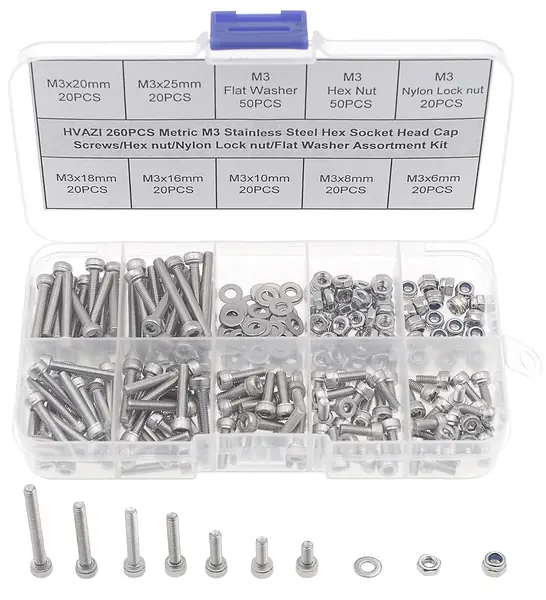
Oct 26: the M3 304 stainless screw kit shipped.

FoundMissing

Row 10 · M3x8 socket screw, 316 SS (motor mounts, sensor pod) qty 8

Stainless M3 x 8 mm hex-socket screws (8 needed: 4 motor mounts, 2 pod, 2 spare).

Box: Amazon: HVAZI M3 304 kit (B07F1GPDYT) · Needed in stage: 4 · Part no. 22469

FoundMissing

Row 11 · Fine mesh for the basket (Pentair 1000 um) qty 0

DROPPED (qty 0): not bought, nothing to find.

Box: - · Needed in stage: - · Part no. M1000

FoundMissing

Row 12 · Adhesive for the deck seam qty 1

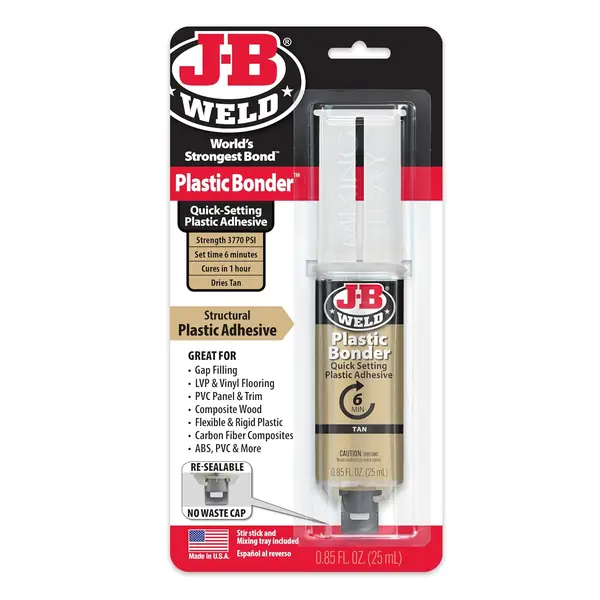
J-B Weld PlasticBonder, 25 ml double syringe.

Box: Amazon (B009EU5ZNO) · Needed in stage: 2 · Part no. 50133

FoundMissing

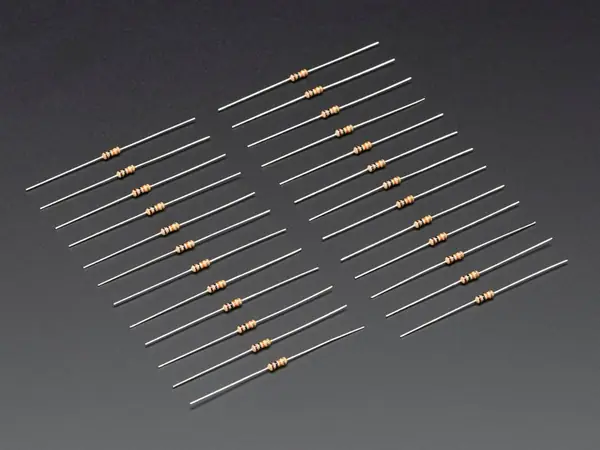
Row 13 · 100k resistor (battery divider) qty 2

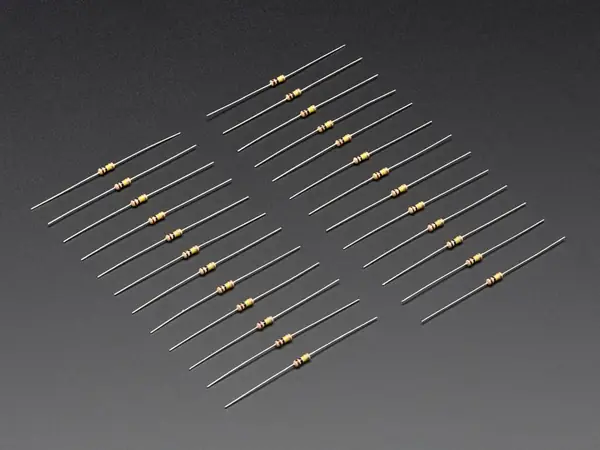
Paper strip of small tan resistors, colour bands brown-black-yellow-gold (100k). Pack of 25.

Box: Adafruit (#2787) · Needed in stage: 3 · Part no. 2787

FoundMissing

Row 14 · Small zip ties, wire, heat shrink qty 1

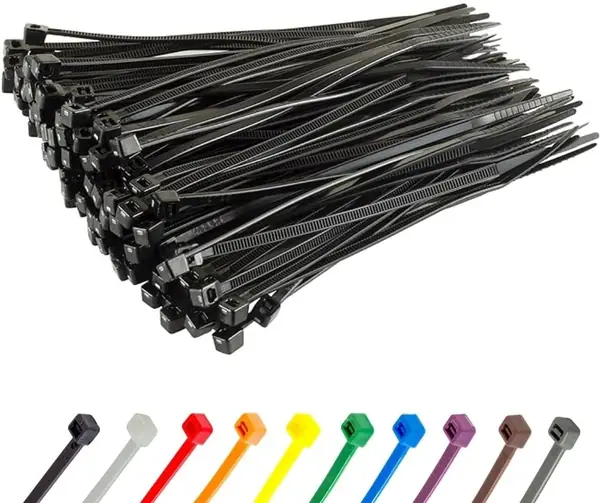
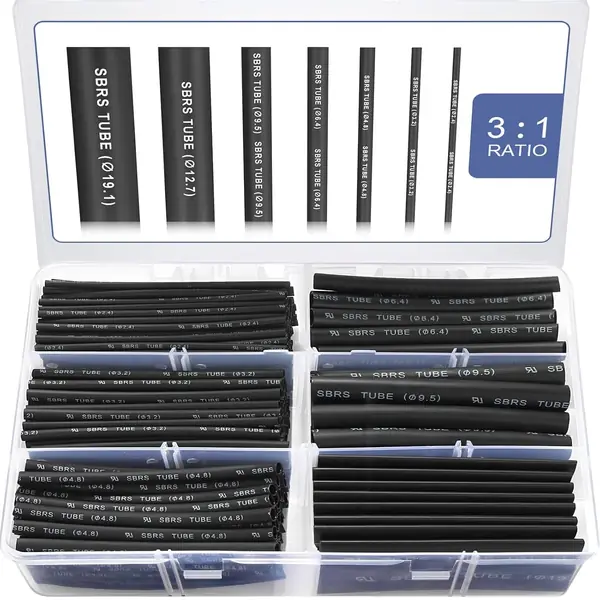
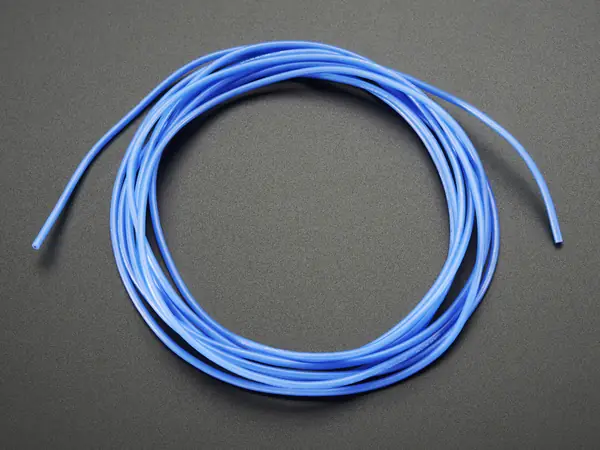
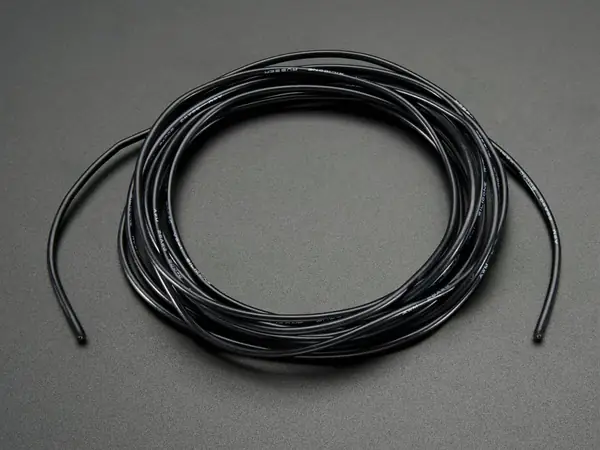
GTSE 4 in zip ties (Amazon B0862FSL2K); Sopoby adhesive-lined heat-shrink kit (Amazon B0CB5P1PHJ); 26 AWG silicone wire in BLUE (#1878) and BLACK (#1881). No red wire: blue is used for +.

Box: Amazon + Adafruit · Needed in stage: 3

FoundMissing

Row 15 · 3D printing (PETG), Slant 3D qty 1

The printed parts (16 pieces, listed below). Printed by Craftcloud (order 521379933180), not Slant 3D.

Box: Craftcloud · Needed in stage: 2

FoundMissing

Row 16 · Solar panel (flat on the lid) qty 1

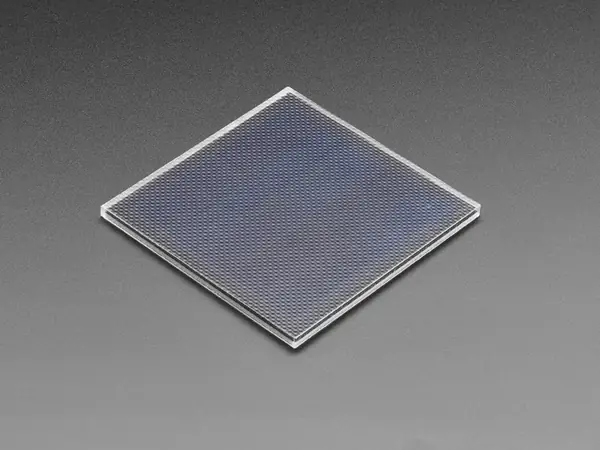
Square 65.5 x 65.5 mm panel with a glossy ETFE face, two solder pads on the back.

Box: Adafruit (#5856) · Needed in stage: 3 · Part no. 5856

FoundMissing

Row 17 · Solar panel (bigger, alternative) qty 0

DROPPED (qty 0): not bought.

Box: - · Needed in stage: - · Part no. 5368

FoundMissing

Row 18 · Solar LiPo charger (USB-C + DC in) qty 1

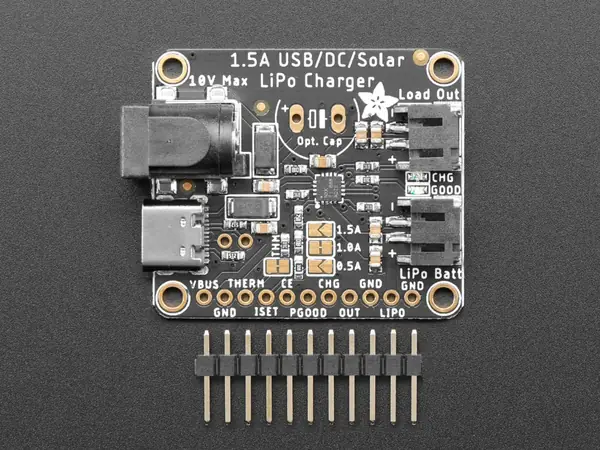
Small board with a USB-C socket, a round DC barrel jack, a white 2-pin battery socket and two small LEDs. Printed bq24074.

Box: Adafruit (#4755) · Needed in stage: 3 · Part no. 4755

FoundMissing

Row 19 · Schottky diode in the panel lead (1N5817) qty 1

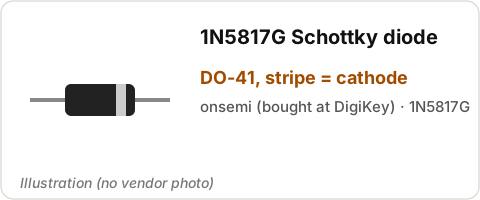
Small black cylinder with a grey/white stripe at one end and a wire out of each end (2 came).

Box: DigiKey (1N5817G) · Needed in stage: 3

FoundMissing

Row 20 · IP67 USB-C F/F bulkhead coupler + dust cap qty 1

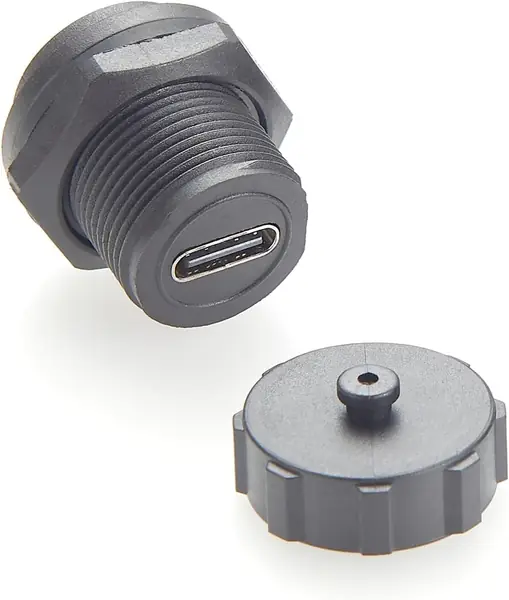
Round panel-mount USB-C socket (socket on both ends), big nut, tethered rubber dust cap.

Box: Amazon (B0FRMNK3CV) · Needed in stage: 3 · Part no. B0FRMNK3CV

FoundMissing

Row 21 · USB-C to USB-C cable, slim right-angle 75 mm (inside the bay) qty 1

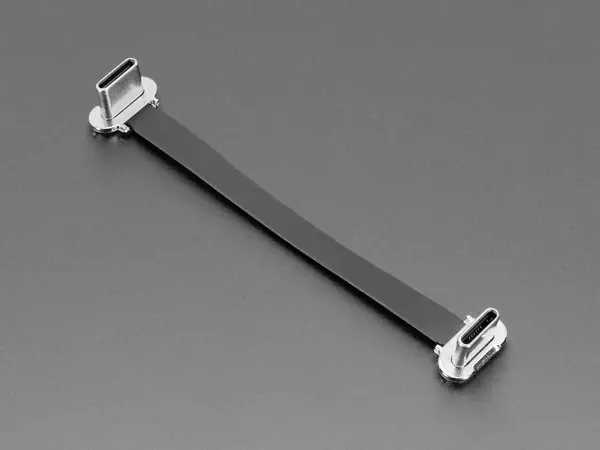
Very short (75 mm) USB-C to USB-C cable with one right-angle plug.

Box: Adafruit (#6372) · Needed in stage: 3 · Part no. 6372

FoundMissing

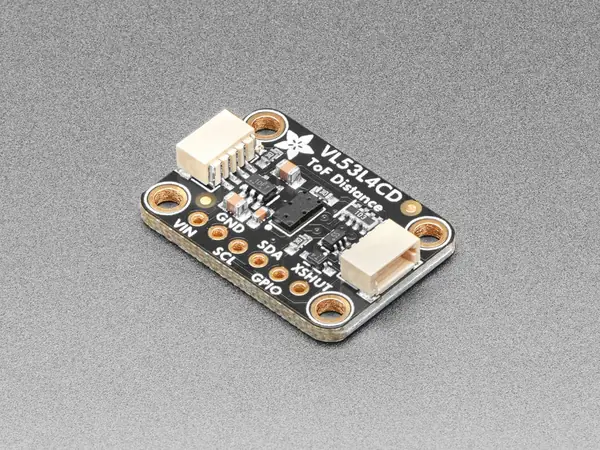
Row 22 · ToF distance sensor (basket full) qty 1

Small board 25.5 x 17.7 mm, a tiny black sensor in the middle, two small white 4-pin sockets (STEMMA QT).

Box: Adafruit (#5396) · Needed in stage: 3 · Part no. 5396

FoundMissing

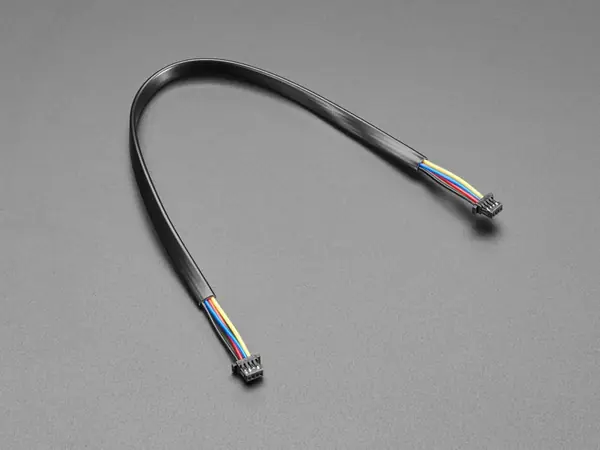
Row 23 · STEMMA QT cable 200 mm (ToF) qty 1

4-wire cable (red, black, blue, yellow), tiny white plug on both ends, 200 mm.

Box: Adafruit (#4401) · Needed in stage: 3 · Part no. 4401

FoundMissing

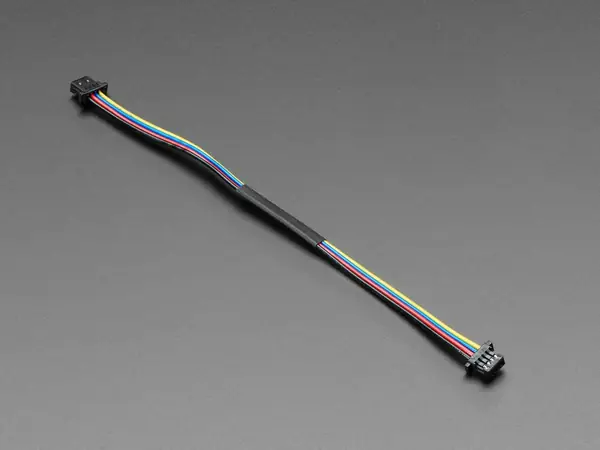
Row 24 · STEMMA QT cable 100 mm (expansion port) qty 1

Same cable type, 100 mm long.

Box: Adafruit (#4210) · Needed in stage: 5 · Part no. 4210

FoundMissing

Row 25 · Cable gland PG7 (ToF + expansion) qty 2

Same Adafruit #762 glands as row 6 (4 in total). Kept as spares: the IP68 glands (row 43) are used instead.

Box: Adafruit · Needed in stage: spare · Part no. 762

Oct 26: these Adafruit glands are the ones USED (not spares).
FoundMissing

Row 26 · Clear window for the ToF pod qty 1

Shop stock: any 1 mm clear plastic offcut (clear packaging works), cut to 14 x 11 mm.
Box: none (find one at home) · Needed in stage: 7

FoundMissing

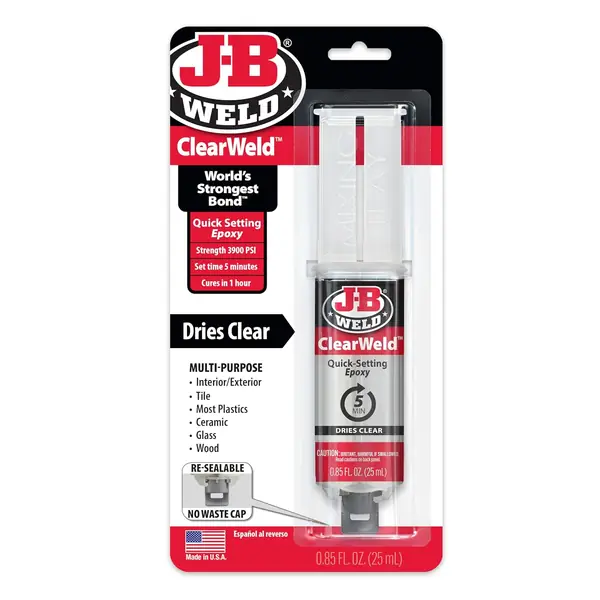
Row 27 · Potting epoxy (pod, panel leads) qty 1

J-B Weld ClearWeld 5-minute epoxy (double syringe).
Box: Amazon (50112, B009EU5ZM0) · Needed in stage: 7

FoundMissing

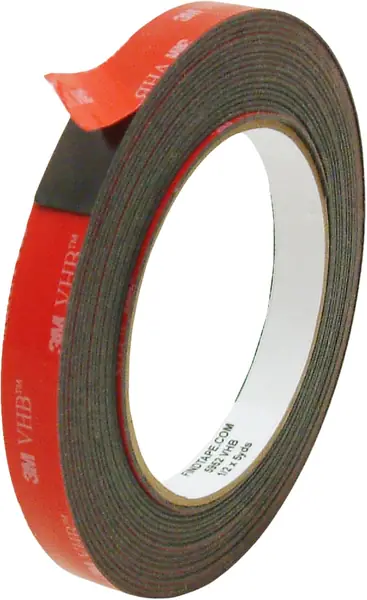
Row 28 · Panel bonding tape qty 1

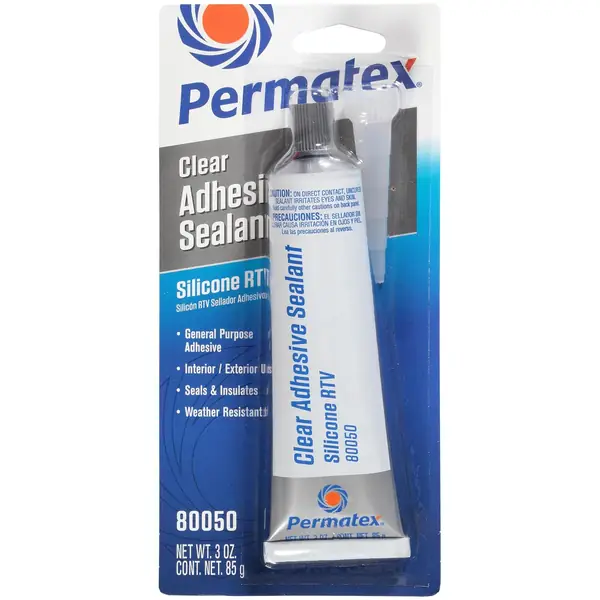
3M VHB 5952 tape, 1/2 in x 15 ft (black foam tape) + Permatex 80050 clear RTV silicone tube.
Box: Amazon (B01BT0A6MG + B0002UEPVI) · Needed in stage: 4

FoundMissing

Row 29 · Weir-flap stub pins (2 mm stainless rod) qty 1

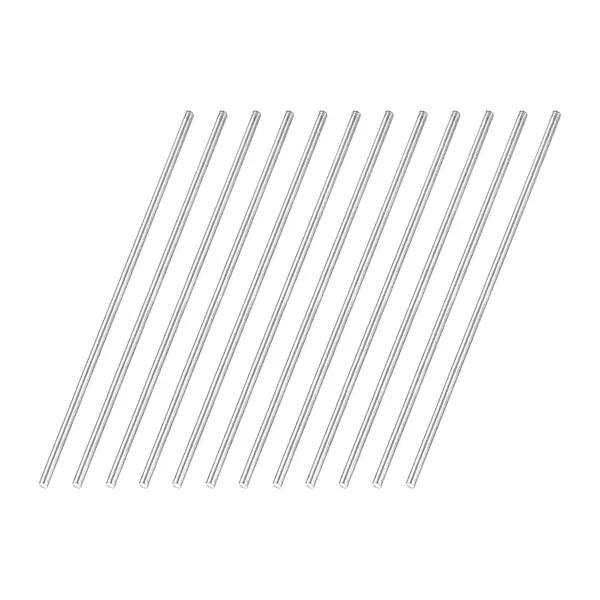
Pack of 12 stainless rods, 2 mm x 100 mm.

Box: Amazon (uxcell B0FKT55D4N; bom.csv says Walmart) · Needed in stage: 8

FoundMissing

Row 30 · M3 heat-set inserts (rollers) qty 0

Qty 0: same bag as row 8, nothing extra to find.

Box: - · Needed in stage: - · Part no. RUT-GE-M3x57-001

FoundMissing

Row 31 · Roller screw M3x20, 316 SS (E) qty 2

Two stainless M3 x 20 mm socket screws.

Box: Amazon: HVAZI M3 304 kit (check it has 20 mm) · Needed in stage: 8

FoundMissing

Row 32 · M3 nyloc nut, 316 (E: roller spacer/jam nut) qty 2

Two M3 nuts with a nylon ring inside.

Box: Amazon: HVAZI M3 304 kit (check it has nylocs) · Needed in stage: 8 · Part no. 22993

FoundMissing

Row 33 · M3 washer, 316 (E) qty 4

Four M3 flat washers.

Box: Amazon: HVAZI M3 304 kit (check it has washers) · Needed in stage: 8 · Part no. 23025

FoundMissing

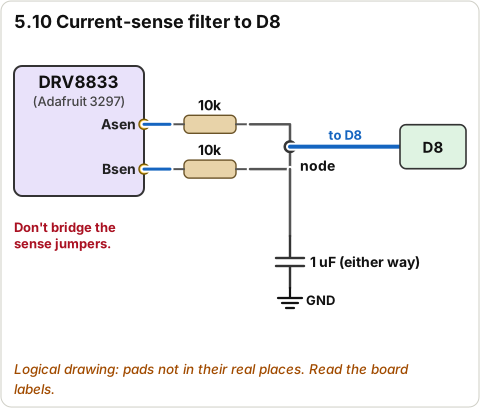
Row 34 · 10k resistor (F: current-sense RC) qty 2

Paper strip of tan resistors, bands brown-black-orange-gold (10k). Pack of 25.
Box: Adafruit (#2784) · Needed in stage: 5 · Part no. 2784

FoundMissing

Row 35 · 1 uF ceramic capacitor (F: RC filter) qty 2

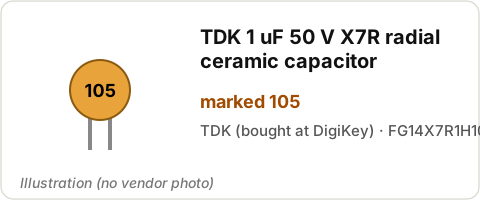
Small bead-shaped ceramic capacitor with two legs, marked 105 (2 came).

Box: DigiKey (TDK FG14X7R1H105KRT06) · Needed in stage: 5

FoundMissing

Row 36 · 100k resistor (G: panel divider) qty 3

3 more from the same 100k pack as row 13 (nothing extra to find).
Box: Adafruit (#2787) · Needed in stage: 5 · Part no. 2787

FoundMissing

Row 37 · Copper foil tape, conductive adhesive (G: water-sense pad) qty 1

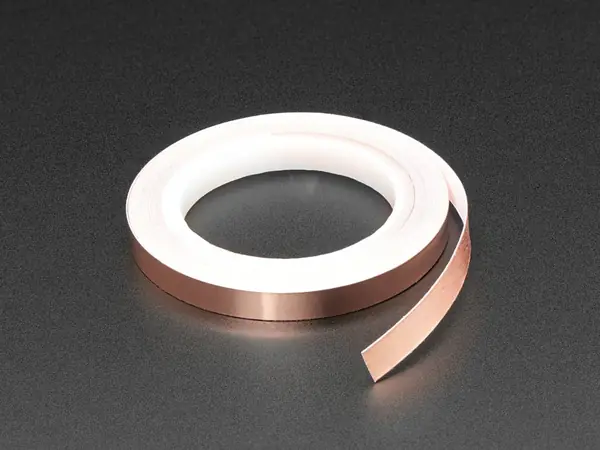
Roll of 6 mm wide copper tape.

Box: Adafruit (#3483) · Needed in stage: 4 · Part no. 3483

FoundMissing

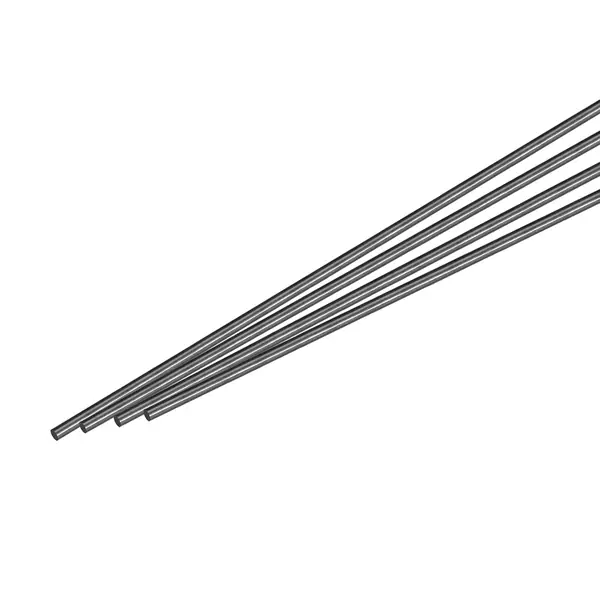
Row 38 · Mast rod, 3 mm carbon fibre (H) qty 1

Black 3 mm carbon rods, 300 mm long.

Box: Amazon (MECCANIXITY B0CSKK2DKM; bom.csv says Lowe's) · Needed in stage: 8 · Part no. S26030900UX3201

FoundMissing

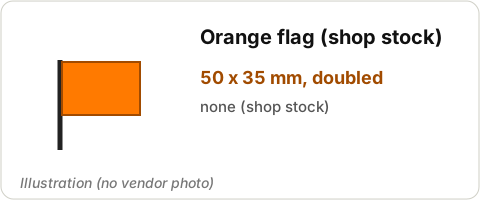
Row 39 · Flag (H) qty 1

Shop stock: orange ripstop or orange duct tape, 50 x 35 mm.
Box: none (find at home) · Needed in stage: 8

FoundMissing

Row 40 · Liner mesh: nylon paint-strainer bag qty 1

250 um strainer bag from Home Depot. Not in any recorded order: probably NOT here. The 25 um sheet (row 50) replaces it.
Box: Home Depot (probably not bought) · Needed in stage: 8 · Part no. BEDFORD 14-517

FoundMissing

Row 41 · Conformal coat pen (silicone) qty 0

NOT BOUGHT (qty 0, replaced by 419D). If a TEquipment box did arrive, it is this pen: keep it as a spare.
Box: TEquipment (bom.csv: not bought) · Needed in stage: - · Part no. 422C-P

FoundMissing

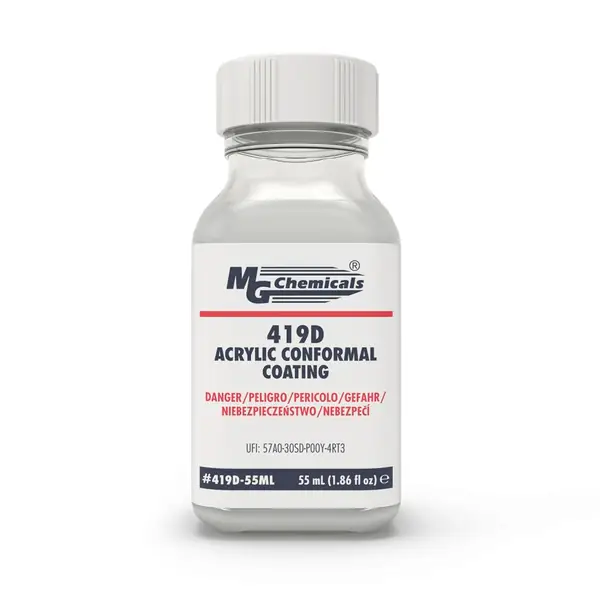
Row 42 · Conformal coating (brush-on, replaces the 422C-P pen) qty 1

MG Chemicals 419D bottle, 55 mL, with brushes. Flammable liquid.

Box: Amazon (Oct 24 order) · Needed in stage: 7 · Part no. MG 419D

Oct 26: shipped.

FoundMissing

Row 43 · IP68 cable gland PG7 (replaces the 4 Adafruit 762) qty 4

Bag of 10 black nylon glands (Anyinn), each with a rubber seal, dome nut and lock nut. 4 are used.

Box: Amazon (B0FC2YJD17) · Needed in stage: 4 · Part no. B0FC2YJD17

Oct 26: the black Amazon glands are SPARES only.
FoundMissing

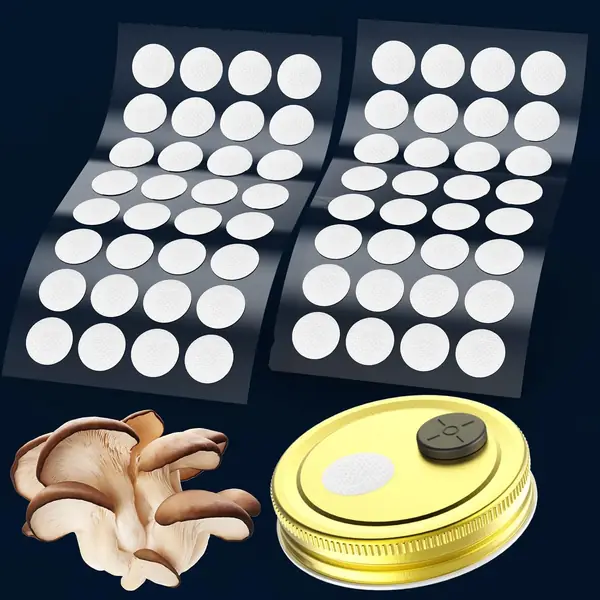
Row 44 · ePTFE breather vent patch qty 1

Sheet of 64 round white 20 mm sticky filter discs.

Box: Amazon (B09LD119PF) · Needed in stage: 7 · Part no. B09LD119PF

Oct 26: shipped.

FoundMissing

Row 45 · Silica gel packet, 1 g qty 1

Bag of 100 small 1 g silica gel packets.

Box: Amazon (B0BM94RP4Q) · Needed in stage: 7 · Part no. B0BM94RP4Q

Oct 26: shipped.

FoundMissing

Row 46 · Silicone dielectric grease, small tube qty 1

Permatex 81150 dielectric grease, small 0.33 oz tube.

Box: Amazon (B01LW7P3RV) · Needed in stage: 7 · Part no. B01LW7P3RV

Oct 26: shipped.

FoundMissing

Row 47 · Silicone O-ring cord 2.0 mm (replaces NBR gasket cord) qty 0

NOT BOUGHT (qty 0). If an OringsAndMore packet did arrive, it is red 2 mm silicone cord: fine to use as the gasket.
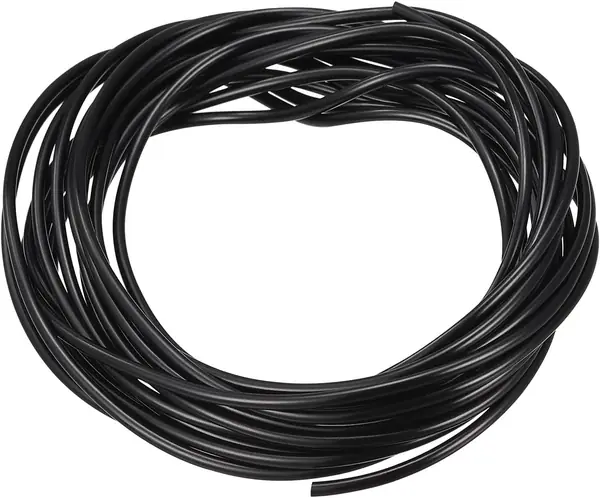
Box: OringsAndMore (bom.csv: not bought) · Needed in stage: - · Part no. MOCS2

FoundMissing

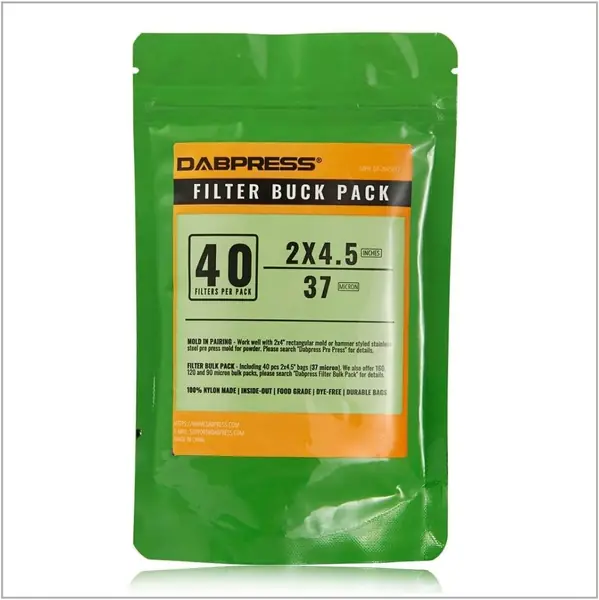
Row 48 · Lid gasket cord, 2 mm solid rubber (replaces the silicone cord) qty 1

Coil of 2 mm black solid rubber cord (MECCANIXITY). Measure it: must be 2.0 mm.

Box: Amazon (B0B18M5XBJ) · Needed in stage: 7 · Part no. B0B18M5XBJ

Oct 26: the red silicone cord is the seal; this black cord is not needed (Missing is fine).
FoundMissing

Row 49 · Pollen liner mesh, 37 um (swap-in, pollen season) qty 0

NOT BOUGHT (qty 0): replaced by the 25 um sheet.

Box: - · Needed in stage: - · Part no. B0836WDML6

FoundMissing

Row 50 · Pollen liner mesh, 25 um sheet (cut to the 2nd basket_liner frame) qty 1

1 m x 1 m sheet of very fine white nylon mesh (feels like thin fabric).
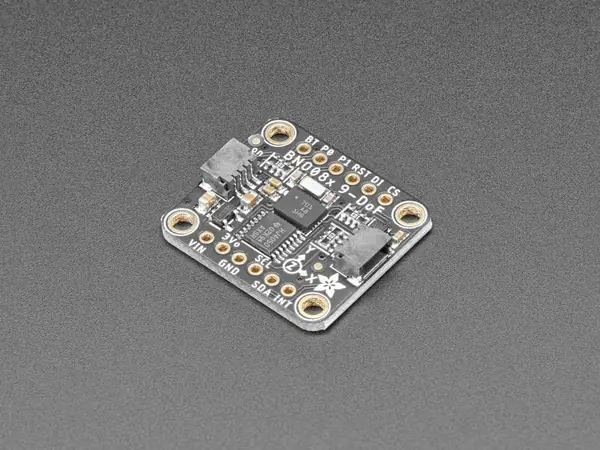
Box: Amazon (homeemoh) · Needed in stage: 8

FoundMissing

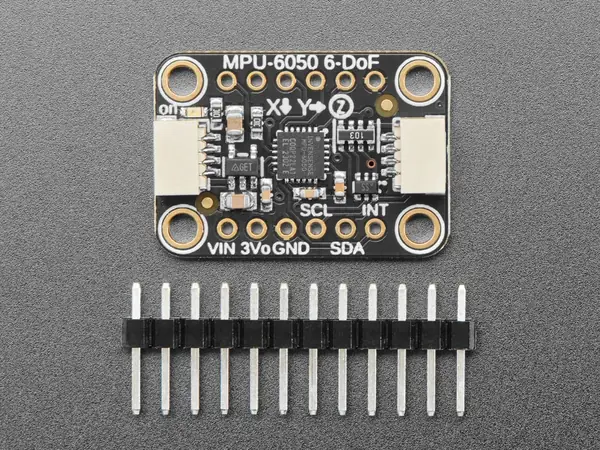
Row 51 · IMU (heading hold) via the expansion port qty 0

Add-on, qty 0: not bought.

Box: - · Needed in stage: - · Part no. 4754

FoundMissing

Row 52 · IMU (budget alternative) qty 0

Add-on, qty 0: not bought.

Box: - · Needed in stage: - · Part no. 3886

FoundMissing

Row 53 · M3x30 screw, stainless (old v1 solar legs) qty 0

DROPPED (qty 0): not needed.

Box: - · Needed in stage: -

FoundMissing

Printed parts (out/*.stl)

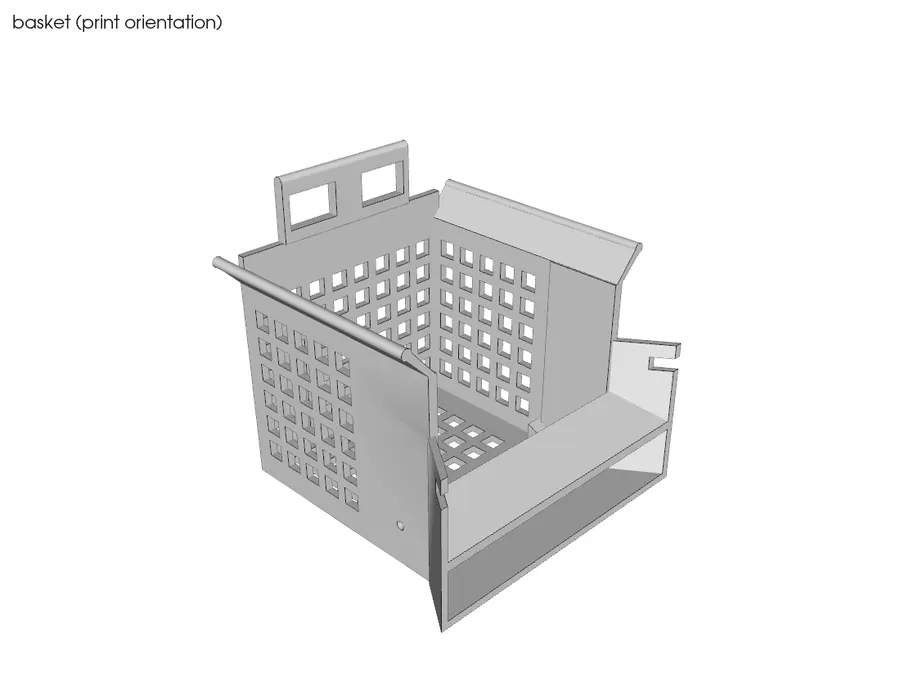
Printed · basket.stl qty 1

Grid-walled box 64 x 69 x 65.5 mm with a handle on the back and two cheeks at the front.
Box: Craftcloud (orange PETG). Picture = CAD render.

FoundMissing

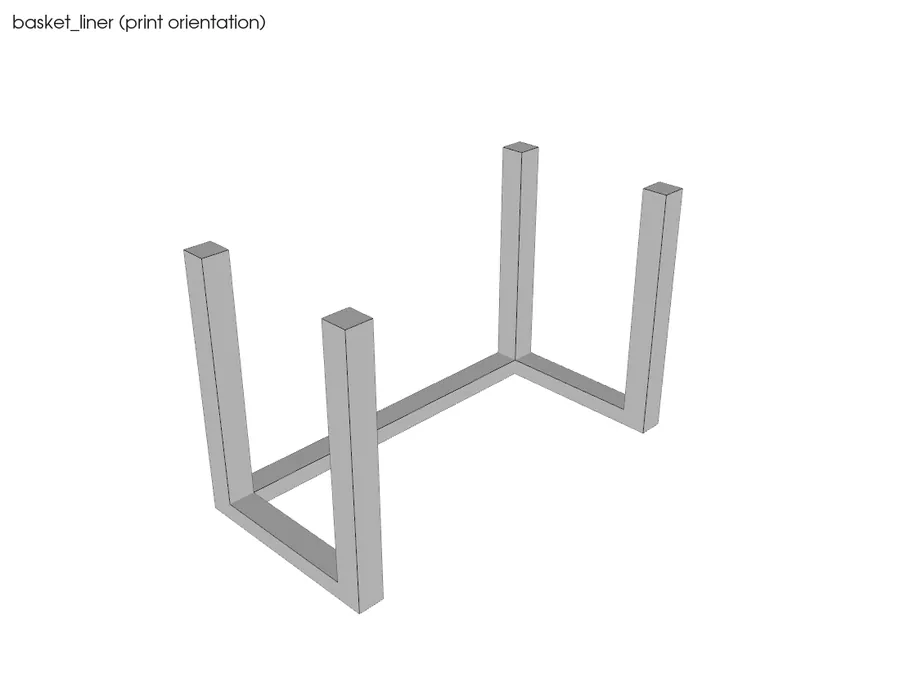
Printed · basket_liner.stl qty 1

Small U-shaped frame with 4 legs, 24 x 48 x 30 mm.
Box: Craftcloud (orange PETG). Picture = CAD render.

FoundMissing

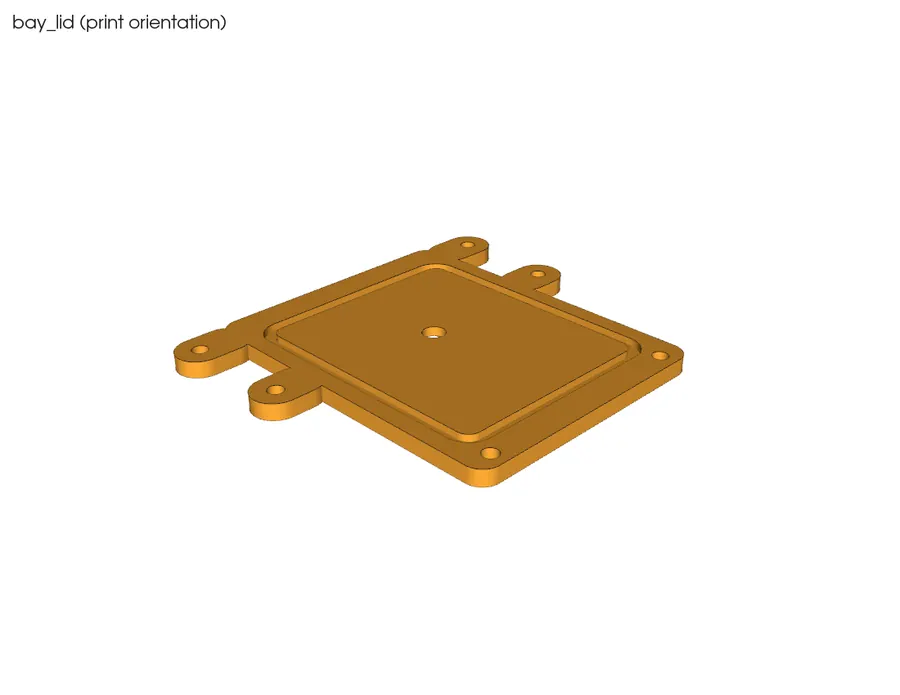
Printed · bay_lid.stl qty 1

Thin 74 x 85 mm plate with ears, a groove on one face, a 5 mm hole in a shallow recess.
Box: Craftcloud (orange PETG). Picture = CAD render.

FoundMissing

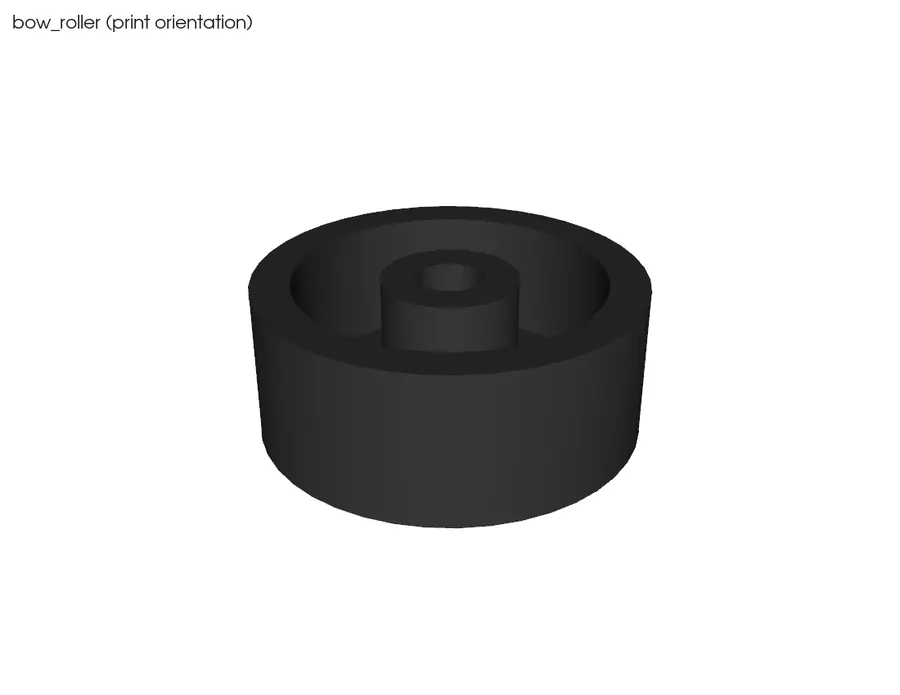
Printed · bow_roller.stl qty 2

Two small 20 mm rollers with a centre hole.
Box: Craftcloud (orange PETG). Picture = CAD render.

FoundMissing

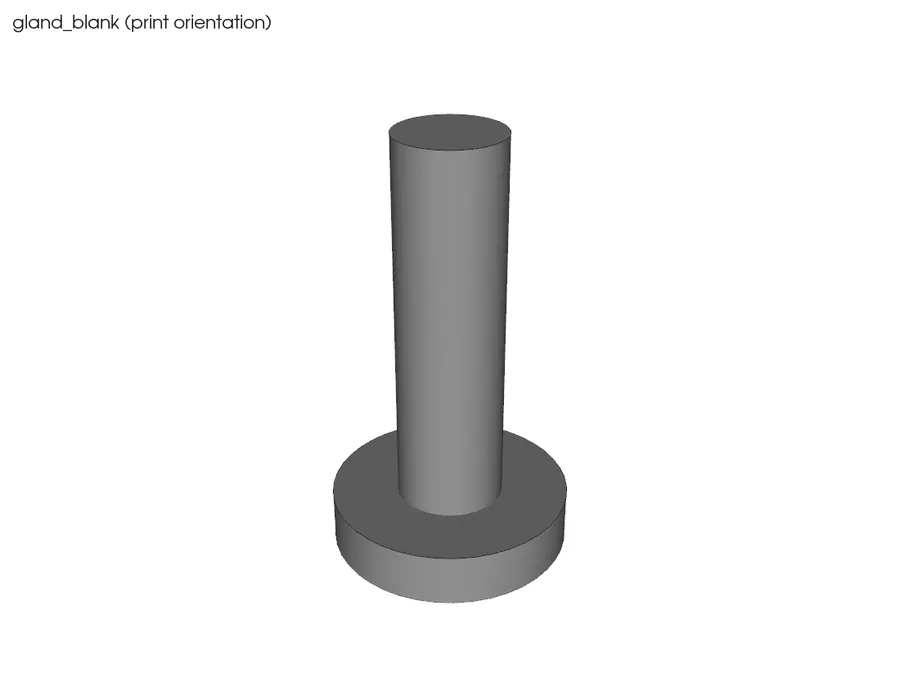
Printed · gland_blank.stl qty 1

Small plug 9 x 9 x 16 mm: a head and a 4 mm stem.
Box: Craftcloud (orange PETG). Picture = CAD render.

FoundMissing

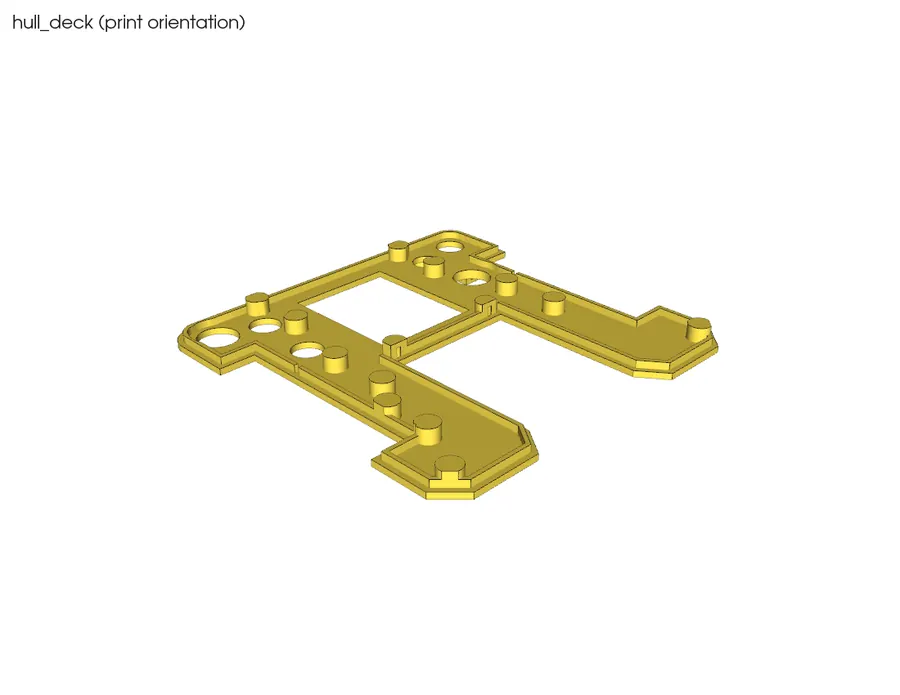
Printed · hull_deck.stl qty 1

Flat 150 x 150 mm plate with a big rectangular hole (bay opening), port holes and a raised round USB pad.
Box: Craftcloud (orange PETG). Picture = CAD render.

FoundMissing

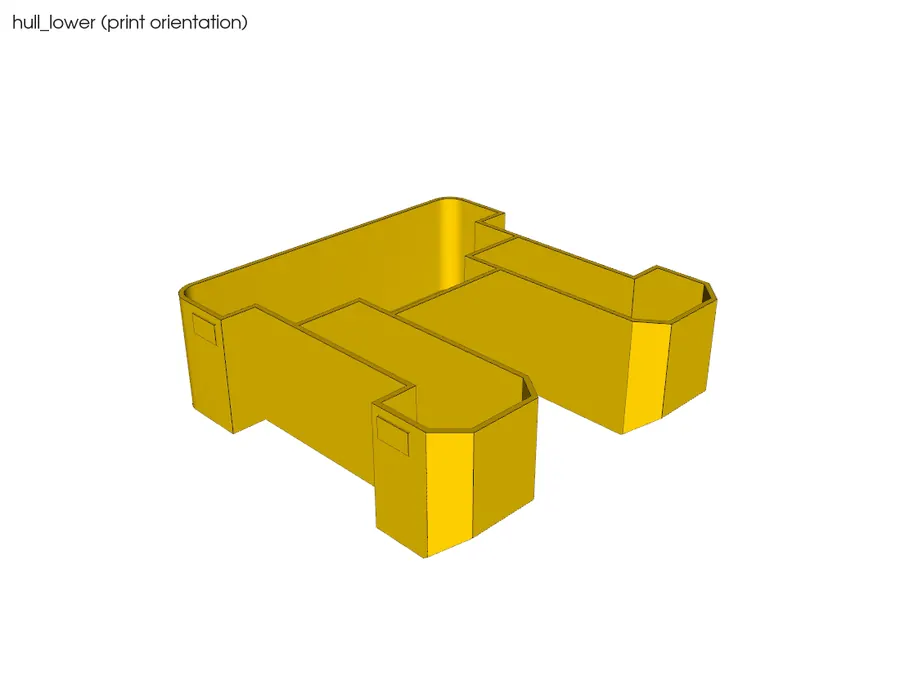
Printed · hull_lower.stl qty 1

Biggest part, an open-top square tub 150 x 152 x 48 mm with two side pockets for the wheels.
Box: Craftcloud (orange PETG). Picture = CAD render.

FoundMissing

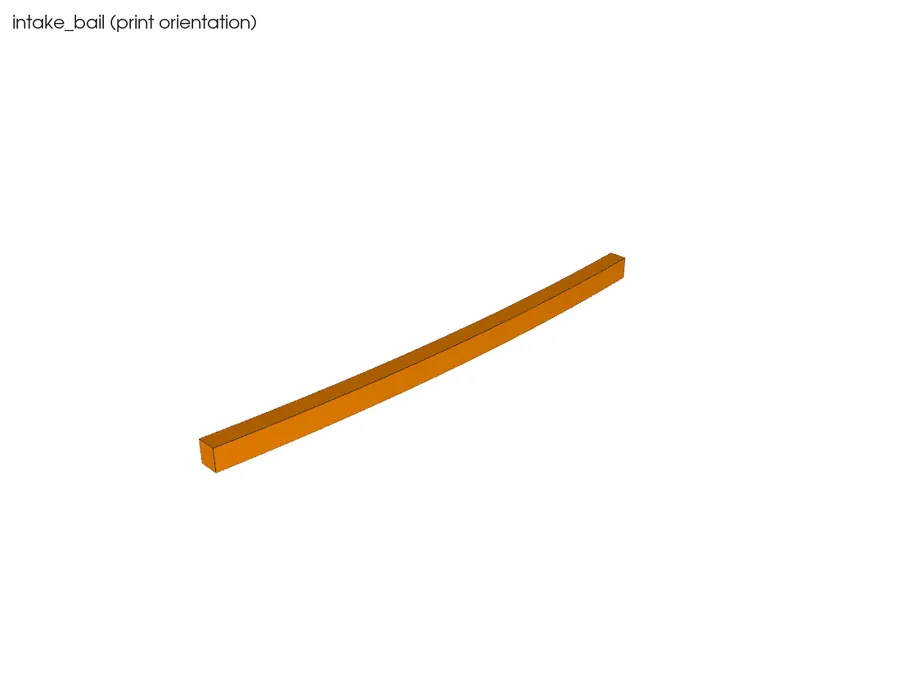
Printed · intake_bail.stl qty 1

Thin curved strip 66 mm long.

Box: Craftcloud (orange PETG). Picture = CAD render.

FoundMissing

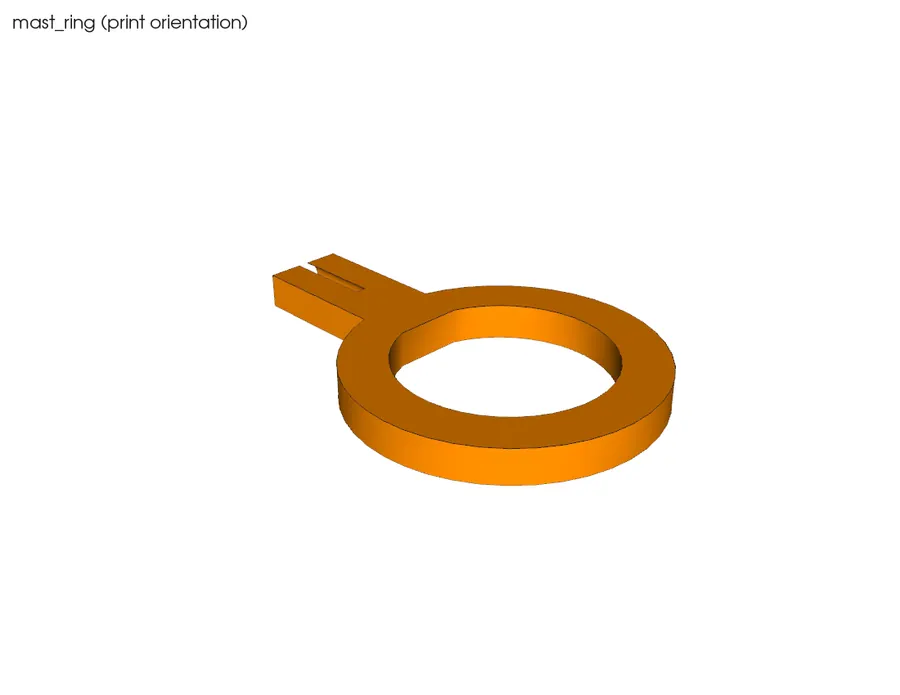
Printed · mast_ring.stl qty 1

Flat ring with a tab, 38 x 26 x 3 mm.
Box: Craftcloud (orange PETG). Picture = CAD render.

FoundMissing

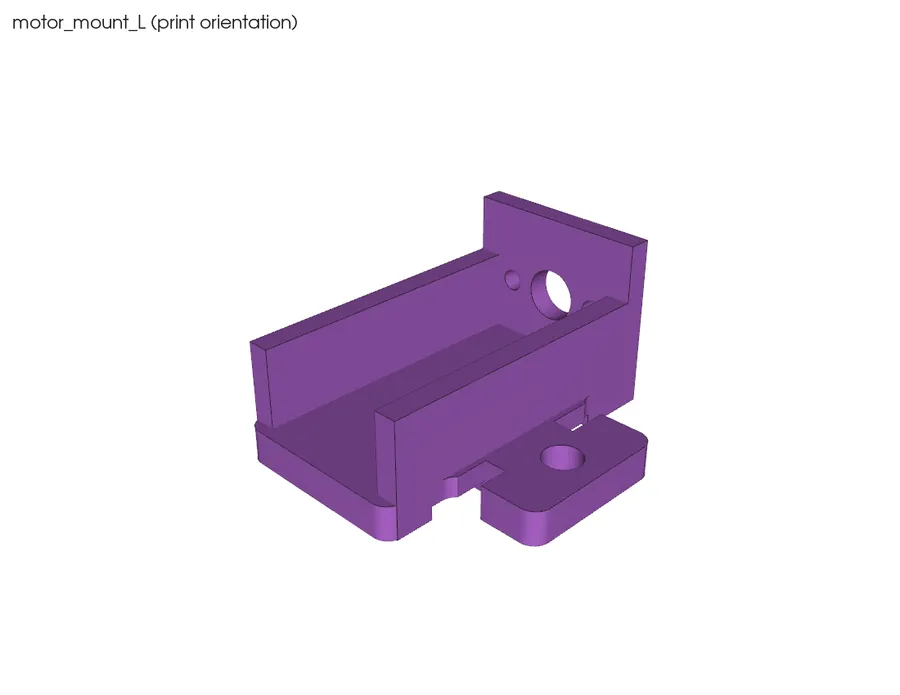
Printed · motor_mount_L.stl qty 1

Saddle 32 x 29 x 15 mm with a face plate (left-hand).
Box: Craftcloud (orange PETG). Picture = CAD render.

FoundMissing

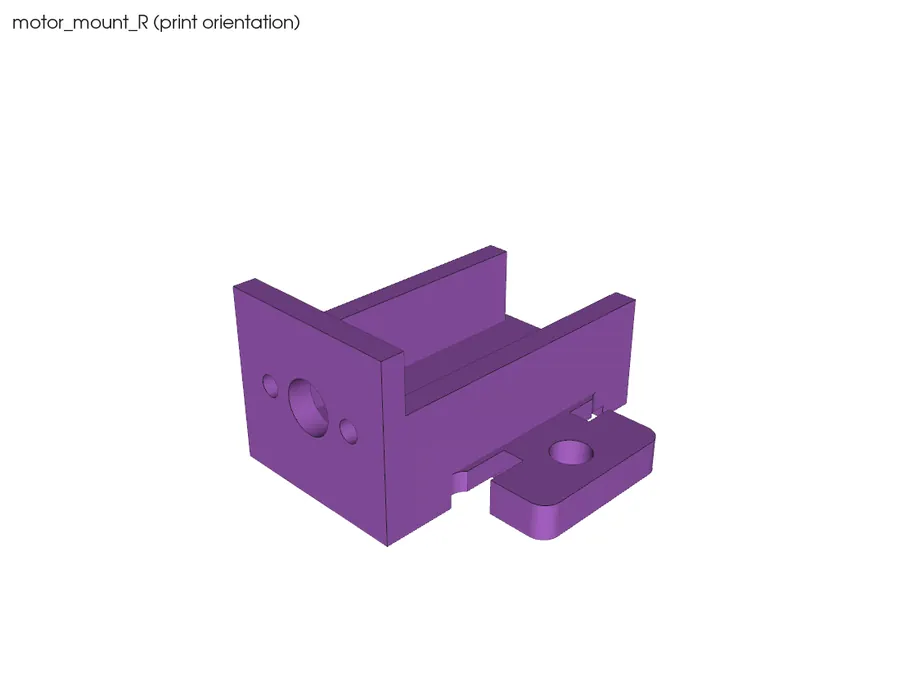
Printed · motor_mount_R.stl qty 1

Mirror image of the left saddle.

Box: Craftcloud (orange PETG). Picture = CAD render.

FoundMissing

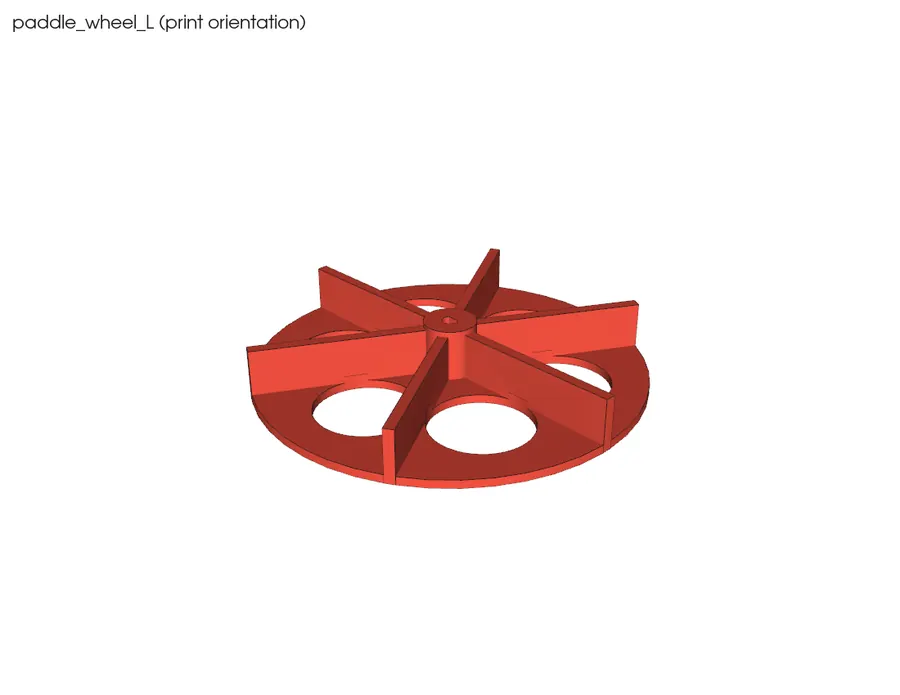
Printed · paddle_wheel_L.stl qty 1

75 mm wheel with 6 paddles and a hub with a D-shaped hole (left-hand).
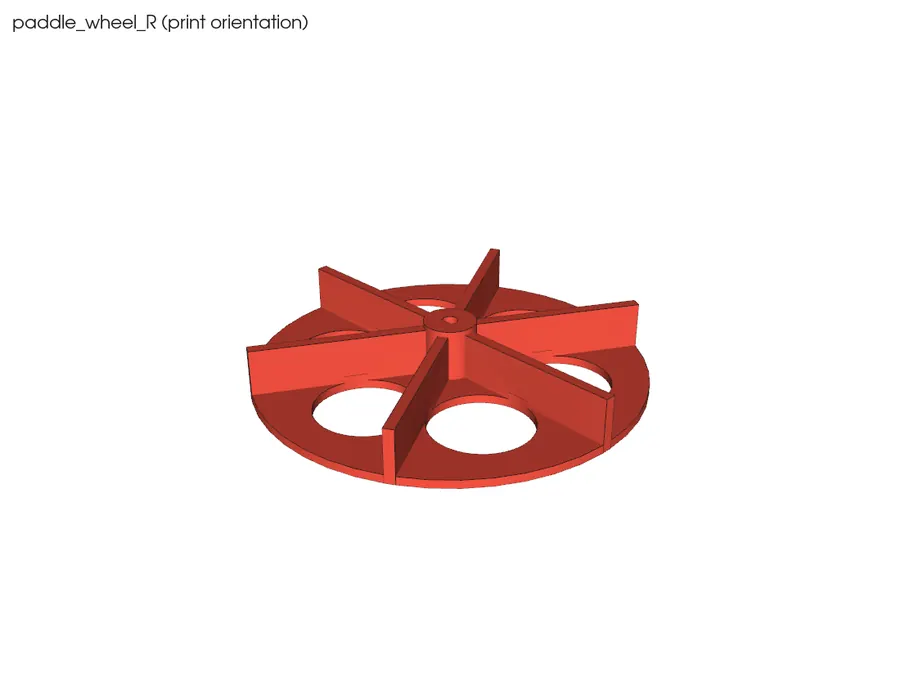
Box: Craftcloud (orange PETG). Picture = CAD render.

FoundMissing

Printed · paddle_wheel_R.stl qty 1

Mirror image of the left wheel.

Box: Craftcloud (orange PETG). Picture = CAD render.

FoundMissing

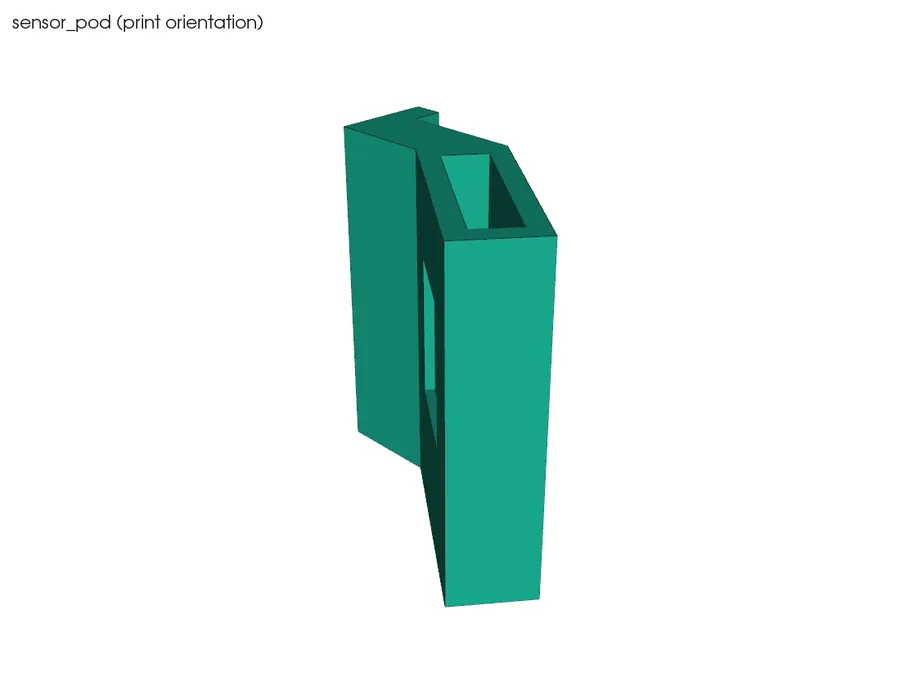
Printed · sensor_pod.stl qty 1

Small angled box 33 x 24 x 35 mm, open at one end, a window recess on the sloped face, 2 screw tabs.
Box: Craftcloud (orange PETG). Picture = CAD render.

FoundMissing

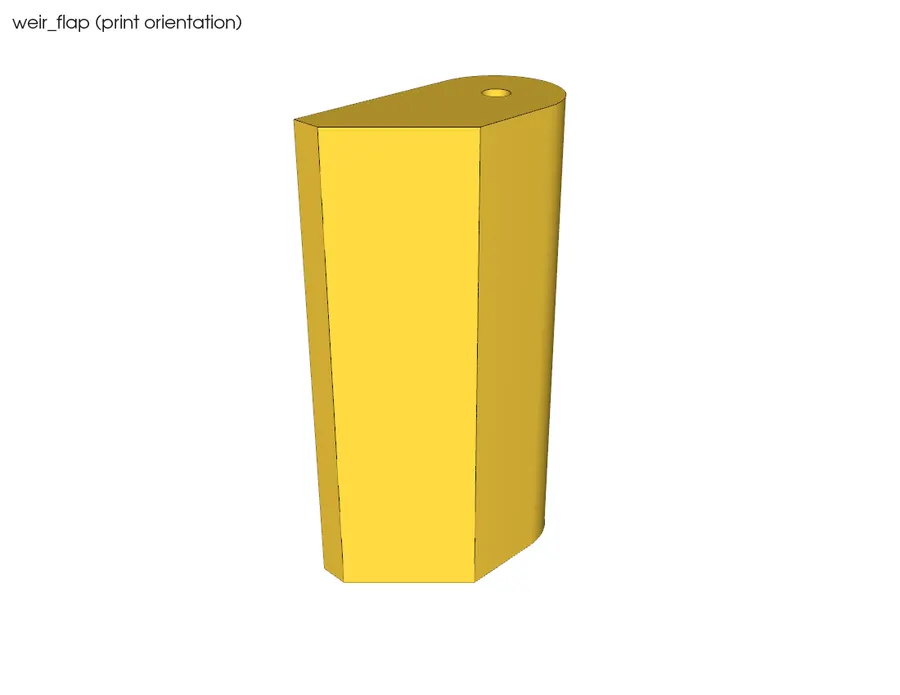
Printed · weir_flap.stl qty 1

Small closed hollow bar 12 x 23 x 45.5 mm with a hole in each end (blind).
Box: Craftcloud (orange PETG). Picture = CAD render.

FoundMissing

Steps

0.1 Check the battery is flat and undamaged

⏱ 2 min (est.) · Parts: LiPo battery (row 4) · Tools: eyes

Battery visual check
Diagram · Battery visual check
Reference photo: LiPo 3.7 V 1200 mAh
Reference photo · Adafruit · 258

Lay the battery on the table. Look along it from the side.

Pass: Flat, no bulge, no dents or cuts, wires intact. Puffy or damaged: put it on the tile outside and don't use it (Missing).

Don't do yet: Don't plug the battery into anything yet.

0.2 Check the 3D prints for damage

⏱ 5 min (est.) · Parts: all printed parts · Tools: eyes, bright light

CAD render: hull lower
CAD render · hull lower (what it should look like)
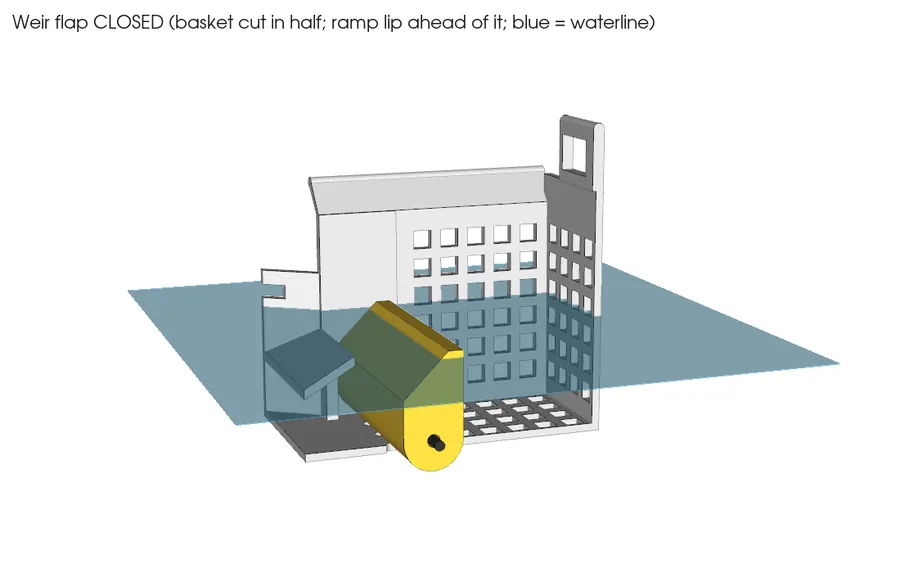
CAD render: weir flap
CAD render · weir flap (what it should look like)

Look at each printed part for cracks, holes, gaps between layers and warped corners. Look hardest at the hull floor, the walls and the weir flap (it must be a sealed hollow box).

Pass: No cracks or holes; parts sit flat; the weir flap has no holes except the two small end bores.

0.3 Store the small parts in labelled bags

⏱ 5 min (est.) · Parts: inserts, screws, resistors, diodes, caps · Tools: zip bags, marker

Reference photo: ruthex M3 x 5.7 heat-set inserts, 100 pcs
Reference photo · ruthex (3DJake listing) · B08BCRZZS3 / RX-M3x5.7
Reference photo: HVAZI M3 304 stainless socket-cap screw kit
Reference photo · HVAZI (Amazon) · B07F1GPDYT

Bag and label: inserts, M3x8, M3x10, M3x20, nylocs, washers, 100k, 10k, 1N5817, 1 uF.

STOP 0: checkpoint

  • Every bom.csv row is ticked Found or Missing.
  • Every printed part is ticked Found or Missing (16 pieces).
  • The battery passed the visual check.
  • The missing list (shown at this STOP in the web page) is written down. Missing parts only block the stage that needs them.

Troubleshooting, Stage 0

SymptomLikely causeFix
Can't find screws of one lengthThey're in the HVAZI M3 kit (Amazon), not a Bolt Depot bagLook in the sorted kit box; check the length with calipers
Can't find 'shop stock' items (window, flag)They were never orderedClear packaging plastic and orange duct tape work; mark them found when you have them
Battery is puffyDamaged in transitDon't use it. Outside on concrete. Adafruit return. Ask before buying another
A print is cracked or the flap has a holePrint or shipping damagePhoto it, mark Missing, contact Craftcloud about the existing order

🔒 Locked: tick every check in Stage 0 first (including its STOP box). You can read ahead.

Goal: Have every tool on the table, a safe soldering and charging setup, and a computer that builds the firmware.

3D view Stage 1 overview

Drag to turn · pinch to zoom · two fingers to pan · tap a part for its name.
Warning: Read the Safety section at the top before this stage.

Tools (pictures are examples: any similar tool is fine)

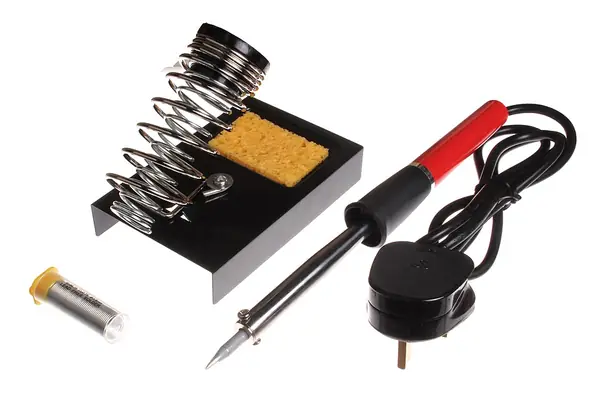
Temperature-controlled soldering iron + stand + tip cleaner

Used in steps: 1.1, 1.8, 3.2, 3.8, 3.10, 3.13, 3.14, 3.16, 3.17, 3.18, 3.19, 4.2 ...

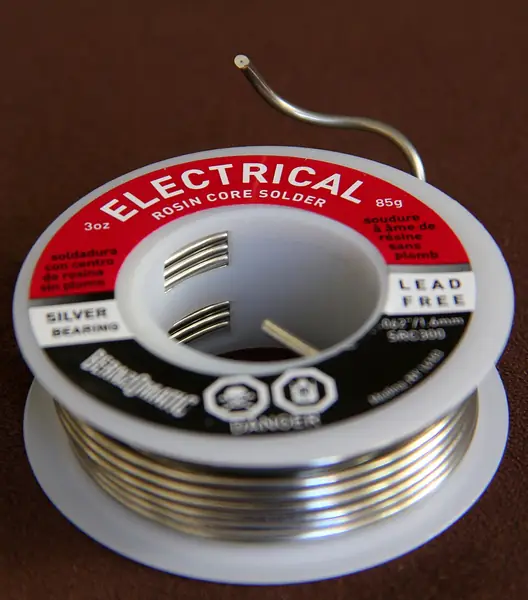
Thin rosin-core solder (0.5-0.8 mm)

Used in steps: 1.1

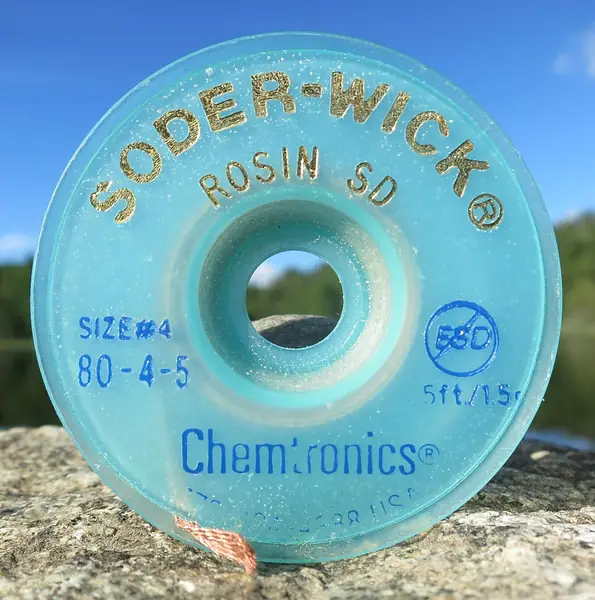
Solder wick

Used in steps: 1.1

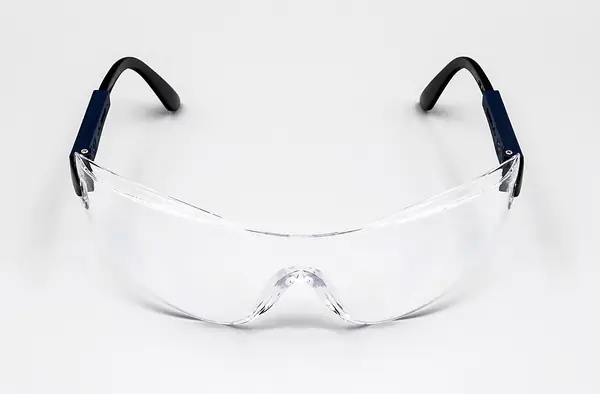
Safety glasses

Used in steps: 1.1, 8.1

Small fan

Used in steps: 1.6

Multimeter (DC volts, beep, diode)

Used in steps: 1.2, 3.1, 3.2, 3.4, 3.9, 3.11, 3.13, 3.19, 3.20, 3.22, 3.29, 5.15 ...

Wire strippers for 26 AWG

Used in steps: 1.3, 1.8, 3.8, 3.14, 3.16, 3.29

Flush cutters

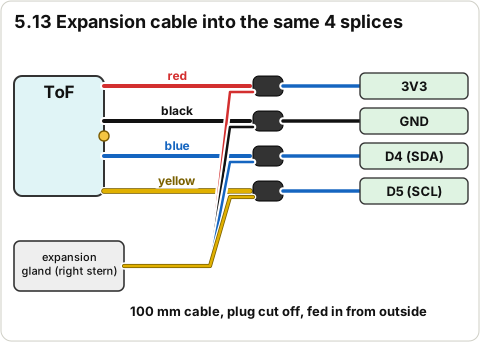
Used in steps: 1.3, 2.1, 3.29, 4.16, 5.13

2.5 mm hex key (M3 screws)

Used in steps: 1.3, 4.14, 4.19, 7.17, 8.8, 9.2, 9.7, 10.4, 10.10

Hobby knife

Used in steps: 1.3, 2.1, 3.2

Small round and flat files

Used in steps: 1.3, 2.7, 2.8, 8.1

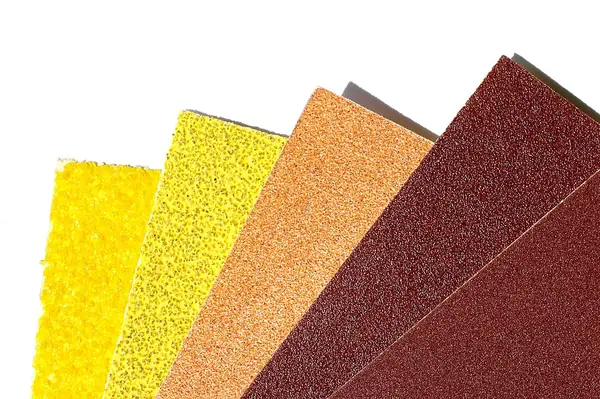
120 and 240 grit sandpaper

Used in steps: 1.3, 2.1, 2.21, 4.10

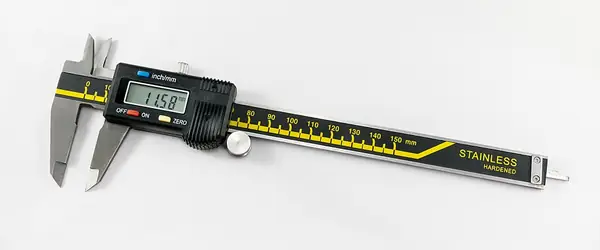
Digital calipers

Used in steps: 1.3, 2.6, 2.9, 2.11, 2.17, 8.1

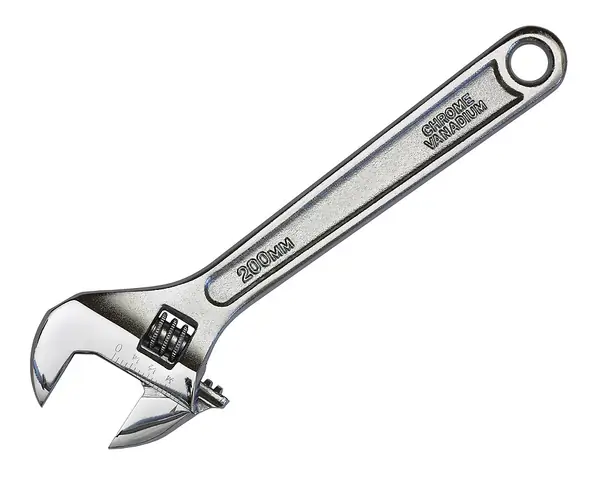
Adjustable spanner

Used in steps: 1.3, 4.5, 4.6, 4.7, 7.14, 8.8

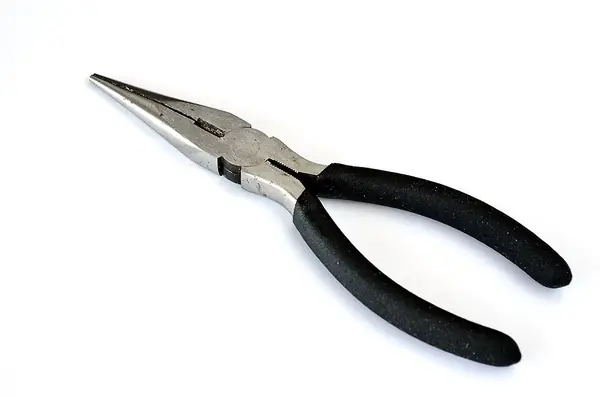
Small pliers

Used in steps: 1.3

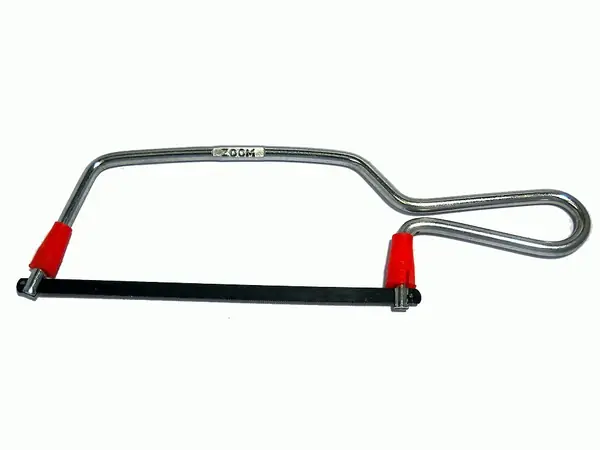
Hacksaw or fine saw

Used in steps: 1.3, 8.1, 8.9

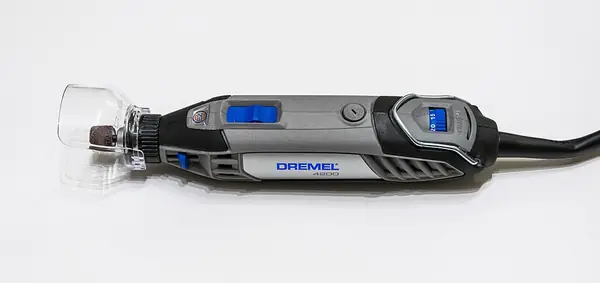
Rotary tool with a cut-off disc

Used in steps: 1.3, 8.1

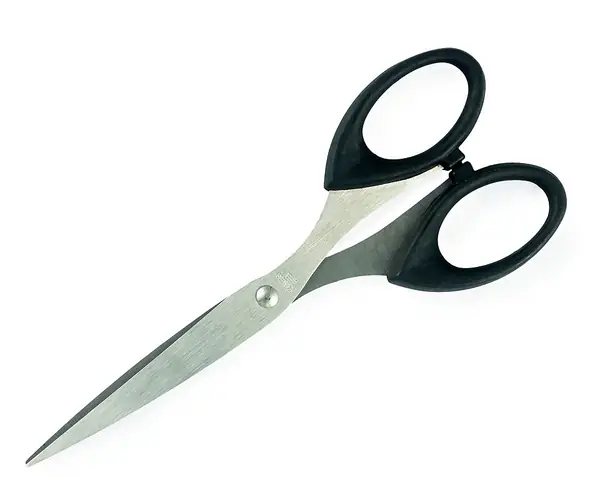
Scissors

Used in steps: 1.3, 7.8, 7.12, 8.4, 8.6

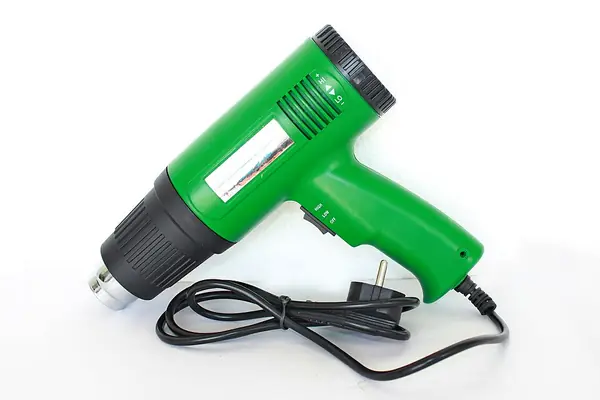
Heat gun (for heat shrink)

Used in steps: 1.4, 1.8, 3.10, 4.15, 4.19, 7.15

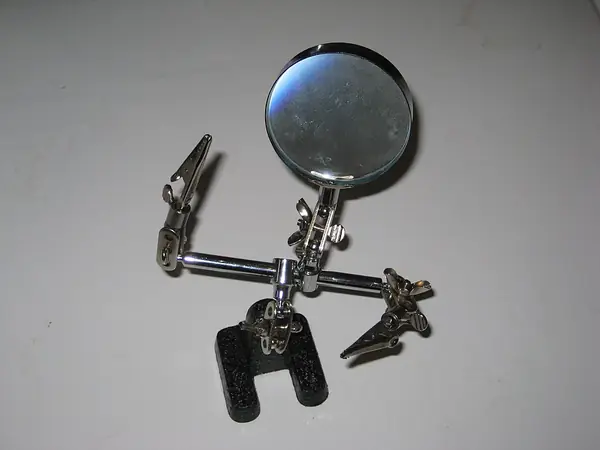
'Helping hands'

Used in steps: 1.4, 3.16

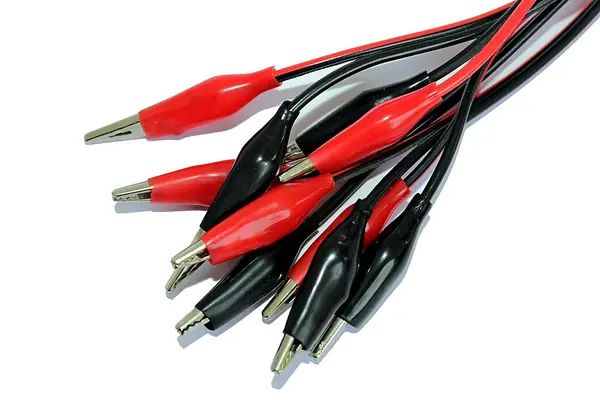
Alligator-clip test leads (about 8)

Used in steps: 1.4, 3.12, 3.15, 3.21, 3.29

Isopropyl alcohol (IPA) + paper towel

Used in steps: 2.21, 4.10, 4.20, 4.22, 7.8, 7.10, 7.13

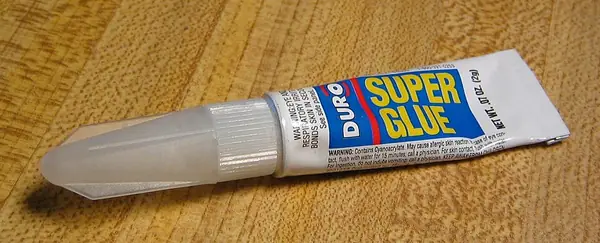
Superglue (CA)

Used in steps: 1.5, 7.12, 8.2, 8.3

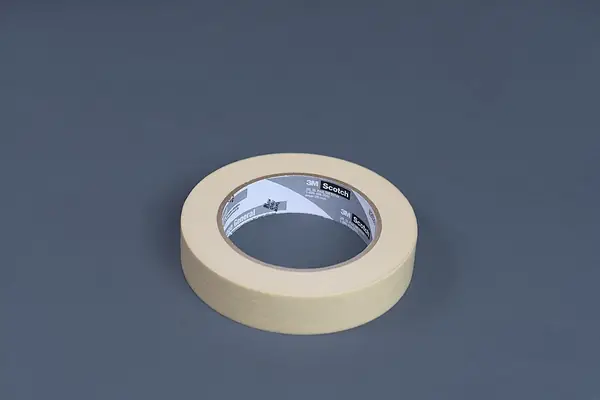
Masking tape

Used in steps: 1.4, 1.5, 7.1, 7.2

Nitrile gloves

Used in steps: 1.5, 2.21, 4.8, 4.10, 4.11, 4.12, 7.3, 7.9

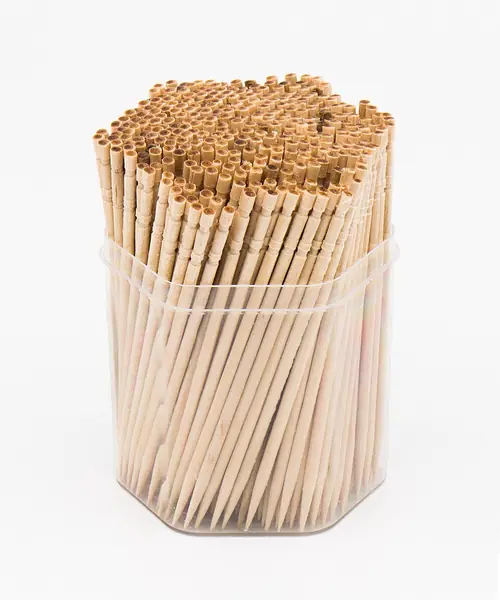
Toothpicks + scrap card for mixing

Used in steps: 1.5, 7.2, 7.9, 7.11, 8.2, 8.5, 8.10

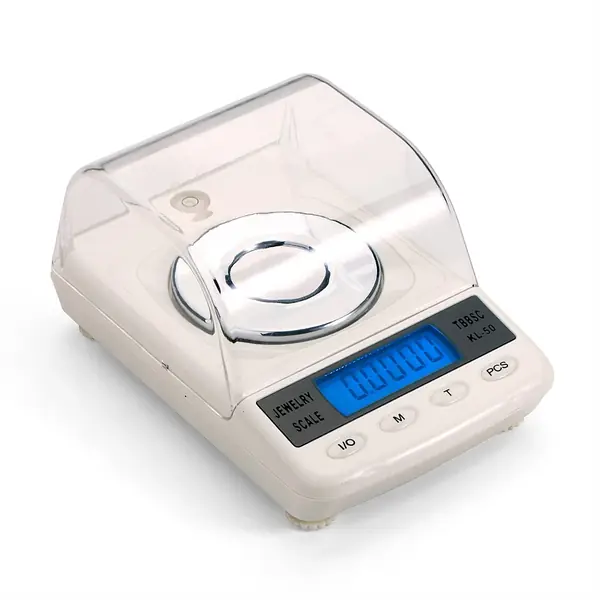
Kitchen scale reading 0.1 g

Used in steps: 1.5, 2.2, 2.3, 4.13, 6.14, 8.6, 8.11

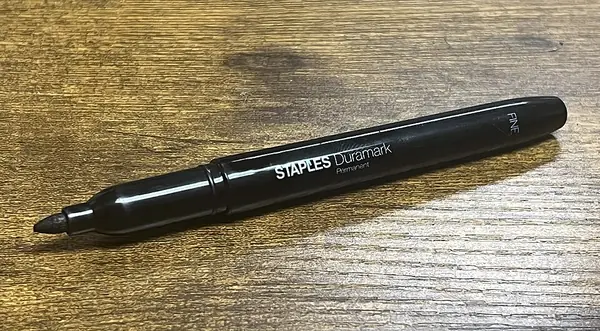
Marker

Used in steps: 0.3, 1.5, 8.4

Zip bags

Used in steps: 0.3, 1.5

Bucket or bathtub

Used in steps: 1.5, 2.3, 4.3, 4.13, 9.1

Ceramic tile or metal baking tray (charging spot)

Used in steps: 1.7, 3.6, 9.13, 10.11

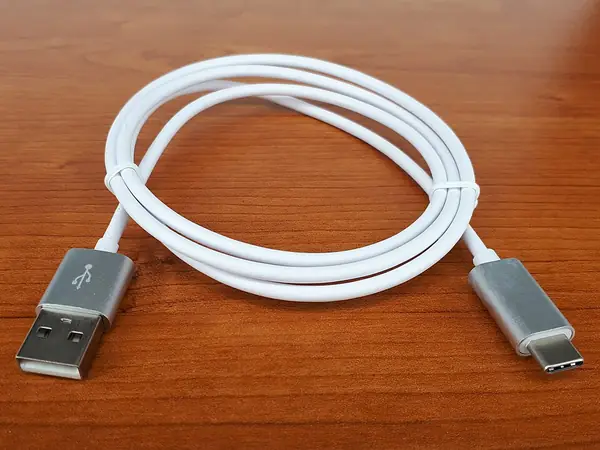
USB-C data cable

Used in steps: 1.10

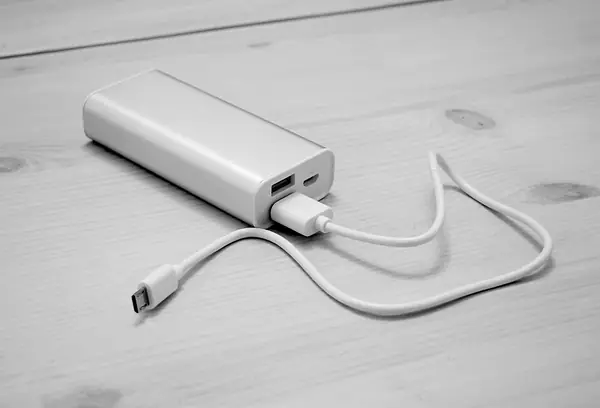
5 V USB power bank or USB phone charger

Used in steps: 1.10, 9.13, 10.11

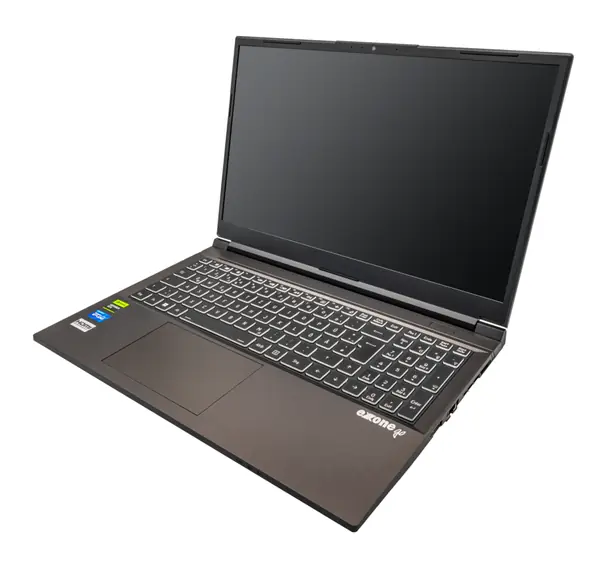
Computer with this repo

Used in steps: 1.9, 1.10, 3.23, 3.24, 3.25, 6.4, 6.10

Magnifier

Used in steps: 5.3, 5.14

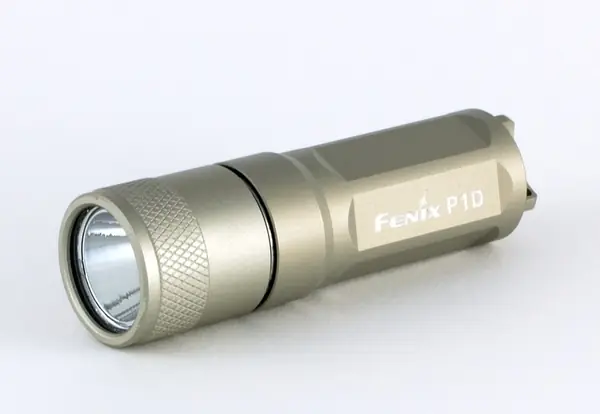
Torch (flashlight)

Used in steps: 2.4, 5.14

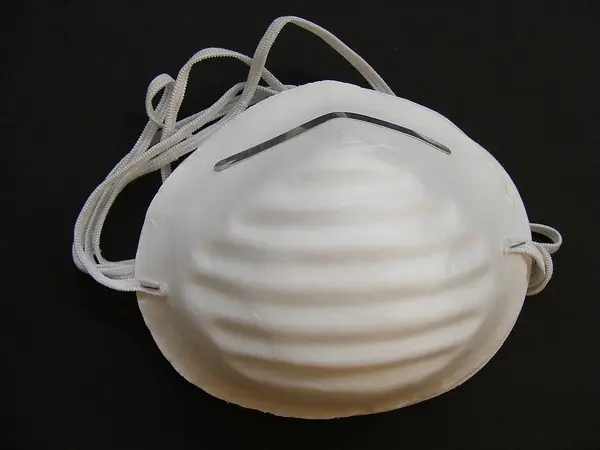
Dust mask

Used in steps: 8.9

3 mm drill bit (by hand)

Used in steps: 7.13

Ruler

Used in steps: 9.4

Pool net or pole hook

Used in steps: 10.7

Cutting mat

Used in steps: 1.6

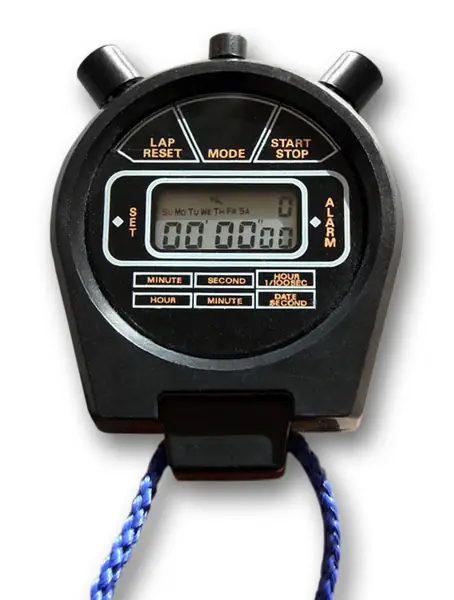
Phone stopwatch / timer

Used in steps: 3.6, 3.26, 6.7, 6.13, 7.18, 9.6, 9.11

Tweezers

Used in steps: 7.5

Steps

1.1 Gather the soldering kit

⏱ 10 min (est.) · Parts: - · Tools: temperature-controlled soldering iron + stand + tip cleaner, thin rosin-core solder (0.5-0.8 mm), solder wick, safety glasses, small fan

Example photo: Temperature-controlled soldering iron + stand + tip cleaner
Example photo (any similar tool is fine) · Wikimedia Commons · oomlout · CC BY-SA 2.0
Example photo: Thin rosin-core solder (0.5-0.8 mm)
Example photo (any similar tool is fine) · Wikimedia Commons · Kevin Hadley · CC BY-SA 3.0

Put them on a heat-proof mat. Set the iron to about 330 C (est.).

1.2 Gather and test the multimeter

⏱ 5 min (est.) · Parts: - · Tools: multimeter with DC volts, continuity (beep) and diode modes

Example photo: Multimeter (DC volts, beep, diode)
Example photo (any similar tool is fine) · Wikimedia Commons · Jacek Halicki · CC BY-SA 4.0

Turn it to the beep setting and touch the two probe tips together.

Pass: It beeps. On DC volts it reads 0.00 with the probes apart.

1.3 Gather the hand tools

⏱ 10 min (est.) · Parts: - · Tools: wire strippers for 26 AWG, flush cutters, 2.5 mm hex key (M3 screws), hobby knife, small round and flat files, 120 and 240 grit sandpaper, digital calipers, adjustable spanner, small pliers, hacksaw or rotary tool with a cut-off disc, scissors

Example photo: Wire strippers for 26 AWG
Example photo (any similar tool is fine) · Wikimedia Commons · Raul654 · CC BY-SA 3.0
Example photo: Digital calipers
Example photo (any similar tool is fine) · Wikimedia Commons · Jacek Halicki · CC BY-SA 4.0

Lay them out. The hacksaw/rotary tool is only for the 2 mm stainless rod and the carbon rod (Stage 8).

1.4 Gather the heat gun and helpers

⏱ 5 min (est.) · Parts: - · Tools: heat gun (for heat shrink), 'helping hands' or masking tape, alligator-clip test leads (about 8)

Example photo: Heat gun (for heat shrink)
Example photo (any similar tool is fine) · Wikimedia Commons · Suyash Dwivedi · CC BY-SA 4.0
Example photo: Alligator-clip test leads (about 8)
Example photo (any similar tool is fine) · Wikimedia Commons · Suyash Dwivedi · CC BY-SA 4.0

A hair dryer is not hot enough for the adhesive-lined heat shrink.

1.5 Gather the shop consumables (not in bom.csv)

⏱ 10 min (est.) · Parts: - · Tools: isopropyl alcohol (IPA) + paper towel, superglue (CA), masking tape, nitrile gloves, toothpicks + scrap card for mixing, kitchen scale reading 0.1 g, marker, zip bags, a bucket or bathtub

Example photo: Isopropyl alcohol (IPA) + paper towel
Example photo (any similar tool is fine) · Wikimedia Commons · João Carlos Ávila · CC BY-SA 4.0
Example photo: Kitchen scale reading 0.1 g
Example photo (any similar tool is fine) · Wikimedia Commons · TBBSC · CC BY-SA 4.0

The 0.1 g scale matters: the leak test and the mass check need it.

Pass: All here, or written on a shopping list for you to decide on.

1.6 Set up the soldering area

⏱ 10 min (est.) · Parts: - · Tools: table, lamp, fan, cutting mat

Example photo: Small fan
Example photo (any similar tool is fine) · Wikimedia Commons · Couch-scratching-cats · Public domain
Example photo: Safety glasses
Example photo (any similar tool is fine) · Wikimedia Commons · Jacek Halicki · CC BY-SA 4.0

Good light, fan blowing across the table (away from you), iron stand at the back, nothing flammable near it, no kids or pets in the room.

1.7 Set up the fire-safe charging spot

⏱ 5 min (est.) · Parts: - · Tools: ceramic tile or metal baking tray

Fire-safe charging spot
Diagram · Fire-safe charging spot

Put the tile somewhere you'll be nearby, away from curtains and paper, with a working smoke alarm in the room. All charging in this guide happens here, attended.

1.8 Practise three splices on scrap wire

⏱ 15 min (est.) · Parts: scrap of blue wire, heat shrink · Tools: iron, strippers, heat gun

How to make a solder splice
Diagram · How to make a solder splice

1) Slide a 20 mm piece of heat shrink onto one wire first. 2) Strip 6 mm (est.) off both ends. 3) Twist them together in a line. 4) Heat with the iron and feed solder until it flows through (2-3 s). 5) Cool, slide the shrink over the joint, heat until it grips.

Pass: Pulling the two wires firmly doesn't break the joint; no bare copper shows.

1.9 Check the computer builds the firmware

⏱ 10-20 min (est.; first build downloads about 1 GB) · Parts: - · Tools: computer with this repo

Firmware build commands
Diagram · Firmware build commands
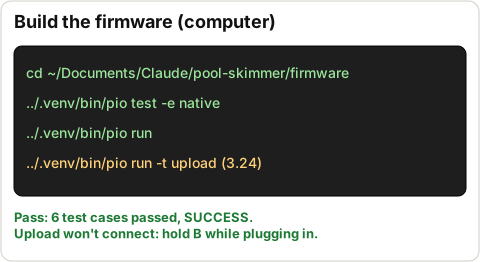
cd ~/Documents/Claude/pool-skimmer/firmware
../.venv/bin/pio test -e native
../.venv/bin/pio run

If .venv is missing, run the Setup lines in CLAUDE.md first.

Pass: pio test ends with 6 test cases passed (0 failed); pio run ends with SUCCESS.

1.10 Find a USB-C data cable and a 5 V USB power source

⏱ 5 min (est.) · Parts: - · Tools: USB-C cable that carries data (the one you use for a phone with a computer), a USB power bank or USB phone charger

Example photo: USB-C data cable
Example photo (any similar tool is fine) · Wikimedia Commons · Fructibus · CC0
Example photo: 5 V USB power bank or USB phone charger
Example photo (any similar tool is fine) · Wikimedia Commons · Santeri Viinamäki · CC BY-SA 4.0

The data cable connects the XIAO to the computer. The power source charges the boat.

STOP 1: checkpoint

  • Every tool listed above is on the table (or you've decided to skip it).
  • The multimeter beeps on continuity.
  • Three practice splices hold when pulled.
  • pio test -e native: 6 passed. pio run: SUCCESS.
  • The charging tile is set up.

Troubleshooting, Stage 1

SymptomLikely causeFix
pio: command not found or no .venvPython setup not done on this MacRun the two Setup lines in CLAUDE.md, then retry
pio run stuck on downloadingFirst build fetches the ESP32 toolchain (~1 GB)Wait; needs internet once
Multimeter doesn't beepWrong dial setting or flat meter batteryTurn to the speaker/diode symbol; replace its battery
Solder balls up instead of flowingDirty tip or wire not hot enoughClean and re-tin the tip; hold the iron on the wire 1 s before adding solder

🔒 Locked: tick every check in Stage 1 first (including its STOP box). You can read ahead.

Goal: Prove every printed part fits before anything is permanent. The only glue in this stage is on a scrap test piece.

3D view Stage 2 overview

Drag to turn · pinch to zoom · two fingers to pan · tap a part for its name.
Note: The prints were designed with no supports, so there should be nothing to snap off except brims and stringing. Pictures: out/previews/callouts.png (every feature numbered), assembly_iso.png, assembly_no_deck.png.

2.1 Trim brims and strings off every part

⏱ 15 min (est.) · Parts: all printed parts · Tools: hobby knife, flush cutters, 240 grit

CAD render: hull lower
CAD render · hull lower (what it should look like)
Example photo: Hobby knife
Example photo (any similar tool is fine) · Wikimedia Commons · Evan-Amos · Public domain

Cut away from your hand. Keep two brim offcuts from the hull for the glue test (step 2.21).

Pass: Every edge is clean; parts sit flat.

2.2 Weigh every printed part and write it down

⏱ 10 min (est.) · Parts: all printed parts · Tools: 0.1 g scale

Expected part masses
Diagram · Expected part masses

Expected (CAD): hull_lower 147, hull_deck 50, bay_lid 20, basket 24, wheels 11 each, pod 9, flap 7, mounts 3.6 each, liner 2, rollers 1.8 each, mast_ring 1.3, bail 0.6, gland_blank 0.4 g. About 293 g total.

Pass: Total within about 10 % of 293 g (est.). Write the numbers in DEVLOG.md (Claude uses them to re-run buoyancy.py).

2.3 Float-test the weir flap

⏱ 10 min (est.) · Parts: weir_flap · Tools: bowl of water, scale

CAD render: weir flap
CAD render · weir flap (what it should look like)

Weigh it. Hold it fully under water for 5 minutes. Dry it, weigh again.

Pass: No bubbles come out, and it gains no weight (it's a sealed float).

Don't do yet: Don't fit the flap pins yet (Stage 8).

2.4 Look into hull_lower against a bright light

⏱ 5 min (est.) · Parts: hull_lower · Tools: torch, dark room

CAD render: hull lower
CAD render · hull lower (what it should look like)

Shine the torch inside, look at the outside in the dark (and the reverse) for pinholes of light, especially the floor-to-wall corners and around the wheel pockets. Circle any with a marker.

Pass: No light shows through.

2.5 Dry-fit the deck on the hull

⏱ 5 min (est.) · Parts: hull_lower, hull_deck · Tools: hands

CAD render: hull deck
CAD render · hull deck (what it should look like)
CAD render: assembly iso
CAD render · assembly iso (what it should look like)

Lower the deck on. The lip under the deck drops inside the walls; notches clear the bulkheads.

Pass: It sits flat all round with no rocking; any gap at the seam is under 0.5 mm (est.).

Don't do yet: Don't glue. Ports must go into the deck first (Stage 4).

2.6 Check the 14 insert holes

⏱ 5 min (est.) · Parts: hull_deck · Tools: calipers

CAD render: hull deck
CAD render · hull deck (what it should look like)
Reference photo: ruthex M3 x 5.7 heat-set inserts, 100 pcs
Reference photo · ruthex (3DJake listing) · B08BCRZZS3 / RX-M3x5.7

Measure a few of the 14 blind holes in the deck top: 6 lid (round the bay opening), 4 motor-mount, 2 pod (left front), 2 rollers (front corners).

Pass: About 4.0 mm across and clean inside.

Don't do yet: Don't fit the inserts yet (Stage 4).

2.7 Test-fit one IP68 gland in each gland hole

⏱ 10 min (est.) · Parts: 1 IP68 PG7 gland (row 43), hull_deck · Tools: round file

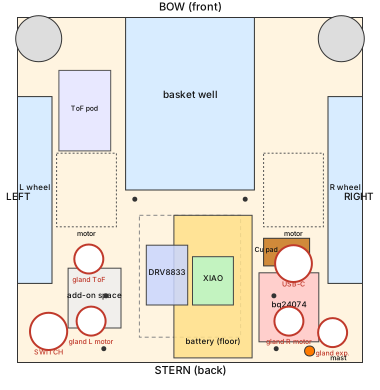
Top view of the hull, bow up: deck ports (red circles), battery, boards, copper pad, lid screws
Diagram · Top view of the hull, bow up: deck ports (red circles), battery, boards, copper pad, lid screws (from cad/skimmer.py)
Reference photo: Cable gland PG-7
Reference photo · Adafruit · 762
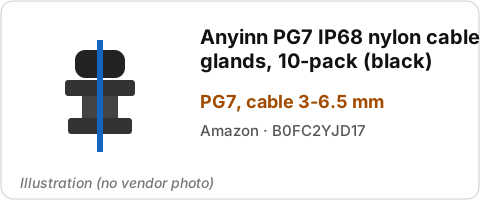
Illustration: Anyinn PG7 IP68 nylon cable glands, 10-pack (black)
Illustration (no vendor photo found) · Anyinn PG7 IP68 nylon cable glands, 10-pack (black) · PG7, cable 3-6.5 mm

Screw the gland body into each of the 4 x 12.6 mm holes from the top (2 behind the wheels, 1 left of the bay, 1 right-stern corner); see the layout drawing in Stage 4. Unscrew it again.

Oct 26: the Adafruit #762 glands are the ones used (the black IP68 glands are spares). Test-fit a #762.

Pass: Goes in by hand without forcing. Tight: a few strokes of the round file, then re-try.

2.8 Test-fit the switch

⏱ 3 min (est.) · Parts: switch (row 5), hull_deck · Tools: round file

Reference photo: Rugged metal on/off switch, 16 mm, red LED
Reference photo · Adafruit · 916

Push the switch body through the 16.2 mm hole at the left stern corner. Remove it.

Pass: Slides in without forcing.

2.9 Test-fit the USB-C coupler

⏱ 5 min (est.) · Parts: USB-C coupler (row 20), hull_deck · Tools: calipers

Reference photo: IP67 USB-C F/F panel-mount coupler + dust cap
Reference photo · Plinkwirekb (Amazon) · B0FRMNK3CV

Push it through the 16 mm hole in the raised round pad (right side, beside the bay). Thread the nut on from below by hand.

Pass: The nut gets at least 2 full turns of thread (the pad + deck are 4.0 mm thick). If not, write it down: the pad can be sanded thinner in Stage 4 (ask first).

2.10 Test-fit the lid

⏱ 5 min (est.) · Parts: bay_lid, hull_deck, 2 M3x10 screws · Tools: hands

CAD render: bay lid
CAD render · bay lid (what it should look like)

Lay the lid on the deck, groove side down. Drop two screws through any lid holes into the insert holes, no turning.

Pass: All 6 lid holes line up with the 6 deck holes; the lid lies flat.

2.11 Check the gasket cord against the groove

⏱ 5 min (est.) · Parts: 2 mm cord (row 48, or the silicone cord), bay_lid · Tools: calipers

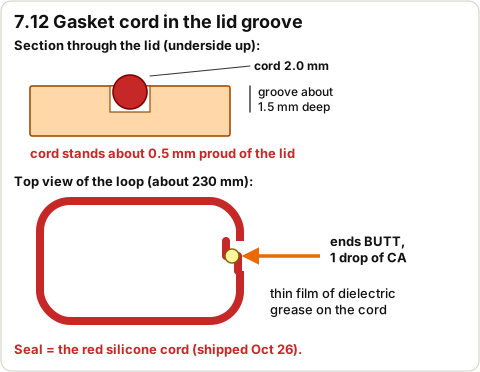
Gasket cord seated in the lid groove
Diagram · Gasket cord seated in the lid groove
Reference photo: Mr O-Ring 2 mm silicone O-ring cord, 25 ft
Reference photo · Mr O-Ring (Amazon) · B00QVB0Z70

Measure the cord: 2.0 mm. Press a short piece into the groove on the lid underside and measure how far it stands out.

Oct 26: use the red silicone cord (shipped Oct 26) as the seal.

Pass: Cord 1.9-2.1 mm (est.); stands about 0.5 mm proud of the lid (CAD: 1.5 mm deep groove).

Don't do yet: Don't cut the full gasket length yet (Stage 7).

2.12 Dry-fit the left motor in its mount

⏱ 5 min (est.) · Parts: motor_mount_L, 1 motor, 2 zip ties · Tools: -

CAD render: motor mount L
CAD render · motor mount L (what it should look like)
Reference photo: 75:1 Micro Metal Gearmotor MP 6V
Reference photo · Pololu · 2366

Drop the motor into the saddle, shaft through the face plate hole. Thread 2 zip ties through the slots (don't pull).

Pass: Motor sits straight; shaft sticks out of the face plate; zip ties pass through the 2 x 5 mm slots.

2.13 Dry-fit the right motor in its mount

⏱ 5 min (est.) · Parts: motor_mount_R, 1 motor · Tools: -

CAD render: motor mount R
CAD render · motor mount R (what it should look like)

Same as the left side, mirrored.

Pass: Same as left.

2.14 Place both mounts on the deck

⏱ 3 min (est.) · Parts: both mounts, hull_deck · Tools: -

CAD render: assembly top
CAD render · assembly top (what it should look like)

Set each mount on its pontoon with its two screw holes over the deck insert holes; the shaft points into the wheel pocket.

Pass: Holes line up; the shaft is centred in the pocket.

2.15 Try each paddle wheel on its shaft (part way)

⏱ 5 min (est.) · Parts: paddle wheels, motors · Tools: -

CAD render: paddle wheel L
CAD render · paddle wheel L (what it should look like)

Line up the D-flat and push the wheel on by hand about 3 mm (est.) only. Pull it straight off again.

Pass: It needs a firm push and doesn't wobble. Loose: it'll get a drop of CA in Stage 7. Won't go on: ask before reaming.

Don't do yet: Don't push it all the way on (hard to remove).

2.16 Fit the basket in the well

⏱ 3 min (est.) · Parts: basket, hull_lower + deck · Tools: -

CAD render: basket
CAD render · basket (what it should look like)

Drop the basket into the well; lift it out by the finger hole on its rear wall.

Pass: Goes in and lifts straight out without catching.

2.17 Check the flap fits between the basket cheeks

⏱ 5 min (est.) · Parts: weir_flap, basket, stainless rod · Tools: calipers

CAD render: weir flap closed
CAD render · weir flap closed (what it should look like)

Hold the flap between the two cheeks at the front of the basket. Measure the rod: 2.0 mm. Push the rod end into a cheek hole (should be snug) and into a flap end bore (should be loose).

Pass: About 1.5 mm gap each side; rod snug in the cheek, free in the flap.

2.18 Fit the liner frame in the basket

⏱ 2 min (est.) · Parts: basket_liner, basket · Tools: -

CAD render: basket liner
CAD render · basket liner (what it should look like)

Drop the frame in the basket body, open side facing forward (towards the flap).

Pass: It sits on the floor behind the flap's swing.

2.19 Test-fit the bail

⏱ 2 min (est.) · Parts: intake_bail, basket · Tools: -

CAD render: intake bail
CAD render · intake bail (what it should look like)

Set the bail into the slots at the front of the funnel guide walls, bowed edge forward.

Pass: Both ends sit in their slots.

2.20 Test-fit the ToF board in the pod

⏱ 5 min (est.) · Parts: sensor_pod, VL53L4CD (row 22) · Tools: -

CAD render: sensor pod
CAD render · sensor pod (what it should look like)
Reference photo: VL53L4CD time-of-flight sensor, STEMMA QT
Reference photo · Adafruit · 5396

Slide the board into the pod's open (back) end, sensor towards the window aperture. Slide it out.

Pass: Board slides in; the tiny black sensor lines up with the aperture.

2.21 Glue the scrap test piece

⏱ 10 min + 24 h cure (est.) · Parts: 2 hull brim offcuts, PlasticBonder (row 12) · Tools: 120 grit, IPA, gloves

Reference photo: J-B Weld 50133 PlasticBonder syringe
Reference photo · J-B Weld (Amazon) · B009EU5ZNO

Sand both scraps, wipe with IPA, glue them overlapped with PlasticBonder, clamp with tape. Label it with the date and time. It cures while you do Stage 3.

Pass: Done; you test it at the start of Stage 4.

Don't do yet: Don't glue any real part. PlasticBonder isn't listed for PETG; this test decides if we use it.

2.22 Check the rollers, mast and gland blank

⏱ 5 min (est.) · Parts: bow_roller x2, mast_ring, gland_blank, M3x20, carbon rod · Tools: -

CAD render: bow roller
CAD render · bow roller (what it should look like)
CAD render: mast ring
CAD render · mast ring (what it should look like)
CAD render: gland blank
CAD render · gland blank (what it should look like)

Rollers spin freely on an M3x20 screw. The carbon rod slides into the deck socket (right stern) and into the ring. The gland_blank stem fits in a gland.

Pass: All fit by hand.

STOP 2: checkpoint

  • Deck sits flat on the hull, no rocking.
  • All 4 glands, the switch and the USB-C coupler fit their holes by hand.
  • Lid holes line up; cord stands about 0.5 mm proud of the groove.
  • Both motors sit in their mounts; wheels grip the D-shaft.
  • Basket lifts straight out; flap fits; liner and bail fit; ToF board fits the pod.
  • Weir flap float test: no bubbles, no weight gain.
  • Printed-part masses written down; glue test piece is curing.

Troubleshooting, Stage 2

SymptomLikely causeFix
Gland/switch/USB hole too tightPrint shrinkageRound file, a few strokes, re-try. Don't open it more than needed
Deck rocks on the hullBrim left on the lip, or a warped cornerRemove brim remnants; sand high spots on the lip; check the bulkhead tops
Flap bubbles or gains weightPinhole in the floatMark the spot; tell Claude (a thin epoxy dab is possible but adds mass)
Wheel won't go on the shaftBore printed smallDon't force it. Ask; a 3 mm drill bit turned by hand can ease it
USB-C nut gets less than 2 turnsCoupler thread shorter than the 4.0 mm clampNote it; sanding the pad is decided in Stage 4

🔒 Locked: tick every check in Stage 2 first (including its STOP box). You can read ahead.

Goal: Test one subsystem at a time on the table: battery, charger, USB-C, solar, switch, each motor, then the XIAO + driver with the real firmware.

3D view Stage 3 overview

Drag to turn · pinch to zoom · two fingers to pan · tap a part for its name.
Warning: Battery rules: on the tile, never unattended while charging, never let + and - touch. Unplug the battery from the charger whenever you solder.
Note: Wire colours: only blue and black 26 AWG were bought. Black = GND / -. Blue = + and every signal. Put a masking-tape flag on every blue wire saying where it goes (e.g. 'D1 to AIN1').
Note: Pad names below are as printed on each board. If a label on your board differs (e.g. the bq24074's DC input or BAT pin), stop and check Adafruit's pinout page for that product number before soldering.

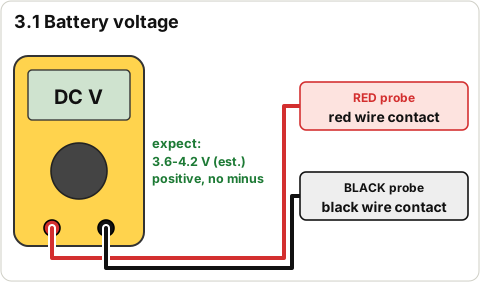
3.1 Measure the battery voltage

⏱ 3 min (est.) · Parts: battery · Tools: multimeter (DC V, 20 V range)

Meter on the battery
Diagram · Meter on the battery

Touch the red probe to the metal contact of the red wire (from the back of the white plug) and the black probe to the black wire's contact.

Pass: 3.6-4.2 V (est.), positive (no minus sign). Below 3.0 V: don't use it, set it aside on the tile.

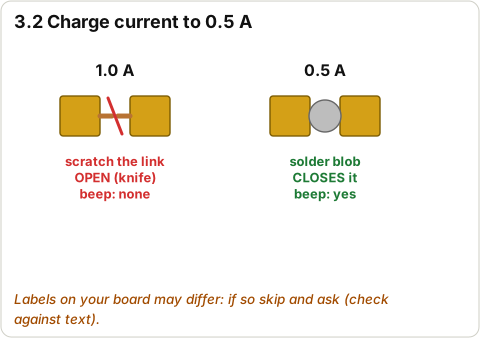
3.2 Set the bq24074 charge current to 0.5 A

⏱ 10 min (est.) · Parts: bq24074 board (row 18) · Tools: hobby knife, iron, multimeter

bq24074 charge-current jumpers
Diagram · bq24074 charge-current jumpers
Reference photo: bq24074 USB/DC/solar LiPo charger
Reference photo · Adafruit · 4755

On the board, find the charge-current jumpers (two tiny pads joined by a thin copper line, labelled with currents). Scratch through the 1.0 A link with the knife; check with the beep test that it no longer beeps. Bridge the 0.5 A pads with a small blob of solder; check it beeps. (firmware/PLAN.md section 2: gentler on the 1200 mAh cell.)

Pass: 1.0 A link open (no beep), 0.5 A link closed (beep). Labels not as described: skip this step and ask.

Don't do yet: Don't connect the battery before this step is done.

3.3 Plug the battery into the bq24074

⏱ 2 min (est.) · Parts: battery, bq24074 · Tools: -

Reference photo: bq24074 USB/DC/solar LiPo charger
Reference photo · Adafruit · 4755
Reference photo: LiPo 3.7 V 1200 mAh
Reference photo · Adafruit · 258

Push the battery's white JST plug into the bq24074's battery socket (it only fits one way). Board on the tile.

Pass: Nothing gets warm (touch the board after 30 s).

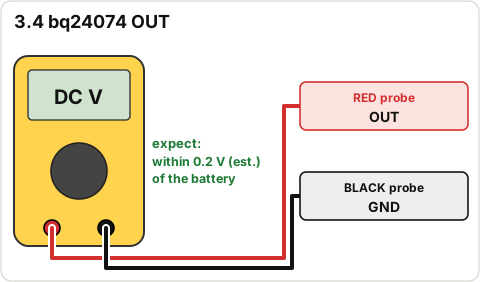
3.4 Measure the bq24074 OUT voltage

⏱ 3 min (est.) · Parts: - · Tools: multimeter

Meter on bq24074 OUT
Diagram · Meter on bq24074 OUT

Red probe on OUT, black probe on GND.

Pass: Within 0.2 V (est.) of the battery voltage from step 3.1. This OUT is what will feed the motors (VM) through the switch.

3.5 Test USB charging straight into the bq24074

⏱ 5 min (est.) · Parts: bq24074 + battery, USB power source, USB-C cable · Tools: -

Reference photo: bq24074 USB/DC/solar LiPo charger
Reference photo · Adafruit · 4755

Plug the power source into the bq24074's own USB-C socket.

Pass: The charge LED lights (and the power-good LED if fitted) within a few seconds. Full battery: charge LED may stay off; that's fine.

3.6 Charge the battery to full (attended)

⏱ 1-3 h (est.) · Parts: - · Tools: charging tile, a timer

Fire-safe charging spot
Diagram · Fire-safe charging spot

Leave it charging on the tile while you're nearby. Check it's not warm every 30 minutes.

Pass: Charge LED goes out. Battery reads 4.1-4.2 V (est.). Unplug USB.

Don't do yet: Don't leave the house or sleep while it charges.

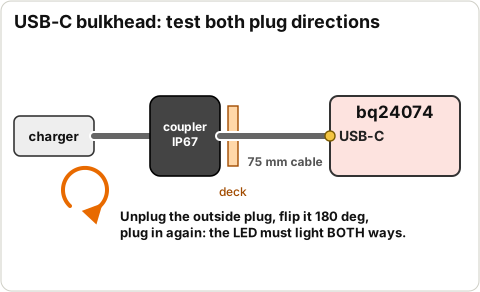
3.7 Test the USB-C bulkhead coupler in both plug directions

⏱ 10 min (est.) · Parts: USB-C coupler (row 20), 75 mm cable (row 21), bq24074 + battery · Tools: -

USB-C bulkhead test in both directions
Diagram · USB-C bulkhead test in both directions
Reference photo: IP67 USB-C F/F panel-mount coupler + dust cap
Reference photo · Plinkwirekb (Amazon) · B0FRMNK3CV

Power source > your USB-C cable > coupler outside socket. Coupler inside socket > 75 mm right-angle cable > bq24074 USB-C. Watch the charge/power LED. Then unplug the outside plug, flip it over (180 deg) and plug in again.

Pass: LED lights in both directions (the listing has pin-orientation complaints). Only one way: mark it Missing/faulty and ask.

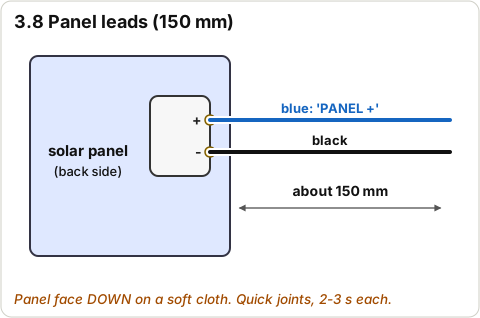
3.8 Solder 150 mm leads to the solar panel

⏱ 15 min (est.) · Parts: panel (row 16), blue + black wire · Tools: iron, strippers

Solar panel leads: blue to +, black to -
Diagram · Solar panel leads: blue to +, black to -

Panel face down on a soft cloth. Blue to the + pad, black to the - pad. Quick joints (2-3 s each) so the panel doesn't overheat.

Pass: Joints shiny and firm; label the blue wire 'PANEL +'.

Don't do yet: Don't stick the panel to the lid yet (Stage 7).

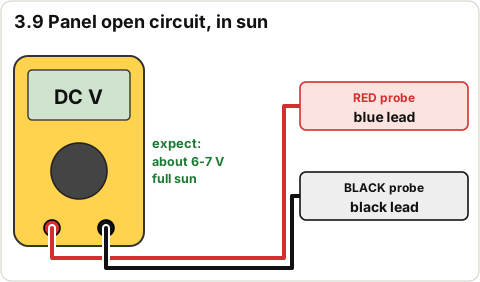
3.9 Measure the panel's open-circuit voltage in sun

⏱ 5 min (est.) · Parts: panel · Tools: multimeter, direct sun

Meter on the solar panel
Diagram · Meter on the solar panel

Panel in direct sun, nothing connected. Red probe on blue, black on black.

Pass: About 6-7 V (repo: 'about 6 V', '7 V open circuit'). Cloud or shade reads lower: retry in full sun.

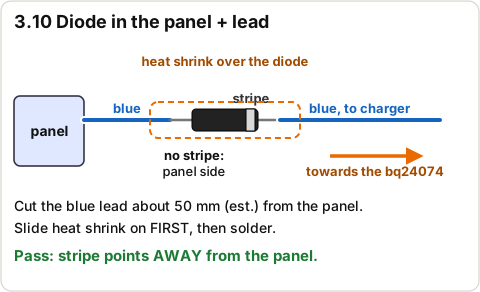
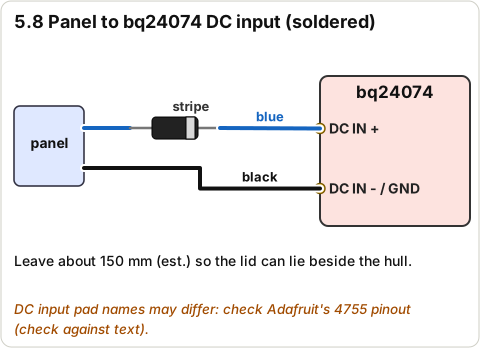
3.10 Solder the 1N5817 diode into the panel + lead

⏱ 10 min (est.) · Parts: 1 x 1N5817 (row 19), heat shrink · Tools: iron, heat gun

1N5817 diode in the panel + lead, stripe towards the charger
Diagram · 1N5817 diode in the panel + lead, stripe towards the charger
Illustration: 1N5817G Schottky diode
Illustration (no vendor photo found) · 1N5817G Schottky diode · DO-41, stripe = cathode

Cut the blue panel lead about 50 mm (est.) from the panel end. Diode end without the stripe to the panel side, striped end towards the charger. Slide heat shrink on first, solder, shrink it over the diode.

Pass: Stripe points away from the panel (towards the charger).

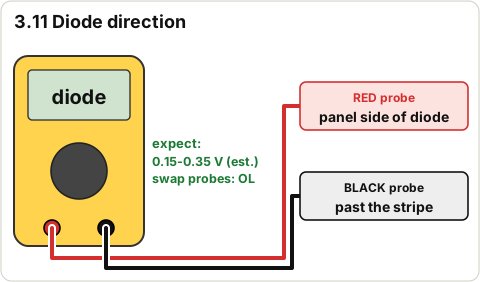
3.11 Check the diode direction with the meter

⏱ 3 min (est.) · Parts: - · Tools: multimeter (diode mode)

Meter diode test
Diagram · Meter diode test

Red probe on the blue wire at the panel side of the diode, black probe on the blue wire past the stripe (panel in shade). Then swap the probes.

Pass: One way reads about 0.15-0.35 V (est.); the other way reads OL (open).

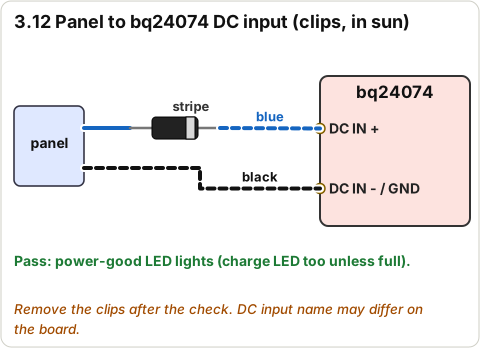
3.12 Connect the panel to the bq24074 DC input (clips) in the sun

⏱ 5 min (est.) · Parts: panel, bq24074 + battery · Tools: 2 clip leads

Panel through the diode to the bq24074 DC input with clip leads
Diagram · Panel through the diode to the bq24074 DC input with clip leads

Blue (after the diode) to the bq24074 DC input + ; black to its DC input - / GND. Panel in sun.

Pass: The power-good LED lights (the charge LED too unless the battery is full). Remove the clips.

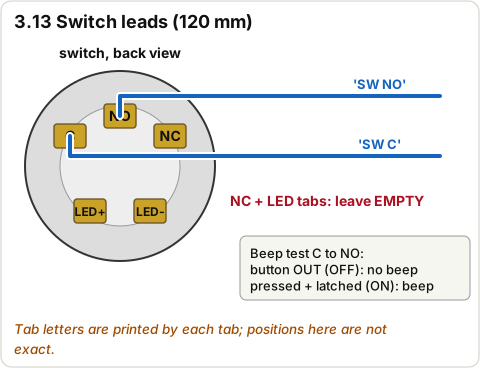
3.13 Solder 120 mm leads to the switch and check it

⏱ 10 min (est.) · Parts: switch (row 5), blue wire · Tools: iron, multimeter (beep)

Switch leads on the C and NO tabs
Diagram · Switch leads on the C and NO tabs

Solder one blue lead to the tab marked C (common) and one to NO (normally open). Leave the NC and LED tabs empty. Label them 'SW C' and 'SW NO'.

Pass: Button out (OFF): C to NO no beep. Pressed in and latched (ON): beep.

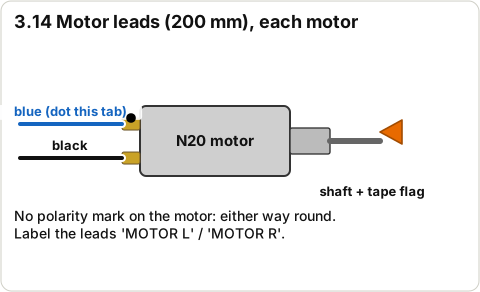
3.14 Solder 200 mm leads to both motors

⏱ 15 min (est.) · Parts: 2 motors, blue + black wire · Tools: iron, strippers

Motor leads: blue and black on the two tabs
Diagram · Motor leads: blue and black on the two tabs

Each motor: blue to one tab, black to the other (motors have no polarity mark). Mark the blue tab with a marker dot. Label the leads 'MOTOR L' and 'MOTOR R'. Stick a small tape flag on each shaft so you can see it turn.

Pass: Tabs not bent; joints firm.

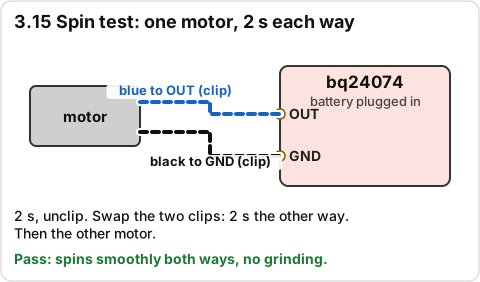
3.15 Spin each motor on its own from the charger (2 s)

⏱ 5 min (est.) · Parts: one motor at a time, bq24074 + battery · Tools: 2 clip leads

Spin test: motor clipped to bq24074 OUT and GND
Diagram · Spin test: motor clipped to bq24074 OUT and GND

Clip the motor's blue lead to OUT and black to GND for 2 s, then unclip. Swap the clips for 2 s. Repeat with the other motor.

Pass: Each motor spins smoothly both ways, no grinding.

Don't do yet: Don't hold a motor on for long or stall it with your fingers.

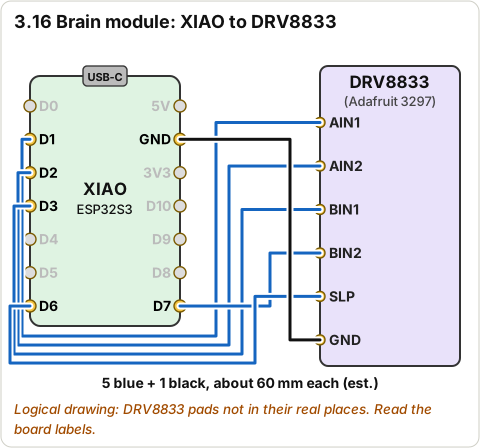
3.16 Wire the XIAO to the DRV8833 (the 'brain module')

⏱ 30 min (est.) · Parts: XIAO (row 1), DRV8833 (row 3), 6 short wires about 60 mm (est.) · Tools: iron, strippers, helping hands

Brain module: XIAO pads D1, D2, D3, D7, D6 and GND wired to DRV8833 AIN1, AIN2, BIN1, BIN2, SLP and GND
Diagram · Brain module: XIAO pads D1, D2, D3, D7, D6 and GND wired to DRV8833 AIN1, AIN2, BIN1, BIN2, SLP and GND
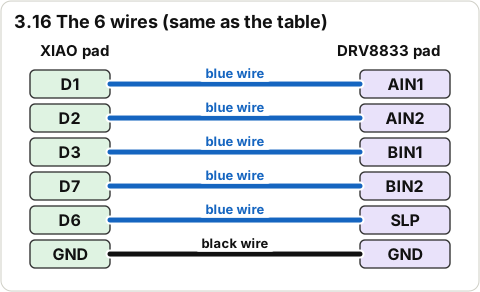
The six brain-module wires as a table
Diagram · The six brain-module wires as a table

Solder directly to the pads (no header pins). Unclip the small camera board from the XIAO first if it's in the way, and clip it back after.

Wiring:

XIAO padDRV8833 padWire
D1AIN1blue
D2AIN2blue
D3BIN1blue
D7BIN2blue
D6SLPblue
GNDGNDblack

Pass: 6 wires, each pad to the right pad (check against the table twice).

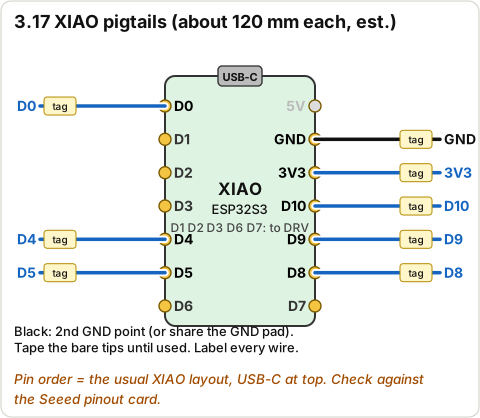
3.17 Solder pigtails on the XIAO

⏱ 20 min (est.) · Parts: blue + black wire, about 120 mm each (est.) · Tools: iron

XIAO pigtails on D0, D4, D5, D8, D9, D10, 3V3 and GND
Diagram · XIAO pigtails on D0, D4, D5, D8, D9, D10, 3V3 and GND

Blue pigtails on D0, D4, D5, D8, D9, D10 and 3V3; one black on a second GND point if your XIAO has one (otherwise share the GND pad). Label each. Tape over the bare tips until they're used.

Pass: 7-8 labelled pigtails, no solder bridges between neighbouring pads (check with a magnifier).

Don't do yet: Don't connect anything to the XIAO's BAT pads yet (Stage 5).

3.18 Solder pigtails on the DRV8833

⏱ 15 min (est.) · Parts: blue + black wire · Tools: iron

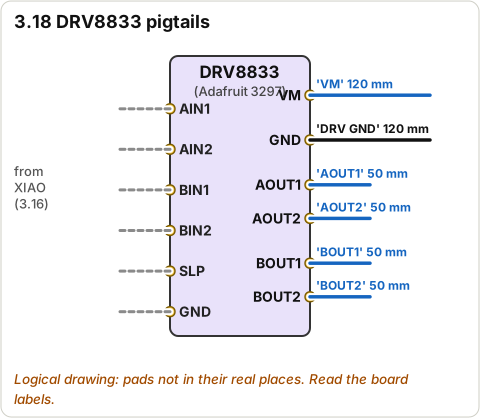
DRV8833 pigtails: VM, GND, AOUT1, AOUT2, BOUT1, BOUT2
Diagram · DRV8833 pigtails: VM, GND, AOUT1, AOUT2, BOUT1, BOUT2

VM (blue, 120 mm, label 'VM'), a second black GND (120 mm, 'DRV GND'), AOUT1, AOUT2, BOUT1, BOUT2 (blue, 50 mm each, labelled).

Pass: All labelled.

Don't do yet: Don't solder to the Asen/Bsen pads and don't bridge any jumper on the back (Stage 5).

3.19 Build the battery divider and join it to D0

⏱ 15 min (est.) · Parts: 2 x 100k (row 13), heat shrink · Tools: iron, multimeter

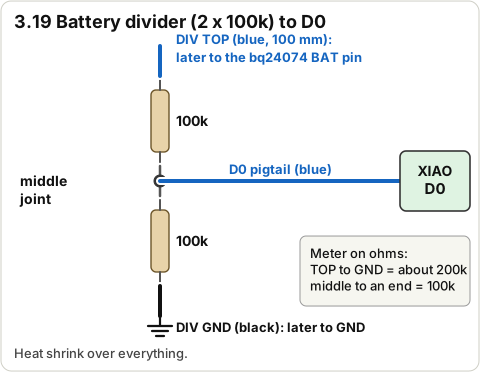
Battery divider: two 100k resistors, middle joint to XIAO D0
Diagram · Battery divider: two 100k resistors, middle joint to XIAO D0

Solder the two 100k resistors end to end. Solder the D0 pigtail to the middle joint. Add a 100 mm blue lead to one free end ('DIV TOP') and a black lead to the other ('DIV GND'). Heat shrink over everything.

Pass: Meter on ohms: DIV TOP to DIV GND about 200k; middle to either end about 100k.

3.20 Beep-test the brain module for shorts

⏱ 5 min (est.) · Parts: - · Tools: multimeter (beep)

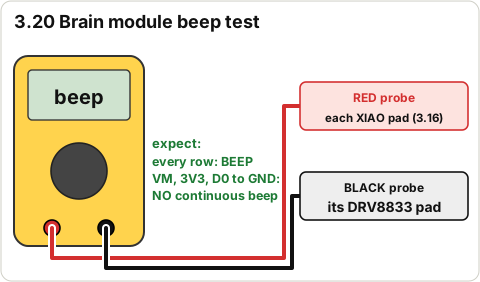
Beep test of the brain module
Diagram · Beep test of the brain module

Check each row of the 3.16 table beeps. Then check VM to GND, 3V3 to GND and D0 to GND.

Pass: Every table row beeps. VM-GND, 3V3-GND and D0-GND do not beep continuously.

3.21 Lay out the bench hookup with clip leads

⏱ 10 min (est.) · Parts: brain module, bq24074 + battery, both motors · Tools: clip leads

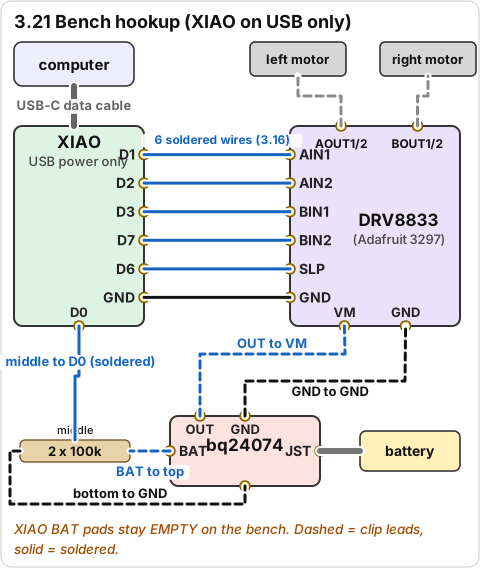
Bench hookup with clip leads
Diagram · Bench hookup with clip leads
  computer ==USB-C data cable==> XIAO (powered by USB only; its BAT pads NOT connected)
  XIAO D1/D2/D3/D7/D6/GND --(short wires, soldered)--> DRV8833 AIN1/AIN2/BIN1/BIN2/SLP/GND
  battery JST ==> bq24074
  bq24074 OUT ---clip---> DRV8833 VM         bq24074 GND ---clip---> DRV8833 GND
  bq24074 BAT ---clip---> divider top        divider bottom ---clip---> GND
  divider middle ---------(soldered)--------> XIAO D0
  DRV AOUT1/AOUT2 ---clips---> left motor    DRV BOUT1/BOUT2 ---clips---> right motor

The XIAO's BAT pads stay empty. Motors taped to the table, shafts free.

Pass: Matches the drawing; no clip touches another.

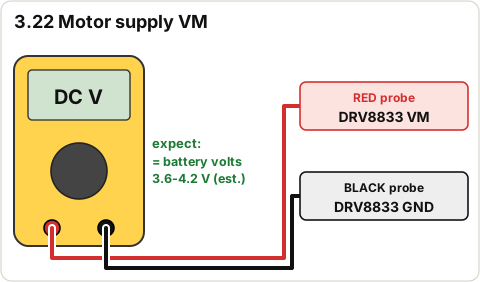
3.22 Measure the motor supply VM at the DRV8833

⏱ 3 min (est.) · Parts: - · Tools: multimeter

Meter on VM
Diagram · Meter on VM

Red probe on the DRV8833 VM pad, black on its GND. This is the real supply path: cell > bq24074 > OUT > (switch later) > VM. The DRV8833 works from 2.7 V; a DRV8871 (6.5 V+) would not run here, which is why it isn't used.

Pass: Same as the battery voltage: 3.6-4.2 V (est.).

3.23 Plug the XIAO into the computer

⏱ 2 min (est.) · Parts: USB-C data cable · Tools: computer

Reference photo: XIAO ESP32S3 Sense
Reference photo · Seeed Studio (bought at DigiKey) · 113991115
Example photo: USB-C data cable
Example photo (any similar tool is fine) · Wikimedia Commons · Fructibus · CC0

Plug the cable into the XIAO's USB-C socket. The XIAO is powered by the computer only.

Pass: A small LED on the XIAO lights. (A flickering charge LED with nothing on BAT is normal (est.).)

3.24 Build and upload the firmware

⏱ 3 min (est.) · Parts: - · Tools: computer

Firmware build commands
Diagram · Firmware build commands
cd ~/Documents/Claude/pool-skimmer/firmware
../.venv/bin/pio run -t upload

Won't connect: unplug, hold the XIAO's tiny B (BOOT) button while plugging it back in, release, run the command again.

Pass: Ends with SUCCESS. Motors may twitch once at reset; that's normal.

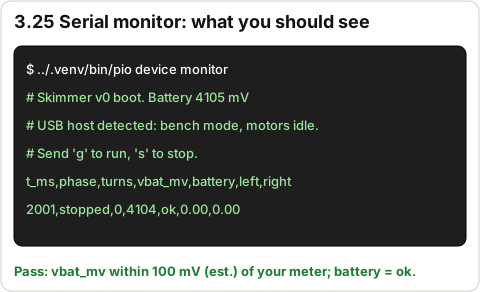
3.25 Open the serial monitor and read the boot lines

⏱ 3 min (est.) · Parts: - · Tools: computer

Expected serial monitor output
Diagram · Expected serial monitor output
../.venv/bin/pio device monitor

Then press the XIAO's tiny R (RESET) button. Expected (numbers differ):

# Skimmer v0 boot. Battery 4105 mV
# USB host detected: bench mode, motors idle. Send 'g' to run, 's' to stop.
t_ms,phase,turns,vbat_mv,battery,left,right
2001,stopped,0,4104,ok,0.00,0.00

If the monitor reconnects late you may miss the first lines; the CSV line every second is enough. If it didn't see the computer at boot it starts driving after 5 s by itself: keep fingers clear, type s.

Pass: vbat_mv is within 100 mV (est.) of your meter reading of the battery, and battery says ok.

3.26 Type g and watch one full drive cycle

⏱ 2 min · Parts: - · Tools: phone stopwatch

Drive pattern timeline
Diagram · Drive pattern timeline

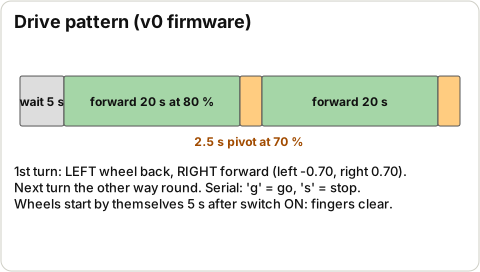
In the monitor, press the g key (no Enter needed). Expected: # go (serial), then 5 s wait, then # phase start_delay -> forward: both motors spin (left, right show 0.80) for 20 s; then # phase forward -> turn: for 2.5 s the LEFT motor runs backwards and the RIGHT forwards (left -0.70, right 0.70); then forward again; the next turn is the other way round.

Pass: Timings match (5 s / 20 s / 2.5 s); both motors spin in forward; the turn reverses one motor.

3.27 Check and record each motor's forward direction

⏱ 5 min (est.) · Parts: - · Tools: eyes

Forward rotation of each motor
Diagram · Forward rotation of each motor

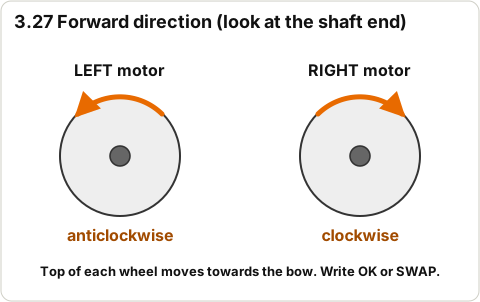
During 'forward', look at each shaft end (shaft pointing at you). Needed when mounted: left motor turns anticlockwise, right motor turns clockwise (so the top of each wheel moves towards the bow).

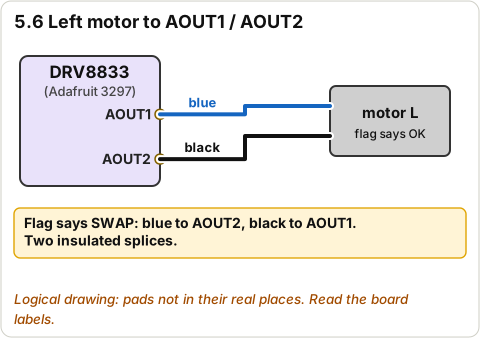
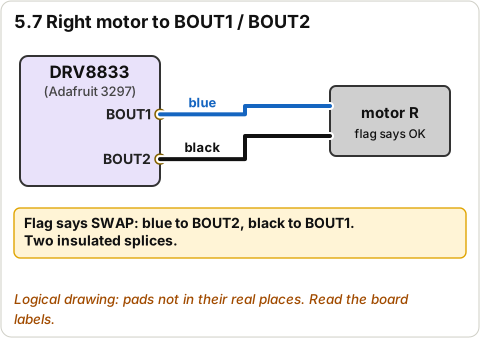
Pass: Write 'OK' or 'SWAP' on each motor's tape flag. SWAP = that motor's two leads get swapped when they're joined to AOUT/BOUT in Stage 5 (or set LEFT_SIGN/RIGHT_SIGN to -1 in firmware/include/config.h).

3.28 Type s and confirm the motors stop

⏱ 1 min · Parts: - · Tools: -

Drive pattern timeline
Diagram · Drive pattern timeline

Press s.

Pass: # stop (serial) and both motors stop at once.

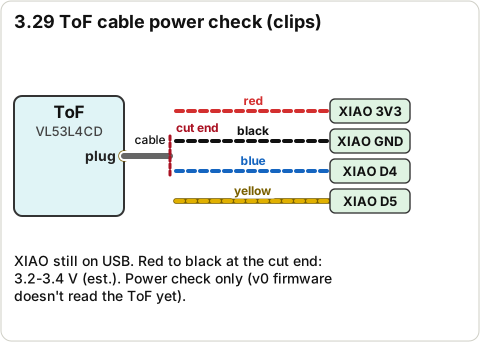
3.29 Power-check the ToF cable

⏱ 15 min (est.) · Parts: ToF board (row 22), 200 mm STEMMA QT cable (row 23) · Tools: flush cutters, strippers, clips, multimeter

ToF cable cut end clipped to XIAO 3V3, GND, D4, D5
Diagram · ToF cable cut end clipped to XIAO 3V3, GND, D4, D5

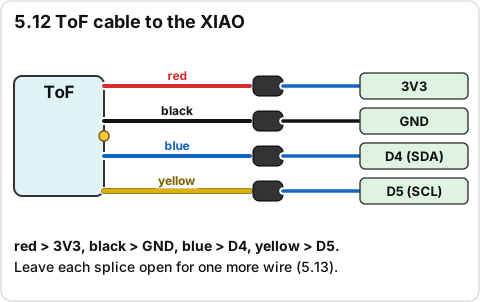
Cut the plug off one end of the 200 mm cable, strip 4 mm (est.) of each wire. Plug the other end into the ToF board. Clip: red to the XIAO 3V3 pigtail, black to GND, blue to D4, yellow to D5 (XIAO still on USB).

Pass: Red to black at the cut end reads 3.2-3.4 V (est.). (The v0 firmware doesn't read the ToF yet, so this is a power check only.)

3.30 Disconnect everything

⏱ 5 min (est.) · Parts: - · Tools: -

Bench hookup with clip leads
Diagram · Bench hookup with clip leads

Close the monitor (Ctrl+C), unplug the XIAO's USB, unplug the battery from the bq24074, remove all clips. Battery back on the tile.

Pass: Battery unplugged; no clips left on.

STOP 3: checkpoint

  • Battery 4.1-4.2 V after charging; USB charging works through the bulkhead in both plug directions.
  • Panel reads about 6-7 V in sun; diode reads one way only; panel lights the bq24074 LED through the diode.
  • Switch: beep ON, no beep OFF.
  • Each motor spins both ways on its own.
  • VM at the DRV8833 = battery voltage (3.6-4.2 V).
  • Firmware uploaded; boot line shows the battery within 100 mV of the meter; 'g' runs 5 s / 20 s / 2.5 s; 's' stops.
  • Each motor's direction recorded (OK / SWAP). ToF cable shows about 3.3 V.
  • Battery unplugged.

Troubleshooting, Stage 3

SymptomLikely causeFix
Battery reads 0 VProtection circuit trippedPlug it into the bq24074 with USB power for a few minutes; if still 0 V don't use it
No charge LED with USBBattery already full, charge-only cable, or a power bank that turns off at low currentTry a phone charger; check the battery voltage
Coupler only works one wayFaulty coupler (known listing complaint)Mark it; ask before buying anything
Upload fails / no portCharge-only cable, or the XIAO needs boot modeUse a data cable; hold B while plugging in; close any open monitor
# SHUTDOWN: battery below resume threshold at bootD0 divider not connected, or battery under 3.65 VCheck the DIV TOP clip is on the bq24074 BAT pin and DIV GND on GND; charge the battery
Log shows 0.80 but motors don't spinVM or GND clip missing, or SLP wire brokenRe-measure VM (step 3.22); beep-test D6 to SLP
XIAO resets when the motors startLoose GND clip or a flat batteryFirm the GND clip; recharge
Garbage characters in the monitorWrong speedplatformio.ini sets 115200; restart the monitor

🔒 Locked: tick every check in Stage 3 first (including its STOP box). You can read ahead.

Goal: Fit the ports into the deck, bond the deck (the pontoons get sealed for good), leak-test the empty hull, then put the parts in place. The bay, lid and boards stay unsealed and removable.

3D view Stage 4 overview

Drag to turn · pinch to zoom · two fingers to pan · tap a part for its name.
Note: Why the deck bond is here and not in Stage 7: the port nuts sit under the deck in the wing rooms and can't be reached once it's bonded, and the hull must pass its leak test before any electronics go in. The electronics already passed Stage 3.
Top view of the hull, bow up: deck ports (red circles), battery, boards, copper pad, lid screws
Diagram · Top view of the hull, bow up: deck ports (red circles), battery, boards, copper pad, lid screws (from cad/skimmer.py)
Note: Top view, bow up. Red circles are the deck ports (on top); the battery, boards and copper pad sit on the bay floor underneath. Dots are the 6 lid screws.

4.1 Test the scrap glue piece from Stage 2

⏱ 2 min · Parts: glue test piece · Tools: hands

Reference photo: J-B Weld 50133 PlasticBonder syringe
Reference photo · J-B Weld (Amazon) · B009EU5ZNO

Bend and twist the two scraps apart as hard as you can.

Pass: The plastic breaks or bends before the glue lets go.

Don't do yet: If the glue peels off cleanly, STOP: don't bond the deck. Ask Claude about another adhesive.

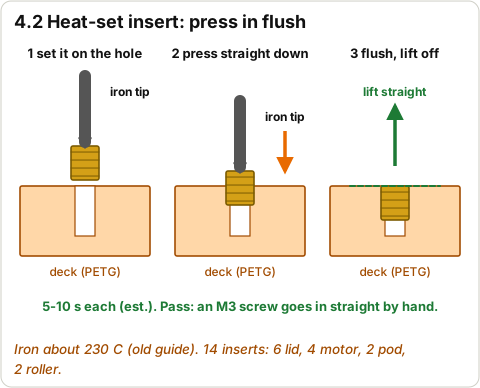
4.2 Fit the 14 heat-set inserts in the deck

⏱ 30 min (est.) · Parts: 14 inserts (row 8), hull_deck · Tools: iron at about 230 C (old guide), M3 screw

Heat-set insert installation
Diagram · Heat-set insert installation
Reference photo: ruthex M3 x 5.7 heat-set inserts, 100 pcs
Reference photo · ruthex (3DJake listing) · B08BCRZZS3 / RX-M3x5.7

Deck top face up on a flat board. Set an insert on its hole, press straight down with the hot iron tip until it is flush (5-10 s (est.)), lift straight off. 6 round the bay opening, 4 motor-mount, 2 pod (left front), 2 rollers (bow corners).

Pass: All 14 flush and straight: an M3 screw goes in straight by hand in each.

Don't do yet: Don't push through: the holes are blind so the pontoons stay sealed.

4.3 Float hull_lower open-topped and look inside

⏱ 15 min (est.) · Parts: hull_lower · Tools: bathtub, paper towel

CAD render: hull lower
CAD render · hull lower (what it should look like)

Float the open hull (it floats high). Push it down gently to about 40 mm (est.) for 10 minutes. Wipe the inside with dry paper towel.

Pass: Inside stays dry. A wet spot: mark it, dry it, seal it from inside with a thin dab of ClearWeld epoxy, re-test.

Don't do yet: Don't do a full epoxy seal coat (mass); spot-seal only.

4.4 Dry the hull completely

⏱ 2 h (est.) · Parts: hull_lower · Tools: towel

CAD render: hull lower
CAD render · hull lower (what it should look like)

Towel off, leave it upside down to drain and dry.

Pass: No water anywhere.

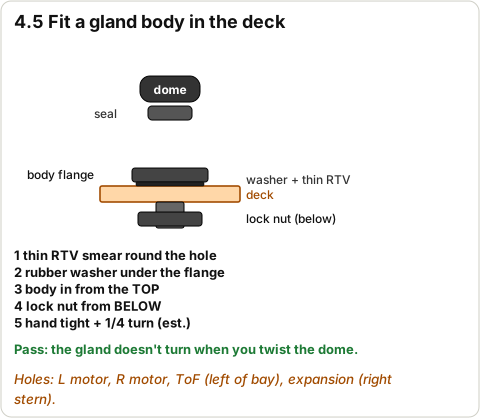
4.5 Fit the 4 IP68 gland bodies into the deck

⏱ 15 min (est.) · Parts: 4 IP68 glands (row 43), clear RTV · Tools: spanner

Cable gland body fitted into the deck
Diagram · Cable gland body fitted into the deck
Top view of the hull, bow up: deck ports (red circles), battery, boards, copper pad, lid screws
Diagram · Top view of the hull, bow up: deck ports (red circles), battery, boards, copper pad, lid screws (from cad/skimmer.py)

Gland body from the top with its rubber washer under the flange, a thin smear of RTV round the hole under the washer, lock nut from below. Hand tight + 1/4 turn (est.). Holes: left motor, right motor, ToF (left of the bay), expansion (right stern corner).

Oct 26: fit the 4 Adafruit #762 glands (black IP68 ones are spares). Same hole, same steps.

Pass: Glands don't turn when you twist the domes.

Don't do yet: Leave the dome nuts loose and empty; cables go in later.

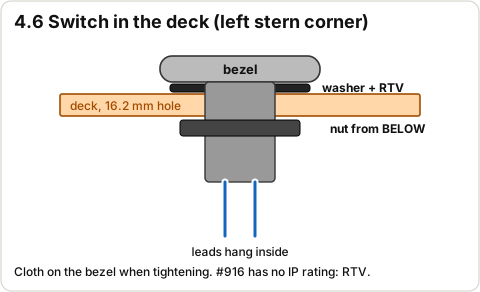
4.6 Fit the switch into the deck

⏱ 10 min (est.) · Parts: switch with leads, clear RTV · Tools: spanner, cloth

Switch mounted in the deck
Diagram · Switch mounted in the deck

Feed the leads down through the 16.2 mm hole (left stern corner). Rubber washer under the bezel plus a bead of RTV under it (the #916 has no IP rating). Nut from below over the leads; tighten (cloth on the bezel to avoid scratches).

Pass: Switch doesn't turn; leads hang inside; it still clicks ON/OFF.

4.7 Fit the USB-C coupler and plug in the inside cable

⏱ 15 min (est.) · Parts: coupler, 75 mm cable (row 21), RTV · Tools: spanner

USB-C bulkhead test in both directions
Diagram · USB-C bulkhead test in both directions
Reference photo: IP67 USB-C F/F panel-mount coupler + dust cap
Reference photo · Plinkwirekb (Amazon) · B0FRMNK3CV

Coupler from the top onto the raised pad with a smear of RTV under the flange; nut from below. Plug the 75 mm right-angle cable into its inside socket now and tape the free end under the deck where you can reach it through the bay opening. Tie the dust-cap lanyard through the printed eyelet behind it. Cap on.

Pass: Coupler is tight; cap closes; cable plugged in underneath.

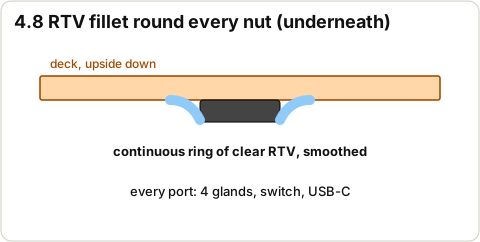
4.8 Run a fillet of RTV round each port underneath

⏱ 10 min (est.) · Parts: clear RTV · Tools: gloved finger

RTV fillet round the port nuts
Diagram · RTV fillet round the port nuts
Reference photo: Permatex 80050 clear RTV silicone
Reference photo · Permatex (Amazon) · B0002UEPVI

Deck upside down: a small bead of RTV round every nut where it meets the deck, smoothed.

Pass: Every port has a continuous ring of RTV underneath.

4.9 Dry-fit the deck again with the ports in

⏱ 3 min · Parts: deck, hull_lower · Tools: -

CAD render: hull deck
CAD render · hull deck (what it should look like)

Lower the deck on (wait for the RTV to skin over, about 1 h (est.)).

Pass: The notches clear the port nuts; deck still sits flat.

4.10 Scuff and clean the bond faces

⏱ 15 min (est.) · Parts: - · Tools: 120 grit, IPA, gloves

Where the PlasticBonder bead goes
Diagram · Where the PlasticBonder bead goes
CAD render: hull lower
CAD render · hull lower (what it should look like)

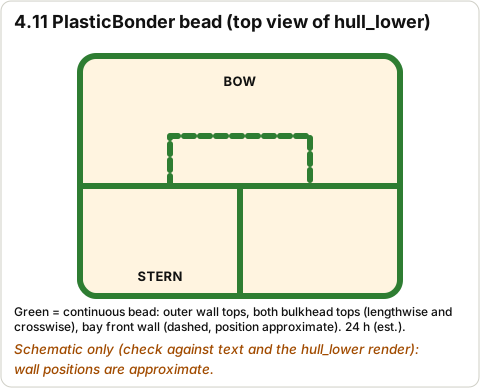
Sand the top of the hull walls, the bulkhead tops, the bay front wall top and the deck's lip and underside where they meet. Wipe with IPA.

Pass: All bond faces are dull and clean.

4.11 Bond the deck to the hull

⏱ 20 min + 24 h cure (est.) · Parts: PlasticBonder · Tools: gloves, weights (books)

Where the PlasticBonder bead goes
Diagram · Where the PlasticBonder bead goes
Reference photo: J-B Weld 50133 PlasticBonder syringe
Reference photo · J-B Weld (Amazon) · B009EU5ZNO

A continuous bead on the top of the outer walls, both bulkhead tops (lengthwise and crosswise) and the bay front wall. Lower the deck on, press, wipe squeeze-out, weigh it down evenly. Leave it 24 h (est.; the package lists its own times).

Pass: Deck flat and even all round the seam.

Don't do yet: Don't move it or put anything in it until the cure time is up.

4.12 Seal the outside of the deck seam

⏱ 15 min + 24 h cure (est.) · Parts: clear RTV · Tools: gloved finger, damp cloth

Reference photo: Permatex 80050 clear RTV silicone
Reference photo · Permatex (Amazon) · B0002UEPVI

A thin bead of RTV all round the outside seam, smoothed with a wet finger.

Pass: Continuous bead, no gaps.

4.13 Leak-test the empty hull

⏱ 50 min (est.) · Parts: the bonded hull · Tools: bathtub, 0.1 g scale, weights in a zip bag, towel

Leak test water level
Diagram · Leak test water level

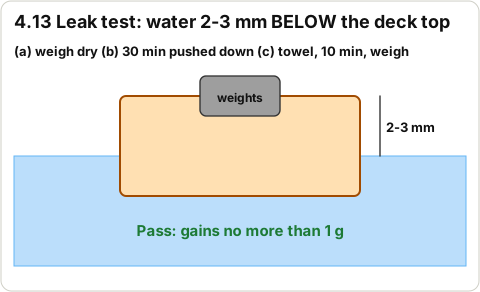
(a) Weigh it dry. (b) Put weights in a bag in the bay and push it down so the water is 2-3 mm below the deck top (the bay is open; don't let water in over the deck) for 30 minutes. (c) Towel off, wait 10 minutes, weigh again.

Pass: Gains no more than 1 g. More: re-float in warm water (about 45 C) and look for bubbles; seal from outside with RTV; re-test.

Don't do yet: Don't fit any electronics until this passes.

4.14 Screw the motor mounts down

⏱ 10 min (est.) · Parts: both mounts, 4 x M3x8 (row 10) · Tools: 2.5 mm hex key

CAD render: motor mount L
CAD render · motor mount L (what it should look like)

Each mount: 2 screws into the deck inserts. Snug, not hard (finger tight on the short end of the key (est.)).

Pass: Mounts don't move.

4.15 Sleeve the motor leads for the glands

⏱ 15 min (est.) · Parts: adhesive heat shrink · Tools: heat gun

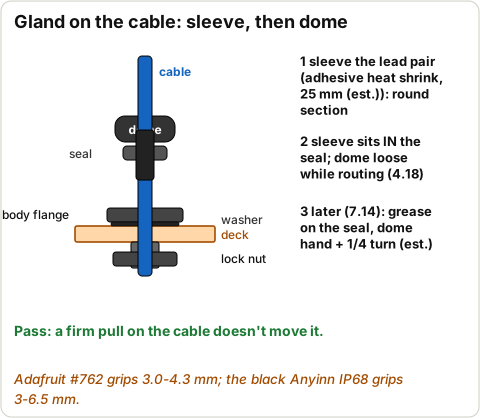
Cable through the gland: sleeve, seal, dome
Diagram · Cable through the gland: sleeve, seal, dome
Reference photo: Sopoby 3:1 adhesive-lined heat-shrink kit
Reference photo · Sopoby (Amazon) · B0CB5P1PHJ

On each motor's lead pair, slide a 25 mm (est.) piece of adhesive-lined heat shrink to about 55-95 mm (est.) from the motor (where it'll sit in the gland) and shrink it. Two layers if it ends up under 3 mm across. Keep the heat gun away from printed parts.

Oct 26: with the Adafruit #762 glands the round section must be 3.0-4.3 mm across (bom.csv row 6), not 3-6.5 mm. One layer of sleeve is usually enough; measure with calipers.

Pass: A round section 3-6 mm across (the IP68 gland range is 3-6.5 mm).

4.16 Zip-tie each motor into its saddle

⏱ 10 min (est.) · Parts: 2 motors, 4 zip ties · Tools: flush cutters

Motor zip-tied in the saddle
Diagram · Motor zip-tied in the saddle

Shaft through the face-plate hole into the pocket, leads towards the middle. Two zip ties through the slots, pulled snug, tails trimmed.

Pass: Motor doesn't move when you wiggle it; shaft centred in the hole.

4.17 Push the paddle wheels fully onto the shafts

⏱ 5 min (est.) · Parts: paddle_wheel_L/R · Tools: -

CAD render: paddle wheel L
CAD render · paddle wheel L (what it should look like)

Left wheel on the left. Line up the D-flat, push until it stops. Spin by hand.

Pass: Turns freely, doesn't rub the pocket walls or the rub rails.

Don't do yet: No glue yet (Stage 7, and only if loose).

4.18 Feed each motor lead through its gland

⏱ 10 min (est.) · Parts: - · Tools: -

Cable through the gland: sleeve, seal, dome
Diagram · Cable through the gland: sleeve, seal, dome

Left motor leads down through the left motor gland, right through the right. The sleeve sits in the gland seal. Dome loose.

Oct 26: Adafruit #762 glands (3.0-4.3 mm cable).

Pass: Leads reach into the bay with at least 100 mm (est.) spare.

4.19 Fit the ToF board and pod on the deck

⏱ 15 min (est.) · Parts: sensor_pod, ToF board + cable, 2 x M3x8 · Tools: 2.5 mm hex key, heat shrink, heat gun

CAD render: sensor pod
CAD render · sensor pod (what it should look like)
Top view of the hull, bow up: deck ports (red circles), battery, boards, copper pad, lid screws
Diagram · Top view of the hull, bow up: deck ports (red circles), battery, boards, copper pad, lid screws (from cad/skimmer.py)

Slide the board into the pod (sensor to the window). Screw the pod to the left deck (2 screws). Sleeve the cable where the ToF gland will grip (as for the motors), route it inboard behind the motor saddle along the deck and down through the ToF gland. Zip-tie it to the saddle rail.

Pass: Cut end of the cable reaches the XIAO position with slack.

Don't do yet: Don't fit the window or pot the pod yet (Stage 7).

4.20 Stick the battery on the bay floor

⏱ 10 min (est.) · Parts: battery, VHB tape (row 28) · Tools: IPA

Top view of the hull, bow up: deck ports (red circles), battery, boards, copper pad, lid screws
Diagram · Top view of the hull, bow up: deck ports (red circles), battery, boards, copper pad, lid screws (from cad/skimmer.py)
CAD render: assembly no deck
CAD render · assembly no deck (what it should look like)

Clean the floor with IPA. Two strips of VHB on the floor. Battery flat, long side front-to-back, pushed against the back (stern) wall, its centre 10 mm right of the middle (CAD: BATTERY_Y = -10, it balances the heel). Plug stays unplugged and taped.

Pass: Battery flat and doesn't slide.

Don't do yet: Never pry it off with a blade later: warm the tape and peel slowly.

4.21 Stick the bq24074 in the right wing room

⏱ 10 min (est.) · Parts: bq24074, VHB · Tools: -

Top view of the hull, bow up: deck ports (red circles), battery, boards, copper pad, lid screws
Diagram · Top view of the hull, bow up: deck ports (red circles), battery, boards, copper pad, lid screws (from cad/skimmer.py)

Right wing room, behind the bulkhead near the USB-C coupler (see the drawing). Plug the 75 mm cable into its USB-C.

Pass: Board fixed; cable plugged in; battery socket reachable.

4.22 Make and stick the copper water pad

⏱ 15 min (est.) · Parts: copper tape (row 37), blue wire 150 mm (est.) · Tools: iron, IPA

Copper water pad
Diagram · Copper water pad

Cut a 20 mm and a 12 mm strip side by side, or a single 12 x 20 mm pad. Solder the blue lead to one corner before sticking (so you never solder on the plastic). Stick it flat on the right wing-room floor about 27 mm behind the front of the bay and 42 mm right of the middle (CAD: TOUCH_PAD). Label the lead 'D10'.

Pass: Pad flat; lead free; nothing else touches the pad.

4.23 Set the brain module in place (not stuck yet)

⏱ 5 min (est.) · Parts: brain module · Tools: -

CAD render: assembly no deck
CAD render · assembly no deck (what it should look like)

Lay the XIAO (right) and DRV8833 (left) on top of the battery, XIAO's USB-C pointing back (est.) so a cable reaches it through the opening.

Pass: Both sit there and the pigtails reach.

Don't do yet: Don't stick them down yet: you'll lift them out to solder in Stage 5.

4.24 Feed the panel leads through the lid

⏱ 5 min (est.) · Parts: panel, bay_lid · Tools: -

CAD render: bay lid
CAD render · bay lid (what it should look like)

Feed the panel's two leads down through the 5 mm hole in the lid's shallow recess. The panel just rests on the lid.

Pass: Leads come out under the lid.

Don't do yet: Don't stick the panel down and don't pot the hole (Stage 7).

STOP 4: checkpoint

  • Glue test piece held.
  • 14 inserts straight; deck bonded flat; outside seam sealed.
  • Empty-hull leak test: no more than 1 g gained.
  • Motors zip-tied, wheels spin freely, leads through their glands.
  • Pod screwed on with the cable through its gland.
  • Battery (unplugged), bq24074 and copper pad fixed in their places; brain module resting in place.

Troubleshooting, Stage 4

SymptomLikely causeFix
Insert went in crookedIron not held straightReheat it and straighten with the iron tip, or pull it out hot with pliers and re-do
Insert won't go inIron too coolLet it heat 1 more minute; press gently, don't force
Deck won't sit flat after bonding startsA port nut or RTV blob hitting the lipLift straight off at once, clear it, re-glue
Leak test gains more than 1 gPinhole in a pontoon or the seamWarm-water bubble test; RTV from the outside; dry 24 h; re-test
Wheel rubs the pocketPushed on too far / mount not straightPull the wheel out 0.5 mm; loosen and re-seat the mount
Gland won't grip the leadSleeve under 3 mmAdd another layer of heat shrink

🔒 Locked: tick every check in Stage 4 first (including its STOP box). You can read ahead.

Goal: Make every remaining connection from the pin table, then check for shorts before any power goes on.

3D view Stage 5 overview

Drag to turn · pinch to zoom · two fingers to pan · tap a part for its name.
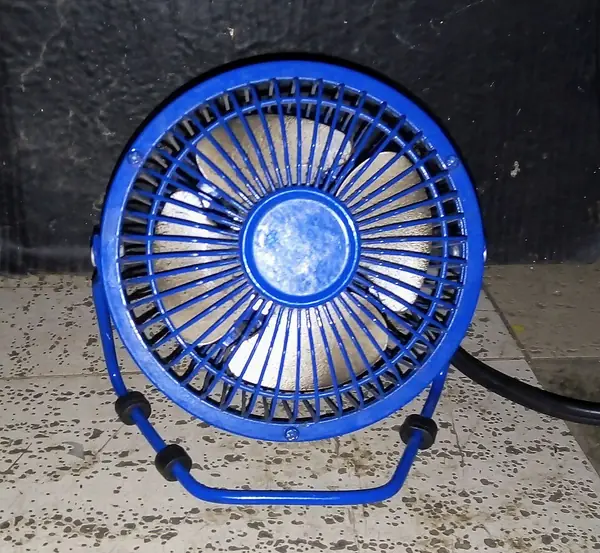
Warning: The battery stays unplugged for the whole of this stage. Switch OFF. Lift boards out through the bay opening on their wires to solder them; never solder inside the hull next to the plastic.
Note: Pin map from firmware/include/config.h (v0 code) and firmware/PLAN.md section 1 (v0.1 lines D8, D9, D10, D4/D5). Black wire = every GND. Blue wire = everything else, with a label flag. Always slide the heat shrink on before you solder a splice.

Pin table (master)

#FromToWireNotes
P1LiPo JST plugbq24074 battery socket(plug)Fits one way only
P2bq24074 OUTSwitch CblueBattery-side power
P3Switch NODRV8833 VMblueVM = cell voltage 3.0-4.2 V; DRV8833 allows 2.7-10.8 V
P4Switch NOXIAO BAT+ pad (underside)blueNever USB into the XIAO with the switch ON
P5XIAO BAT- padGND (bq24074 GND)black
P6XIAO GNDDRV8833 GNDblackAll GNDs joined
C1Panel +1N5817 (no stripe) > stripe > bq24074 DC input +blueDiode stops USB and panel feeding each other (shared VBUS)
C2Panel -bq24074 DC input - / GNDblack
C3USB-C bulkhead (inside)bq24074 USB-C75 mm C-C cable
M1XIAO D1 (GPIO2)DRV8833 AIN1bluePIN_AIN1, left motor PWM
M2XIAO D2 (GPIO3)DRV8833 AIN2bluePIN_AIN2
M3XIAO D3 (GPIO4)DRV8833 BIN1bluePIN_BIN1, right motor PWM
M4XIAO D7 (GPIO44)DRV8833 BIN2bluePIN_BIN2
M5XIAO D6 (GPIO43)DRV8833 SLPbluePIN_SLEEP, LOW = driver off
M6DRV8833 AOUT1 / AOUT2Left motor tabsblue / blackSwap if the Stage 3 flag says SWAP
M7DRV8833 BOUT1 / BOUT2Right motor tabsblue / blackSwap if the flag says SWAP
S1bq24074 BAT (cell +)100k > node > 100k > GND; node > XIAO D0bluePIN_VBAT; reads half the cell; firmware needs it to start
S2Panel + (before the diode)100k > 100k > node > 100k > GND; node > XIAO D9bluePanel volts (v0.1, not read by v0 firmware)
S3DRV8833 Asen and Bseneach 10k > node; node > 1 uF > GND; node > XIAO D8blueMotor current (v0.1); don't bridge the sense jumpers
S4Copper padXIAO D10blueWater sense (v0.1); untested through 2.4 mm PETG
I1XIAO 3V3ToF + expansion cable REDSTEMMA red
I2XIAO GNDToF + expansion cable BLACKSTEMMA black
I3XIAO D4 (SDA)ToF + expansion cable BLUESTEMMA blueI2C data
I4XIAO D5 (SCL)ToF + expansion cable YELLOWSTEMMA yellowI2C clock
Complete wiring diagram
Diagram · Complete wiring diagram
Warning: Polarity matters on: battery (JST only fits one way), panel (+ through the diode, stripe towards the charger), OUT to the switch to VM / BAT+, and 3V3 on the ToF cable's red wire. Never join + to GND. Motors and resistors can go either way.

5.1 Connect bq24074 OUT to the switch C lead

⏱ 10 min (est.) · Parts: switch C lead · Tools: iron, heat shrink

bq24074 OUT to the switch C lead
Diagram · bq24074 OUT to the switch C lead

Cut the 'SW C' lead to length with some slack and solder it to the bq24074 OUT pad.

Pass: Joint firm; label 'OUT-C'.

5.2 Splice the switch NO lead to two blue wires (VM and BAT+)

⏱ 15 min (est.) · Parts: switch NO lead, 1 new blue wire 120 mm (est.) · Tools: iron, heat shrink

Switch NO, DRV8833 VM and the new BAT+ wire in one splice
Diagram · Switch NO, DRV8833 VM and the new BAT+ wire in one splice

Heat shrink on first. Join the NO lead, the DRV8833 'VM' pigtail and a new blue wire (label 'BAT+') in one splice.

Pass: Three wires in one insulated joint.

5.3 Solder the BAT+ wire and a black BAT- wire to the XIAO's battery pads

⏱ 20 min (est.) · Parts: BAT+ wire, black wire 120 mm (est.) · Tools: iron, magnifier

XIAO underside: BAT+ and BAT- pads
Diagram · XIAO underside: BAT+ and BAT- pads

The BAT+ / BAT- pads are on the underside of the XIAO (unclip the camera board if it covers them, then clip it back). BAT+ wire to BAT+, new black wire to BAT-.

Pass: No bridge between the two pads (beep test: BAT+ to BAT- doesn't beep continuously).

Don't do yet: From now on, never plug USB into the XIAO while the switch is ON (its own charger would push into the bq24074 OUT).

5.4 Join the GNDs

⏱ 15 min (est.) · Parts: XIAO BAT- wire, DRV GND pigtail, bq24074 GND · Tools: iron, heat shrink

Joining XIAO BAT-, DRV GND and bq24074 GND
Diagram · Joining XIAO BAT-, DRV GND and bq24074 GND

Splice the XIAO BAT- wire and the 'DRV GND' pigtail together with a short black wire to the bq24074 GND pad.

Pass: Beep test: XIAO GND, DRV GND and bq24074 GND all beep to each other.

5.5 Connect the battery divider

⏱ 10 min (est.) · Parts: DIV TOP and DIV GND leads · Tools: iron, heat shrink

Battery divider top to bq24074 BAT pin, bottom to GND
Diagram · Battery divider top to bq24074 BAT pin, bottom to GND

DIV TOP to the bq24074 BAT pin (the battery + side, before the switch: PLAN.md says the divider reads the cell itself). DIV GND to GND.

Pass: Beep: DIV TOP to BAT pin; DIV GND to GND.

5.6 Connect the left motor to AOUT1/AOUT2

⏱ 10 min (est.) · Parts: left motor leads, AOUT pigtails · Tools: iron, heat shrink

Left motor to AOUT1 and AOUT2
Diagram · Left motor to AOUT1 and AOUT2

Blue to AOUT1, black to AOUT2, unless its flag says SWAP (then blue to AOUT2, black to AOUT1).

Pass: Two insulated splices.

5.7 Connect the right motor to BOUT1/BOUT2

⏱ 10 min (est.) · Parts: right motor leads, BOUT pigtails · Tools: iron, heat shrink

Right motor to BOUT1 and BOUT2
Diagram · Right motor to BOUT1 and BOUT2

Blue to BOUT1, black to BOUT2, unless its flag says SWAP.

Pass: Two insulated splices.

5.8 Connect the panel through the diode to the DC input

⏱ 10 min (est.) · Parts: panel leads (through the lid) · Tools: iron

Panel through the diode to the bq24074 DC input, soldered
Diagram · Panel through the diode to the bq24074 DC input, soldered

Blue (striped end of the diode) to the bq24074 DC input +. Black to the DC input - / GND. Leave about 150 mm (est.) so the lid can be lifted off and set beside the hull.

Pass: Joints firm; the lid can lie next to the hull with the leads attached.

5.9 Build and connect the panel divider (D9)

⏱ 20 min (est.) · Parts: 3 x 100k (row 36), D9 pigtail · Tools: iron, heat shrink

Panel divider: three 100k resistors to D9
Diagram · Panel divider: three 100k resistors to D9

Panel + (on the panel side of the diode, before the stripe) > 100k > 100k > middle point > 100k > GND. D9 pigtail to the middle point.

Pass: In sun, D9 middle point to GND reads about 1/3 of the panel voltage (about 2.0-2.3 V (est.)).

5.10 Build and connect the current-sense filter (D8)

⏱ 25 min (est.) · Parts: 2 x 10k (row 34), 1 x 1 uF (row 35), D8 pigtail · Tools: iron, heat shrink

Current-sense filter: two 10k and a 1 uF to D8
Diagram · Current-sense filter: two 10k and a 1 uF to D8

One 10k from the DRV8833 Asen pad, one 10k from the Bsen pad; join their free ends (the node). 1 uF from the node to GND (either way round). D8 pigtail to the node.

Pass: On ohms, node to GND settles near 5k (the two 10k go to GND through the sense resistors) (est.); no dead short.

Don't do yet: Don't bridge the sense jumpers on the back of the DRV8833: that would short out its 0.2 ohm sense resistors.

5.11 Connect the water-pad lead to D10

⏱ 5 min (est.) · Parts: pad lead, D10 pigtail · Tools: iron, heat shrink

Copper water pad lead to D10
Diagram · Copper water pad lead to D10

Splice them. Keep this wire away from the other wires where you can.

Pass: Insulated splice.

5.12 Connect the ToF cable to the XIAO

⏱ 20 min (est.) · Parts: 200 mm cable cut end · Tools: iron, heat shrink

ToF STEMMA cable colours to XIAO 3V3, GND, D4, D5
Diagram · ToF STEMMA cable colours to XIAO 3V3, GND, D4, D5

Red > 3V3 pigtail, black > GND, blue > D4 (SDA), yellow > D5 (SCL). Leave each splice open-ended for one more wire (next step).

Pass: Colours match exactly.

5.13 Add the expansion cable to the same four splices

⏱ 20 min (est.) · Parts: 100 mm STEMMA QT cable (row 24) · Tools: flush cutters, iron, heat shrink

Expansion cable joined into the same four splices
Diagram · Expansion cable joined into the same four splices

Cut the plug off one end, feed that cut end down through the expansion gland (right stern) from outside. Join red/black/blue/yellow into the same four splices as the ToF cable. Put the outside plug in a small bag taped shut for now.

Pass: Both cables share 3V3, GND, D4 and D5.

5.14 Look over every joint

⏱ 10 min (est.) · Parts: - · Tools: magnifier, torch

How to make a solder splice
Diagram · How to make a solder splice
Example photo: Magnifier
Example photo (any similar tool is fine) · Wikimedia Commons · Tomomarusan · CC BY 2.5

Check every splice is fully covered by heat shrink and every pad has no stray strands.

Pass: No bare copper anywhere.

5.15 Beep-test for shorts (battery still unplugged)

⏱ 10 min (est.) · Parts: - · Tools: multimeter (beep)

Beep test for shorts
Diagram · Beep test for shorts

Switch OFF and ON in turn. Check: OUT to GND; VM to GND; 3V3 to GND; BAT pin to GND; D0, D8, D9, D10 to GND.

Pass: None of them beeps continuously (a short chirp as capacitors charge is normal (est.)). Switch ON: OUT beeps to VM; switch OFF: it doesn't.

5.16 Check there is no microSD card in the camera board

⏱ 1 min · Parts: - · Tools: -

Reference photo: XIAO ESP32S3 Sense
Reference photo · Seeed Studio (bought at DigiKey) · 113991115

D8-D10 are shared with the Sense board's microSD slot (PLAN.md).

Pass: Slot empty.

5.17 Stick the XIAO and DRV8833 down and tidy the wires

⏱ 15 min (est.) · Parts: VHB on a patch of masking tape, zip ties · Tools: -

CAD render: assembly no deck
CAD render · assembly no deck (what it should look like)

Each board: a square of VHB on a patch of masking tape stuck to the battery top (so it can come off later). Zip-tie the wire bundles loosely; nothing pulls on a solder joint; wires off the copper pad.

Pass: Boards fixed; the XIAO USB-C socket is reachable; the lid can sit flat.

STOP 5: checkpoint

  • Every row of the pin table is connected (tick them off on paper).
  • No continuous beep from OUT, VM, 3V3, BAT or D0/D8/D9/D10 to GND.
  • Switch ON joins OUT to VM; switch OFF doesn't.
  • All splices insulated; boards fixed; battery still unplugged.

Troubleshooting, Stage 5

SymptomLikely causeFix
A pin beeps to GNDSolder bridge or a strand touchingFind it with the magnifier, remove with wick, re-test
OUT beeps to VM with the switch OFFLeads on C and NC instead of NOMove the lead from NC to NO
Not sure which bq24074 pad is BAT / DC inBoard labels varyStop; check Adafruit's #4755 pinout or ask Claude with a photo
Heat shrink forgotten on a spliceCommon slipWrap it with 2 layers of electrical tape, or cut and redo

🔒 Locked: tick every check in Stage 5 first (including its STOP box). You can read ahead.

Goal: Everything together, in the hull, on the table: boot, battery reading, drive pattern, turns, charging, sensor power.

3D view Stage 6 overview

Drag to turn · pinch to zoom · two fingers to pan · tap a part for its name.
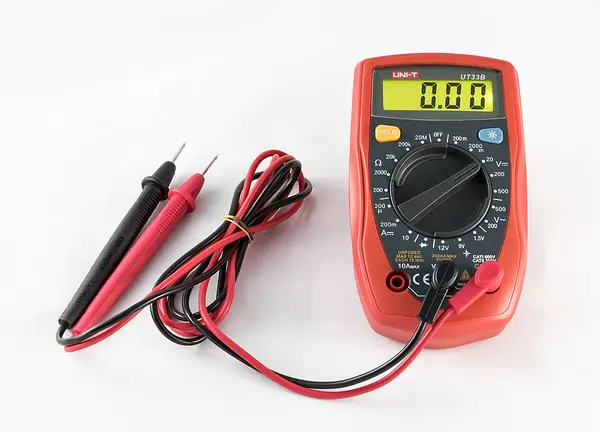
Warning: Hull on a support (a mug or box under the middle) so the wheels spin in the air. Lid off. Fingers clear of the wheels.

6.1 Prop the hull so the wheels are in the air

⏱ 2 min · Parts: - · Tools: mug or box

CAD render: assembly side
CAD render · assembly side (what it should look like)

Set it so both wheels clear the table.

Pass: Both wheels spin freely by hand.

6.2 Switch OFF, then plug the battery into the bq24074

⏱ 2 min · Parts: battery · Tools: -

Reference photo: LiPo 3.7 V 1200 mAh
Reference photo · Adafruit · 258

Switch button out (OFF). Plug the battery JST in.

Pass: No smell, no heat after 30 s (touch each board).

6.3 Measure OUT, and VM with the switch OFF

⏱ 3 min (est.) · Parts: - · Tools: multimeter

Meter with the switch off
Diagram · Meter with the switch off

OUT to GND, then DRV8833 VM to GND.

Pass: OUT = battery voltage; VM = 0 V (switch OFF).

6.4 With the switch OFF, plug the XIAO into the computer and read the log

⏱ 5 min (est.) · Parts: USB-C data cable · Tools: computer

Expected serial monitor output
Diagram · Expected serial monitor output
cd ~/Documents/Claude/pool-skimmer/firmware
../.venv/bin/pio device monitor

Press R on the XIAO.

Pass: # Skimmer v0 boot. Battery ... within 100 mV (est.) of your meter; bench mode line; CSV battery 'ok'.

Don't do yet: Do NOT press the switch ON while the USB is in the XIAO.

6.5 Measure the sensor lines while on USB

⏱ 10 min (est.) · Parts: - · Tools: multimeter

Meter on the sensor lines
Diagram · Meter on the sensor lines

ToF cable red to black at a splice: 3.2-3.4 V (est.). D0 to GND: half the battery. D9 to GND in sun: about 1/3 of the panel voltage. D8 to GND: about 0 V.

Pass: All four readings as described. (v0 firmware doesn't use D8/D9/D10/ToF yet.)

6.6 Close the monitor and unplug the XIAO's USB

⏱ 1 min · Parts: - · Tools: -

Reference photo: XIAO ESP32S3 Sense
Reference photo · Seeed Studio (bought at DigiKey) · 113991115

Ctrl+C, then unplug.

Pass: USB out of the XIAO.

6.7 Switch ON and time the drive pattern

⏱ 3 min · Parts: - · Tools: phone stopwatch

Drive pattern timeline
Diagram · Drive pattern timeline
Forward rotation of each motor
Diagram · Forward rotation of each motor

Press the switch ON. Watch the XIAO's small LED and the wheels.

Pass: LED blinks about once a second. After about 5 s both wheels turn forward (top of each wheel moving towards the bow) for about 20 s, then a 2.5 s pivot (first turn: left wheel back, right wheel forward), then forward again, next turn the other way.

6.8 Measure VM while the wheels run

⏱ 2 min · Parts: - · Tools: multimeter

Meter on VM while the wheels run
Diagram · Meter on VM while the wheels run

DRV8833 VM to GND during a forward phase.

Pass: At least 3.4 V (est.); doesn't flicker below that.

6.9 Switch OFF

⏱ 1 min · Parts: - · Tools: -

Reference photo: Rugged metal on/off switch, 16 mm, red LED
Reference photo · Adafruit · 916

Press the switch.

Pass: Wheels stop at once; LED goes off.

6.10 Fix any wrong wheel direction

⏱ 10 min (est.) · Parts: - · Tools: iron or computer

Forward rotation of each motor
Diagram · Forward rotation of each motor

Only if a wheel turned backwards in 'forward': swap that motor's two splices, or set LEFT_SIGN / RIGHT_SIGN to (-1) in firmware/include/config.h and re-upload (switch OFF, USB in, ../.venv/bin/pio run -t upload). Re-run step 6.7.

Pass: Both wheels forward in 'forward' (or nothing needed fixing).

6.11 Test USB charging through the bulkhead (switch OFF)

⏱ 5 min (est.) · Parts: USB power source · Tools: -

USB-C bulkhead test in both directions
Diagram · USB-C bulkhead test in both directions

Cap off, plug the USB power source into the outside of the coupler.

Pass: bq24074 charge LED lights (unless full). Unplug and cap on.

6.12 Test solar charging (switch OFF)

⏱ 5 min (est.) · Parts: - · Tools: sun

Reference photo: 5 V 0.6 W solar panel ETFE (Voltaic P123)
Reference photo · Adafruit · 5856

Set the lid with the panel on top of the hull in direct sun.

Pass: bq24074 power-good LED lights.

6.13 Run 10 minutes and feel for heat

⏱ 12 min (est.) · Parts: - · Tools: timer

Example photo: Phone stopwatch / timer
Example photo (any similar tool is fine) · Wikimedia Commons · Lesselich · CC BY-SA 3.0

Switch ON, lid resting on top, let it cycle 10 minutes. Switch OFF. Touch each board.

Pass: Warm at most; you can hold a finger on every board. No rubbing noise from the wheels.

6.14 Weigh the boat as it is now

⏱ 3 min · Parts: - · Tools: 0.1 g scale

Expected part masses
Diagram · Expected part masses

Everything fitted so far, lid and screws on top, battery in.

Pass: Write it down. Remaining add-ons (flap, liner, rollers, mast, bail, gel) add about 20 g (est.); the finished limit is 471 g.

STOP 6: checkpoint

  • Boot log battery reading within 100 mV of the meter.
  • Switch ON (no USB): 5 s wait, ~20 s forward with both wheels' tops moving towards the bow, ~2.5 s turn, alternating turns.
  • Switch OFF stops everything.
  • VM stays at or above 3.4 V while driving; no board gets hot in 10 minutes.
  • USB charging through the bulkhead and solar charging both light the bq24074 LED.
  • ToF cable 3.3 V; D0 about half the battery.

Troubleshooting, Stage 6

SymptomLikely causeFix
Switch ON, nothing happensBattery under 3.65 V (firmware sleeps), or switch wiringLED blinks 6 times fast then stops = low battery: charge it. No LED at all: re-check OUT-C and NO-BAT+
LED blinks but wheels don't turnVM, SLP or GNDMeasure VM during forward; beep D6 to SLP
LED blinks fast (5 per second)Battery 'low' (under 3.55 V)Charge it
XIAO restarts when the wheels startBattery low or a bad GND jointCharge; re-do the GND splice
One wheel backwardsMotor leads swappedStep 6.10
A board gets hotShort circuitSwitch OFF, unplug the battery, re-do the Stage 5 beep test

🔒 Locked: tick every check in Stage 6 first (including its STOP box). You can read ahead.

Goal: Coat the boards, seal the ToF pod, fix the panel, fit the gasket, close the glands, then re-test.

3D view Stage 7 overview

Drag to turn · pinch to zoom · two fingers to pan · tap a part for its name.
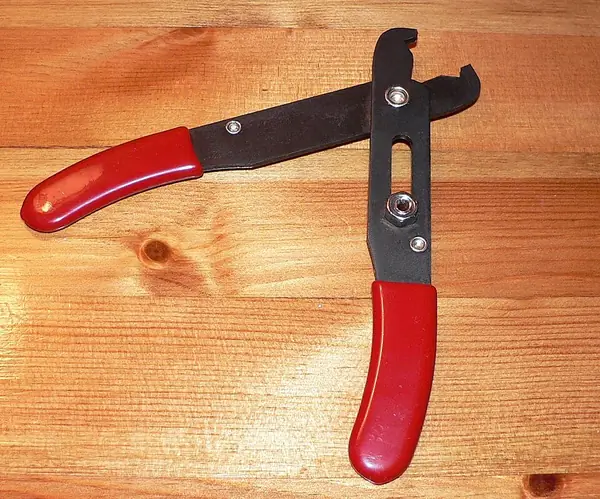
Warning: 419D is flammable. Outdoors or window open + fan, nitrile gloves, glasses, iron unplugged and cold, no flames. Battery unplugged.
Note: MG 419D times, not stated in the repo, from memory of MG Chemicals' data sheet: tack-free about 5-10 min, recoat after about 15 min, handle after about 1 h, full cure about 24 h at room temperature (all est.). The label on the bottle wins.

7.1 Unplug the battery and tape its plug

⏱ 2 min · Parts: - · Tools: masking tape

Reference photo: LiPo 3.7 V 1200 mAh
Reference photo · Adafruit · 258

Switch OFF, unplug the JST, tape the plug.

Pass: Battery disconnected.

7.2 Mask the parts that must not be coated

⏱ 20 min (est.) · Parts: - · Tools: masking tape, toothpick

Masking before conformal coating
Diagram · Masking before conformal coating

XIAO: USB-C socket, B and R buttons, the whole camera module and lens, the antenna connector, the microSD slot. bq24074: USB-C socket, DC barrel jack, battery socket. Press the tape edges down.

Pass: Every connector, button and the camera covered.

7.3 Brush the first thin coat

⏱ 15 min (est.) · Parts: 419D (row 42) · Tools: 419D brush, gloves

Masking before conformal coating
Diagram · Masking before conformal coating
Reference photo: MG Chemicals 419D acrylic conformal coating
Reference photo · MG Chemicals (Amazon) · 419D-55ML (B07B8RY7M6)

Thin coat over the XIAO top and edges, the bq24074, the DRV8833 (both sides you can reach) and the bare joints at the pads. No puddles, no bubbles.

Pass: Even wet film; nothing on the masked parts.

Don't do yet: Don't coat the ToF board (it gets potted) or the copper pad.

7.4 Wait, then brush the second coat

⏱ 15 min + 15 min (est.) · Parts: 419D · Tools: brush

Reference photo: MG Chemicals 419D acrylic conformal coating
Reference photo · MG Chemicals (Amazon) · 419D-55ML (B07B8RY7M6)

Wait until tack-free (est. 15 min), then a second thin coat.

Pass: Two coats, glossy, no runs.

7.5 Peel the masking tape

⏱ 10 min (est.) · Parts: - · Tools: tweezers

Masking before conformal coating
Diagram · Masking before conformal coating

Once dry to the touch (about 1 h (est.)), peel the tape slowly.

Pass: Connectors clean.

7.6 Let the coat cure with the lid off

⏱ 24 h (est.) · Parts: - · Tools: -

Reference photo: MG Chemicals 419D acrylic conformal coating
Reference photo · MG Chemicals (Amazon) · 419D-55ML (B07B8RY7M6)

Ventilated room, lid off, battery unplugged. Do the pod and panel steps below while it cures.

Pass: 24 h passed (est.).

7.7 Decide: pot the ToF pod now, or test the ToF first

⏱ 2 min · Parts: - · Tools: -

CAD render: sensor pod
CAD render · sensor pod (what it should look like)

Potting is permanent and v0 firmware can't read the ToF yet (Stage 3 only checked its power). If you want proof it reads distances first, ask Claude for a short test sketch before potting. Otherwise continue.

Pass: Decision made (write it in DEVLOG).

7.8 Bond the clear window into the pod

⏱ 15 min + 24 h cure (est.) · Parts: 14 x 11 x 1 mm clear piece (row 26), clear RTV · Tools: scissors, IPA

CAD render: sensor pod
CAD render · sensor pod (what it should look like)

Cut the window, clean both faces with IPA, thin bead of RTV in the window recess, press the window in, wipe excess. Keep the inner face spotless.

Pass: Window flat and sealed all round; clear in the middle.

7.9 Pot the back of the pod

⏱ 20 min + cure (est.) · Parts: clear RTV, ClearWeld epoxy (row 27) · Tools: toothpick, gloves

Potting the ToF pod
Diagram · Potting the ToF pod
Reference photo: J-B Weld 50112 ClearWeld 5-minute epoxy
Reference photo · J-B Weld (Amazon) · B009EU5ZM0

Unscrew the pod, loosen the ToF gland dome for slack, stand the pod on its front end. Push a thick blob of RTV into the open end around the cable as a dam (it doesn't flow onto the sensor); after it skins (est. 1 h), cover it with a 2-3 mm cap of mixed ClearWeld. Screw the pod back on.

Pass: Back end fully closed round the cable; no epoxy on the window.

7.10 Stick the solar panel on the lid

⏱ 15 min (est.) · Parts: panel, VHB strips, clear RTV · Tools: IPA

Solar panel on the lid
Diagram · Solar panel on the lid
Reference photo: 3M VHB 5952 tape, 1/2 in x 15 ft
Reference photo · 3M (Amazon) · B01BT0A6MG

Clean the lid top and panel back with IPA. VHB strips on the lid (avoid the recess, keep the 6 screw holes clear: 2 in front, 4 in the ears). Panel centred, flush with the lid's rear edge (it overhangs the sides about 3 mm). Press 30 s. Bead of clear RTV round the panel edge. (ORDER_PLAN: the VHB is 1.1 mm thick, the CAD allowed 0.5 mm: check the panel sits flat.)

Pass: Panel flat, all 6 lid holes uncovered.

7.11 Pot the panel lead hole

⏱ 10 min + cure (est.) · Parts: ClearWeld · Tools: toothpick

CAD render: bay lid
CAD render · bay lid (what it should look like)
Reference photo: J-B Weld 50112 ClearWeld 5-minute epoxy
Reference photo · J-B Weld (Amazon) · B009EU5ZM0

From the lid underside, fill the 5 mm hole around the two leads with mixed epoxy.

Pass: Hole fully filled; leads fixed.

7.12 Fit the gasket cord in the lid groove

⏱ 15 min (est.) · Parts: 2 mm cord (row 48, or the silicone cord) · Tools: scissors, CA

Gasket cord seated in the lid groove
Diagram · Gasket cord seated in the lid groove
Reference photo: Mr O-Ring 2 mm silicone O-ring cord, 25 ft
Reference photo · Mr O-Ring (Amazon) · B00QVB0Z70

Press the cord into the groove all the way round (about 230 mm), cut it so the ends butt, join with a drop of CA. Thin film of dielectric grease (row 46) on the cord.

Oct 26: the cord is the red silicone O-ring cord (the seal that shipped).

Pass: Cord stands about 0.5 mm proud all round; ends join with no gap.

7.13 Optional: add the breather vent (design change)

⏱ 15 min (est.) · Parts: 1 PTFE disc (row 44) · Tools: 3 mm drill bit (hand), IPA

Optional PTFE breather vent placement
Diagram · Optional PTFE breather vent placement
Reference photo: Biomed Solutions 20 mm PTFE filter discs, 64 pcs
Reference photo · Biomed Solutions (Amazon) · B09LD119PF

The CAD has no vent hole (bom.csv row 44 says it does). If you want one: drill 3 mm through the deck over the left wing room about 40 mm behind the bulkheads and 55 mm left of the middle (est.; clear of the ToF gland, lid ears and the add-on space). Vacuum the chips. Stick the disc under the deck over the hole from inside.

Pass: Disc flat with no wrinkles over the hole, or step skipped (write which in DEVLOG).

7.14 Tighten the motor and ToF glands

⏱ 10 min (est.) · Parts: dielectric grease · Tools: spanner

Cable through the gland: sleeve, seal, dome
Diagram · Cable through the gland: sleeve, seal, dome
Reference photo: Permatex 81150 dielectric tune-up grease
Reference photo · Permatex (Amazon) · B01LW7P3RV

Smear of grease on each gland seal, sleeve centred in the seal, tighten the dome by hand + 1/4 turn (est.).

Oct 26: Adafruit #762 glands: the sleeve must be 3.0-4.3 mm across to seal.

Pass: A firm pull on each cable doesn't move it.

7.15 Seal the expansion port

⏱ 10 min (est.) · Parts: expansion cable plug, heat shrink, RTV · Tools: heat gun

CAD render: gland blank
CAD render · gland blank (what it should look like)

Tighten its gland on its sleeved cable. Cap the outside plug in a closed-end piece of heat shrink with a dab of RTV inside. (Alternative: pull the cable and push the gland_blank into the gland, then tighten the dome.)

Pass: Plug sealed; gland tight.

7.16 Wheels: glue only if loose

⏱ 10 min (est.) · Parts: CA · Tools: -

Gluing a loose wheel
Diagram · Gluing a loose wheel

If a wheel slides on its shaft: pull it off, one tiny drop of CA on the D-flat away from the gearbox, push on within 5 s, spin to check it clears.

Pass: Both wheels firm on their shafts and free to spin.

7.17 Plug in the battery, add a silica gel packet, close the lid

⏱ 15 min (est.) · Parts: battery, 1 silica gel (row 45), 6 x M3x10 · Tools: 2.5 mm hex key

Lid screw tightening order
Diagram · Lid screw tightening order
Reference photo: Fonday 1 g silica gel packets, 100
Reference photo · Fonday (Amazon) · B0BM94RP4Q

Coat fully cured. Switch OFF. Plug the battery in. One silica gel packet in the stern, away from the copper pad. Lid on, screws tightened a little at a time in a cross pattern until the lid sits evenly (snug, not hard (est.)).

Pass: Lid flat on the deck all round; gasket squeezed evenly.

Don't do yet: Don't overtighten: the inserts are in plastic.

7.18 Short powered test after the coat has cured

⏱ 5 min (est.) · Parts: - · Tools: mug or box, stopwatch

Drive pattern timeline
Diagram · Drive pattern timeline

Wheels in the air. Switch ON. Watch two forward/turn cycles (about 50 s). Switch OFF.

Pass: Same as Stage 6: 5 s wait, forward, 2.5 s turn, alternating; switch OFF stops it.

STOP 7: checkpoint

  • Two coats of 419D cured 24 h (est.); connectors and camera were masked.
  • Post-coat powered test passed (wheels in air).
  • Pod window bonded and back potted; panel stuck flat with an edge seal; lead hole potted.
  • Gasket in, lid screwed down evenly, 4 glands tight, expansion plug sealed.
  • Silica gel packet inside; vent fitted or consciously skipped.

Troubleshooting, Stage 7

SymptomLikely causeFix
Coat went into a connectorMasking liftedLet it dry; clean the contacts with IPA on a cotton bud; re-test that connector
Nothing runs after coatingCoat in the battery socket, or a joint disturbedCheck OUT voltage; clean the socket; check the Stage 5 splices
White bloom on the coatDamp air while dryingCosmetic; let it cure fully
Lid won't sit flatGasket ends overlap or cord out of the grooveRe-seat the cord; trim the ends to butt
Panel lifts at a cornerVHB thicker than the CAD allowancePress 1 min; add a little more RTV under that edge

🔒 Locked: tick every check in Stage 7 first (including its STOP box). You can read ahead.

Goal: Fit the weir flap, the bail, the fine-mesh liner, the rollers and the mast, then weigh the finished boat.

3D view Stage 8 overview

Drag to turn · pinch to zoom · two fingers to pan · tap a part for its name.
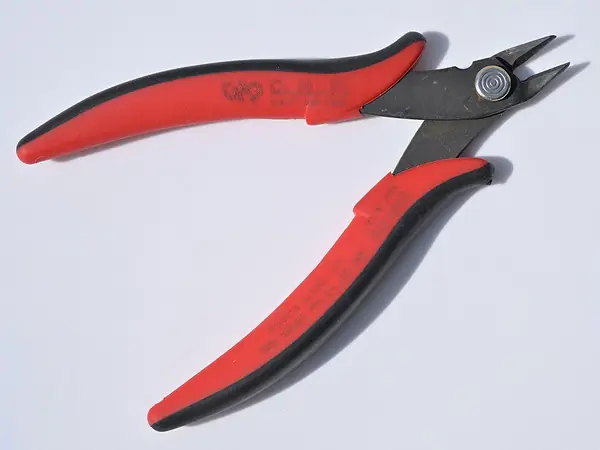
Note: The task listed only the liner here. The flap pins, bail, rollers and mast also go in this stage because they change the mass and trim, so they must be on before the float test.

8.1 Cut two 10 mm stub pins

⏱ 15 min (est.) · Parts: 2 mm stainless rod (row 29) · Tools: hacksaw or rotary tool, file, calipers, glasses

Weir flap stub pins
Diagram · Weir flap stub pins
Reference photo: uxcell 304 stainless rod 2 x 100 mm, 12 pcs
Reference photo · uxcell (Amazon) · B0FKT55D4N

Cut two 10 mm pieces. File the ends smooth and square.

Pass: Two pins 10 mm long, 2.0 mm across, no burrs.

8.2 Fit the weir flap on its pins

⏱ 10 min (est.) · Parts: weir_flap, 2 pins, basket · Tools: CA, toothpick

CAD render: weir flap open
CAD render · weir flap open (what it should look like)
Weir flap stub pins
Diagram · Weir flap stub pins

Hold the flap between the basket cheeks. Push a pin through each cheek hole into the flap's end bore. A tiny drop of CA on the outside of the cheek only.

Pass: Flap swings freely from upright (resting on the front stop) to the 65 deg back stop and falls back.

Don't do yet: No CA near the flap: it must swing.

8.3 Glue in the bail

⏱ 5 min (est.) · Parts: intake_bail · Tools: CA

CAD render: intake bail
CAD render · intake bail (what it should look like)

Into the slots at the front of the funnel guide walls, bowed edge forward.

Pass: Bail firm in both slots.

8.4 Cut the 25 um mesh for the liner

⏱ 15 min (est.) · Parts: 25 um mesh sheet (row 50), basket_liner · Tools: sharp scissors, marker

Mesh on the liner frame
Diagram · Mesh on the liner frame
Reference photo: homeemoh 25 micron nylon mesh sheet
Reference photo · homeemoh (Amazon) · B0D2R2615S

Lay the liner frame on the mesh. Trace round the U-shaped rim and the 4 legs, adding about 5 mm (est.) margin to wrap over the bars. Cut.

Pass: One piece that covers the sides and bottom of the frame with margin.

8.5 Glue the mesh to the liner frame

⏱ 20 min + cure (est.) · Parts: mesh, clear RTV (or CA) · Tools: toothpick

Mesh on the liner frame
Diagram · Mesh on the liner frame

Thin RTV along the rim and legs, wrap the mesh over, press, keep it taut. The pocket opens forward (towards the flap).

Pass: Mesh taut, glued all round, no gaps over 1 mm.

8.6 Trim the mesh and check the liner

⏱ 10 min (est.) · Parts: - · Tools: scissors, 0.1 g scale

CAD render: basket liner
CAD render · basket liner (what it should look like)

Trim stray edges once cured. Weigh the liner.

Pass: About 2.5-3.4 g (est.; buoyancy.py counts 3.4 g).

8.7 Fit the liner and the basket

⏱ 3 min · Parts: liner, basket · Tools: -

CAD render: basket
CAD render · basket (what it should look like)

Liner into the basket body behind the flap swing, opening forward. Basket into the well.

Pass: Flap still swings fully without touching the liner; basket lifts out.

8.8 Fit the two bow rollers

⏱ 15 min (est.) · Parts: 2 rollers, 2 x M3x20, 4 washers, 2 nylocs · Tools: 2.5 mm hex key, small spanner

Bow roller stack
Diagram · Bow roller stack
CAD render: bow roller
CAD render · bow roller (what it should look like)

Each bow corner: screw from the top through washer, roller, washer, then the nyloc as the spacer underneath. Screw into the insert until the nyloc sits on the deck, back the screw off half a turn, snug the nyloc up against the insert.

Pass: Each roller spins freely and stands about 4 mm proud of the bow chamfer.

8.9 Cut the mast to 140 mm

⏱ 10 min (est.) · Parts: one carbon rod (row 38) · Tools: fine saw, dust mask, damp towel, outdoors

Mast dimensions
Diagram · Mast dimensions
Reference photo: MECCANIXITY carbon fibre rod 3 x 300 mm
Reference photo · MECCANIXITY (Amazon) · B0CSKK2DKM

Wrap tape round the cut line, cut slowly outdoors with the mask on, wipe the dust with a damp towel.

Pass: Clean 140 mm rod.

8.10 Glue the mast, ring and flag

⏱ 15 min + cure (est.) · Parts: rod, mast_ring, flag (row 39), ClearWeld · Tools: toothpick

Mast dimensions
Diagram · Mast dimensions
CAD render: mast ring
CAD render · mast ring (what it should look like)

Glue 10 mm of the rod into the deck socket (right stern corner). Glue the ring on top (ring faces front-to-back, for the pole hook). Glue the orange flag round the rod just under the ring, flying forward.

Pass: Mast straight up; ring top about 160 mm above the deck.

8.11 Weigh the finished boat

⏱ 5 min · Parts: the whole boat, basket and liner in · Tools: 0.1 g scale

Expected part masses
Diagram · Expected part masses
CAD render: callouts
CAD render · callouts (what it should look like)

Everything fitted, battery in, lid closed.

Pass: 471 g or less (60 % limit; buoyancy.py assumes 471 g). Over: take the liner out (-3.4 g) and re-weigh. Still over: stop and ask Claude to re-run buoyancy.py with your real masses.

STOP 8: checkpoint

  • Flap swings freely and falls back; bail glued.
  • Liner glued, opens forward, doesn't touch the flap.
  • Rollers spin; mast, ring and flag glued.
  • Boat weighs 471 g or less (written in DEVLOG).

Troubleshooting, Stage 8

SymptomLikely causeFix
Flap sticksCA wicked into the pin boreWork it gently; if stuck, ask before cutting the pin out
Liner rubs the flapFrame too far forwardPush it back; trim the mesh margin
Roller won't spinNyloc too high / screw too tightBack the screw off a little more, re-snug the nyloc
Over 471 gHeavier glands, gel, glue or coatLiner out; ask Claude to re-run buoyancy.py --without liner with real masses

🔒 Locked: tick every check in Stage 8 first (including its STOP box). You can read ahead.

Goal: Waterline, trim, leak check with paper towel inside, and a timed run, all in fresh water. Pass this before the pool.

3D view Stage 9 overview

Drag to turn · pinch to zoom · two fingers to pan · tap a part for its name.
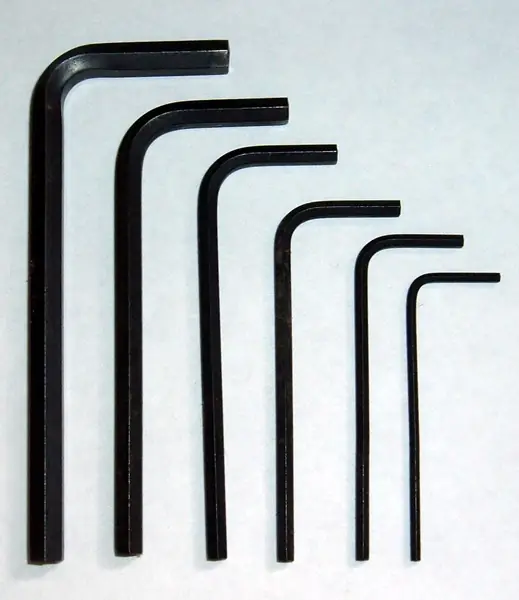
Note: A bathtub is better than a bucket for the drive part (more room). Tap water, not pool water.

9.1 Fill the tub

⏱ 10 min (est.) · Parts: - · Tools: bathtub or tub at least 30 cm across and 15 cm deep (est.)

Example photo: Bucket or bathtub
Example photo (any similar tool is fine) · Wikimedia Commons · Fola01 · CC0

Fresh tap water.

Pass: Calm water.

9.2 Lay a paper towel strip inside the bay

⏱ 5 min (est.) · Parts: paper towel · Tools: 2.5 mm hex key

Tub float test
Diagram · Tub float test

Lid off, switch OFF. One dry strip along the bay floor reaching into both wing rooms. Lid back on, all 6 screws, USB cap on.

Pass: Towel bone dry, lid sealed.

9.3 Float it (switch OFF) and look at the level

⏱ 3 min · Parts: - · Tools: eyes

CAD render: assembly side
CAD render · assembly side (what it should look like)

Lower it gently onto the water.

Pass: Floats level with no obvious tilt; flap floats up to upright.

9.4 Measure the freeboard at four points

⏱ 5 min (est.) · Parts: - · Tools: ruler

Freeboard measurement
Diagram · Freeboard measurement

Water surface to the top of the deck edge: bow, stern, left, right.

Pass: All about 21.6 mm (19-24 mm). Bow vs stern differ by no more than 2 mm (trim). Left vs right differ by no more than 2.5 mm (= 1 deg heel (est.)).

9.5 Check the flap, ramp lip and paddles

⏱ 3 min · Parts: - · Tools: eyes

CAD render: weir flap closed
CAD render · weir flap closed (what it should look like)

Look from the side and front.

Pass: Flap upright, top just above the surface; ramp lip about 4 mm under; paddle tips dip about 8 mm.

9.6 Leave it floating 30 minutes (switch OFF)

⏱ 30 min · Parts: - · Tools: timer

Tub float test
Diagram · Tub float test

Don't touch it.

Pass: Still level after 30 min.

9.7 Lift out, dry the outside, open the lid and check the towel

⏱ 5 min (est.) · Parts: - · Tools: towel, 2.5 mm hex key

Tub float test
Diagram · Tub float test

Dry the outside fully first so no drips fall in, then open the lid.

Pass: Paper towel bone dry; no drops anywhere in the bay.

Don't do yet: Wet towel: don't drive it. Find the wet spot, dry everything, re-seal that port/seam, repeat from step 9.2.

9.8 Fresh towel, lid on, then switch ON and launch

⏱ 3 min · Parts: new paper towel strip · Tools: -

Drive pattern timeline
Diagram · Drive pattern timeline

Lid sealed. Switch ON and set it on the water within 5 s.

Pass: Starts driving after about 5 s.

9.9 Watch the drive pattern on the water

⏱ 5 min · Parts: - · Tools: -

Drive pattern timeline
Diagram · Drive pattern timeline

Watch three forward/turn cycles.

Pass: Goes forward roughly straight, turns, repeats. At the tub wall the rollers or rub rails touch, not the wheels.

9.10 Watch the flap and catch some leaves

⏱ 5 min · Parts: 10 leaves or bits of paper · Tools: -

CAD render: weir flap open
CAD render · weir flap open (what it should look like)

Drop them a hand-length ahead of the bow.

Pass: Flap tips open while it drives and floats shut when it stops; most leaves ride over the lip into the basket and stay.

9.11 Timed run: 30 minutes

⏱ 30 min · Parts: - · Tools: timer, notebook

Example photo: Phone stopwatch / timer
Example photo (any similar tool is fine) · Wikimedia Commons · Lesselich · CC BY-SA 3.0

Let it run. Note anything odd. (Optional: run to cutoff and note the runtime; the wheels stop and the LED blinks 6 times fast.)

Pass: Runs 30 min without stopping or listing.

9.12 Switch OFF, lift out, dry, check the towel again

⏱ 10 min (est.) · Parts: - · Tools: towel

Tub float test
Diagram · Tub float test

Dry the outside, open the lid, check the towel, the motors and the screws.

Pass: Towel dry; no rust; no water at the glands.

9.13 Recharge (attended) and record the results

⏱ 15 min + charge (est.) · Parts: - · Tools: USB power source, charging tile

Fire-safe charging spot
Diagram · Fire-safe charging spot

Charge through the bulkhead on the tile. Write in DEVLOG.md: date, mass, freeboard x4, flap behaviour, leaves caught, runtime, any leaks.

Pass: Logged.

STOP 9: checkpoint

  • Freeboard 19-24 mm all round; bow/stern within 2 mm; left/right within 2.5 mm.
  • Paper towel dry after 30 min floating AND after the 30 min run.
  • Drives, turns, flap opens and closes, catches leaves; rollers (not wheels) touch the walls.
  • Results written in DEVLOG.md. Do not go to the pool until all of this passes.

Troubleshooting, Stage 9

SymptomLikely causeFix
Leans to one sideBattery or boards off-centreNote which side and by how much; ask Claude (battery y position is the heel lever)
Bow or stern lowTrim offNote the numbers; battery x is the trim lever (ask before moving it)
Wet towelGland, switch bezel, USB cap or lid gasketFind the wet spot; re-seat/grease the gasket; re-tighten that gland; RTV under the switch bezel
Drives in circlesOne motor strongerLower the stronger side's LEFT_TRIM/RIGHT_TRIM in config.h (e.g. 0.95), re-upload with the lid off, switch OFF, USB in
Flap won't open while drivingToo buoyantGlue a 0.3-0.5 g stainless washer on its top; check it still floats shut
Pushes leaves awayBow wave at 80 % dutyAsk Claude about a slower forward_duty (PLAN.md suggests about 60 %)

🔒 Locked: tick every check in Stage 9 first (including its STOP box). You can read ahead.

Goal: A short supervised first run in the pool, safe retrieval, then rinse, dry out and recharge.

3D view Stage 10 overview

Drag to turn · pinch to zoom · two fingers to pan · tap a part for its name.
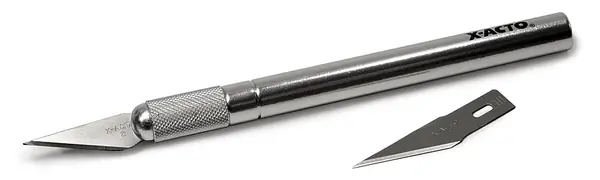
Warning: Stay with it the whole first run. Nobody swimming. Switch OFF before you pick it up.

10.1 Check the pool chemistry timing

⏱ 2 min · Parts: - · Tools: your chlorine/shock label

Pool run checklist
Diagram · Pool run checklist

No shock or chemical dose within its label's wait time (24 h if unsure (est.)). Cover off, no floater nearby.

Pass: OK to go.

10.2 Turn off the pool pump and any robot cleaner

⏱ 2 min · Parts: - · Tools: -

Pool run checklist
Diagram · Pool run checklist

First run only (est.), so the skimmer mouth and cleaner can't grab it.

Pass: Water calm.

10.3 Check the weather

⏱ 1 min · Parts: - · Tools: -

Mockup (AI image from the CAD render; not CAD-accurate: hull rides higher, colours idealised)

No storm, light wind (buoyancy.py: 2.9 deg heel at 5 m/s wind).

Pass: Light wind, no thunder.

10.4 Pre-launch check

⏱ 5 min (est.) · Parts: - · Tools: 2.5 mm hex key

Pool run checklist
Diagram · Pool run checklist

Battery fully charged (charge LED went out), lid screws snug, USB cap on, glands tight, fresh silica gel, basket and liner in, flap swings, mast on. Retrieval tool ready: pool net or a pole hook (the mast ring is for this).

Pass: All ticked.

10.5 Launch

⏱ 1 min · Parts: - · Tools: -

Mockup (AI image from the CAD render; not CAD-accurate: hull rides higher, colours idealised)

Switch ON and set it on the water within 5 s, away from the steps and the skimmer mouth.

Pass: Drives off after about 5 s.

10.6 Watch the first 10 minutes

⏱ 10 min · Parts: - · Tools: notebook

CAD render: callouts
CAD render · callouts (what it should look like)

Watch: roughly straight runs, turns, wall touches on the rollers, flap opening, debris going into the basket, never stuck.

Pass: Nothing worrying. Stuck, listing or slowing: retrieve it now.

10.7 Retrieve it

⏱ 2 min · Parts: - · Tools: pole hook or net

Illustration: Pool net or pole hook
Illustration (no photo found) · Pool net or pole hook
CAD render: mast ring
CAD render · mast ring (what it should look like)

Hook the mast ring or net it. Switch OFF straight away.

Pass: Out and OFF.

10.8 Empty the basket

⏱ 3 min · Parts: - · Tools: -

CAD render: basket
CAD render · basket (what it should look like)

Lift the basket by its handle; tip the catch out; rinse the liner gently.

Pass: Basket back in.

10.9 Rinse the whole boat in fresh water

⏱ 5 min (est.) · Parts: - · Tools: hose or tap

CAD render: assembly iso
CAD render · assembly iso (what it should look like)

Rinse off the chlorine (the screws and pins are 304 stainless). Towel dry, especially round the USB cap and lid edge.
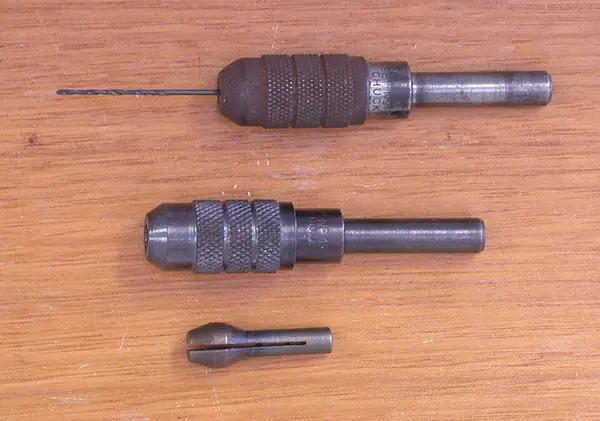
Pass: Clean and dry outside.
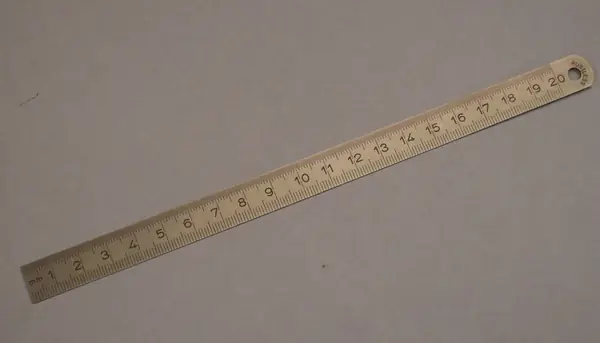
10.10 Open the lid indoors and check inside

⏱ 10 min (est.) · Parts: - · Tools: 2.5 mm hex key

CAD render: bay lid
CAD render · bay lid (what it should look like)

Look for any damp. Swap or dry the silica gel packet. If damp, leave the lid off 1 h (est.).

Pass: Dry inside.

10.11 Recharge

⏱ 1-3 h (est.) · Parts: - · Tools: USB power source, charging tile

Fire-safe charging spot
Diagram · Fire-safe charging spot

Make sure the USB port is completely dry first. Charge through the bulkhead on the tile, attended (or in the sun on the panel, switch OFF). Never leave it baking on hot paving when not in use.

Pass: Charge LED goes out.

10.12 Record the run in DEVLOG.md

⏱ 10 min (est.) · Parts: - · Tools: -

CAD render: callouts
CAD render · callouts (what it should look like)

Date, run time, what it caught, any problems, inside dry or not.

Pass: Logged.

STOP 10: checkpoint

  • Ran 10+ minutes in the pool without getting stuck, listing or leaking.
  • Retrieved, rinsed, dried inside and recharged.
  • Run written in DEVLOG.md. Next: v0.1 firmware (alerts, basket-full, sun-seek) per firmware/PLAN.md.

Troubleshooting, Stage 10

SymptomLikely causeFix
Stuck in a cornerv0 firmware has no escape logic yetRetrieve; escape/wall-follow is in PLAN.md sections 7-8
Stops earlyBattery cutoff (3.3 V) or a not-full chargeRecharge fully; note the runtime
Hair or string round a wheelDebrisSwitch OFF, unwind it, check the wheel still spins
Damp inside afterwardsGasket or a glandDry it, re-grease the gasket, re-tighten the glands, repeat the Stage 9 towel test
Lists after a whileWater getting inRetrieve at once; switch OFF; open and dry; find the leak

Generated by tools/guide_v2.py from tools/assembly_guide.py. Nothing on this page loads from the internet and no photo is uploaded anywhere: Check my part only shares a photo when you tap Send.